↩️ 2024 Recap
Dec 31, 2024
Wow, what a phenomenal year! This year, our Fliki family grew to an incredible 6,500,000+ users, and together, you created an astonishing 24,000,000+ videos!
From AI video clips 2.0 to full-body avatars, subtitle effects, b-rolls, and ultra-realistic voices, we’ve continuously worked to ensure Fliki remains your go-to platform for all things video creation.
Your creativity inspires us every day, and we are beyond grateful for your trust, support, and brilliance. Here’s to even more growth, innovation, and storytelling in 2025❤️
✨ Enhanced workflows
Dec 11, 2024
Creating the perfect video can sometimes feel daunting — juggling scripts, media, and brand voice all at once. We get it, and we’ve made some changes at Fliki to help. Here’s what’s new:
Additional resources in workflows: Upload .pdf, .docx, .txt and other reference files directly with your idea to making video creation more contextual than ever.
Smarter script generation: Set the tone, purpose, and audience before you hit ‘submit,’ ensuring your scripts are always on-point.
Enhanced auto-picking and AI media generation: Save time hunting for the right visuals with our improved auto-picking and AI-powered media generation.
🔍 Similar media
Nov 20, 2024
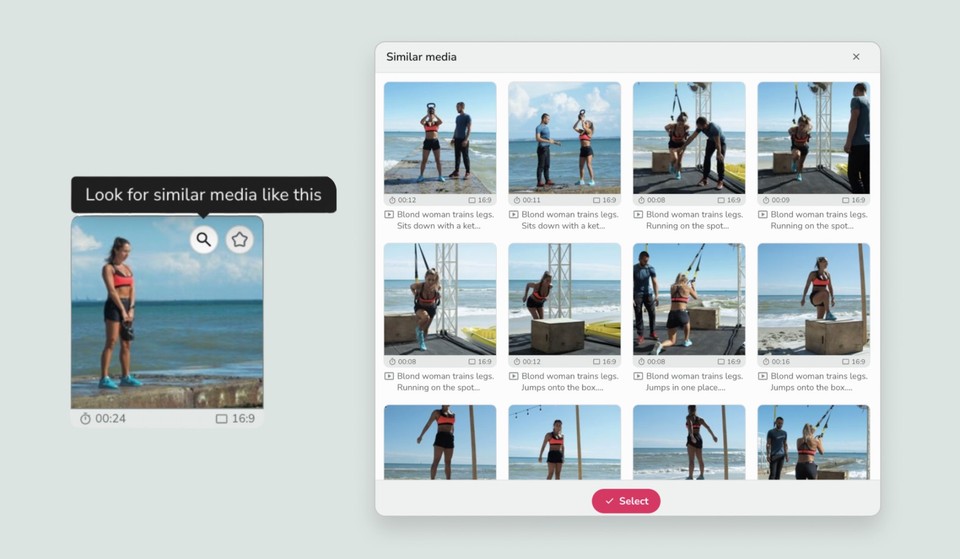
Say hello to a smarter media library! With our new Similar media feature, discovering the perfect stock videos and images just got easier. Simply click the magnifying glass icon on any media in the library, and we'll instantly show you similar options. This powerful feature streamlines your creative process, ensuring you find the right visuals faster and more intuitively than ever before.
🎤 Custom voices
Nov 13, 2024
We’re thrilled to introduce our new feature that lets you create custom unique voices effortlessly! Describe the age, accent, tone, or character, and craft a new voice in seconds. Then, generate voice-overs using just text.
Getting started is easy:
Click on Voices in the left sidebar.
Select Custom.
Click Create custom voice.
Bring your stories and characters to life like never before!
☑️ Manage files & folders
Oct 22, 2024
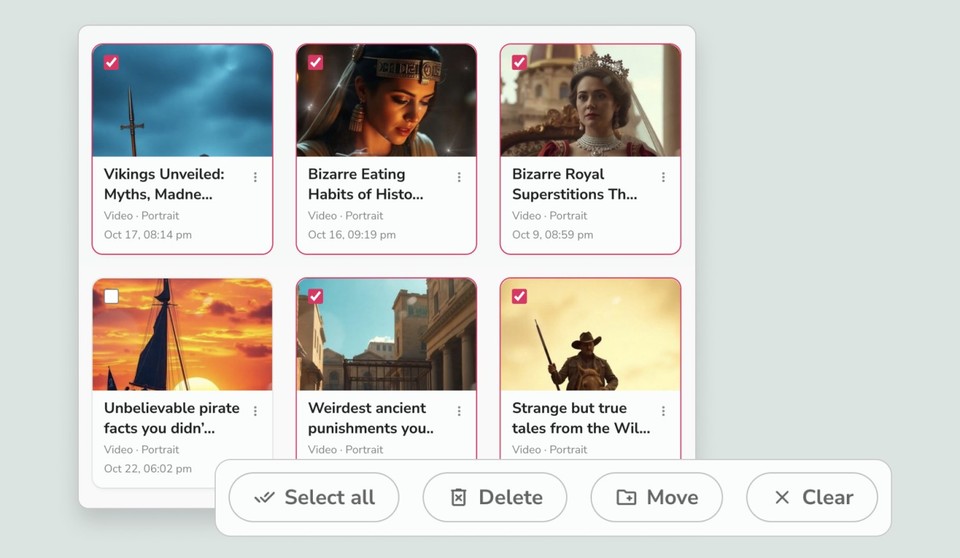
We’re excited to roll out the multi-select feature, designed to make managing your files even easier! Now, you can select multiple files or folders simultaneously and perform bulk actions like moving or deleting them—all in just a few clicks.
Simply hover over a file or folder, check the box that appears, and you’re ready to manage multiple items at once!