Introduction
If you're reading this, you're probably one of the thousands of PlayHT users scrambling to find a new home for your text-to-speech and voice cloning projects. And honestly? You have every right to feel a bit frustrated.
When Meta acquired PlayHT in July 2025, it sent shockwaves through the content creator community. The API went dark on July 26th, weeks ahead of schedule, and now the entire platform is set to shut down on December 31, 2025. For many users, this wasn't just an inconvenience - it was a complete disruption to their workflow, their projects, and their businesses.
I get it. You've built something with PlayHT. Maybe you've spent hours perfecting voice clones, creating audiobooks, producing videos, or building entire products around their API. And now you're back at square one, wondering where to go next.
The good news? This could be a blessing in disguise.
Why the PlayHT Shutdown Happened (And What It Means for You)
Let's talk about what actually happened here. Meta didn't acquire PlayHT because the platform was struggling. They acquired it because PlayHT had built something valuable - a team of talented engineers and advanced voice technology that Meta wanted for its own AI initiatives.
This was what's called an "acquihire." Meta absorbed the entire PlayHT team into their new Superintelligence Labs division, where they're now working on voice features for Meta AI, AI Characters, and Meta's wearable devices. Great for Meta's long-term strategy, but it left users in the lurch.
Here's the thing though - this kind of disruption happens in the tech world. Startups get acquired. Services shut down. And users who relied on a single platform suddenly find themselves searching for alternatives.
But this is also your opportunity to find something better. Something more stable. Something that won't leave you scrambling again in six months.
What You Really Need in a PlayHT Alternative
Before we dive into solutions, let's be real about what you actually need. Because it's not just about finding another text-to-speech tool - it's about finding a platform that can truly replace PlayHT without compromising your work.
Here's what matters:
-
Voice quality and variety - You need realistic, natural-sounding voices that don't make your content sound like it was made by a robot from the 1980s. PlayHT had around 600-900 voices across 140+ languages. Your alternative should match or exceed that.
-
Reliable voice cloning - If you've been using voice cloning for your personal brand, podcasts, or client work, you can't afford to lose that capability. You need a platform that can capture the nuances, tone, and personality of a voice.
-
Beyond just audio - Many PlayHT users discovered they needed more than just voice generation. The ability to create videos, add visuals, and produce complete multimedia content is increasingly essential.
-
Stability and longevity - You don't want to migrate to another platform only to have it shut down or get acquired in a year. You need a company that's stable, growing, and committed to serving its users long-term.
-
Fair pricing - Let's face it - you're already dealing with the cost of migration. You don't want to pay significantly more for equal or lesser features.
Why Fliki Stands Out as the Top PlayHT Alternative
After researching and testing multiple alternatives, Fliki emerges as the most comprehensive replacement for PlayHT users. Not because it's perfect (no tool is), but because it addresses the actual needs of former PlayHT users in ways that other alternatives don't.
Let me break down why.
More Voices, More Languages, More Options
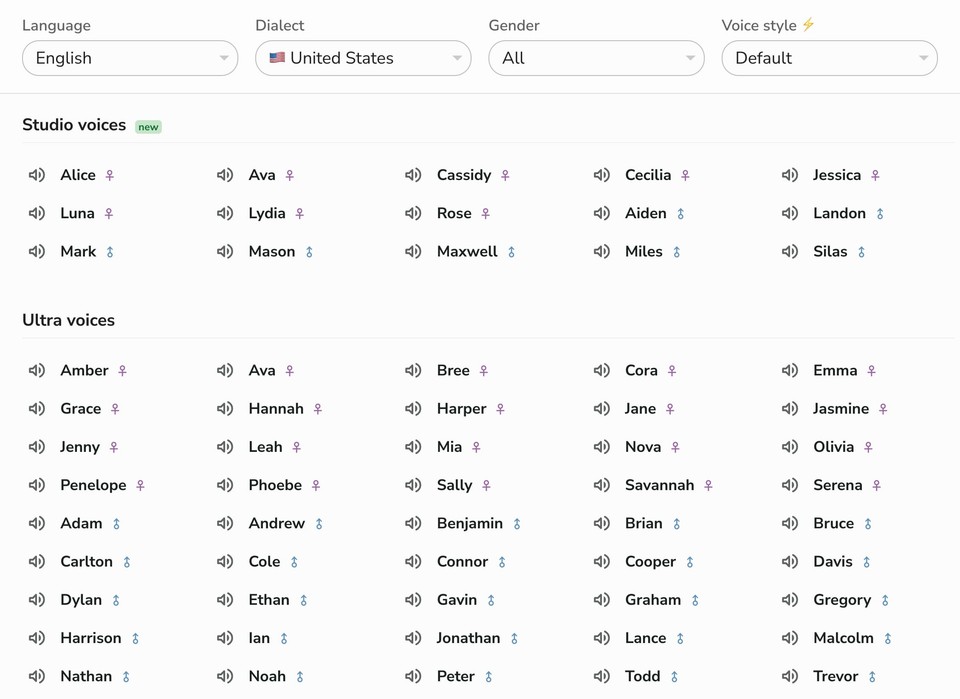
Fliki offers over 2500 ultra-realistic AI voices - that's roughly four times what PlayHT had. These aren't just quantity for quantity's sake. They span 80+ languages with 100+ accents, giving you genuinely diverse options for any project.
Need English voices with different regional accents? Covered. Looking for French, German, or Italian voices that sound native? You'll find multiple options for each.
But here's where it gets interesting - Fliki doesn't just give you a massive voice library. It gives you control over how those voices sound.
Voice Cloning That Actually Works
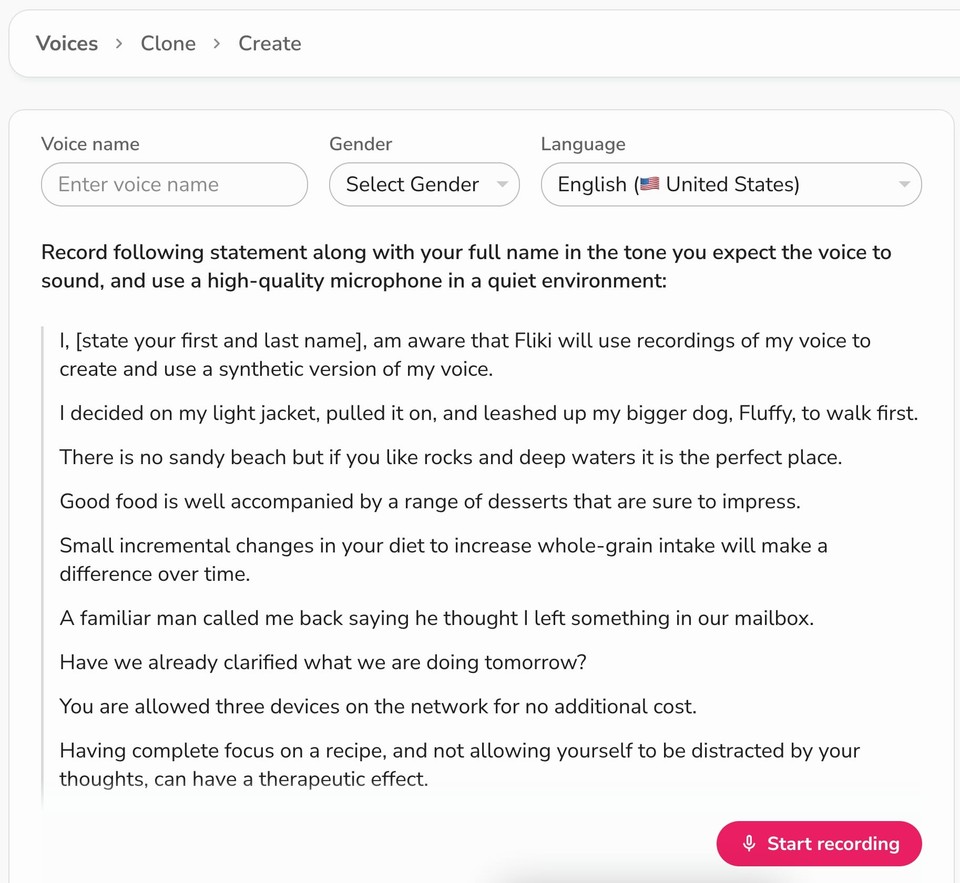
PlayHT required about 30 seconds of audio to clone a voice. Fliki's voice cloning needs just 2 minutes of recording to create a realistic clone. The extra recording time might seem like a drawback, but it actually results in higher-quality clones that better capture the nuances of your voice.
The process is straightforward: record a provided script in your chosen language, submit it for review (usually takes around 6 hours), and then use your cloned voice across all your projects. You can use it for text-to-speech generation, and it captures tone, inflection, and personality in a way that feels authentic.
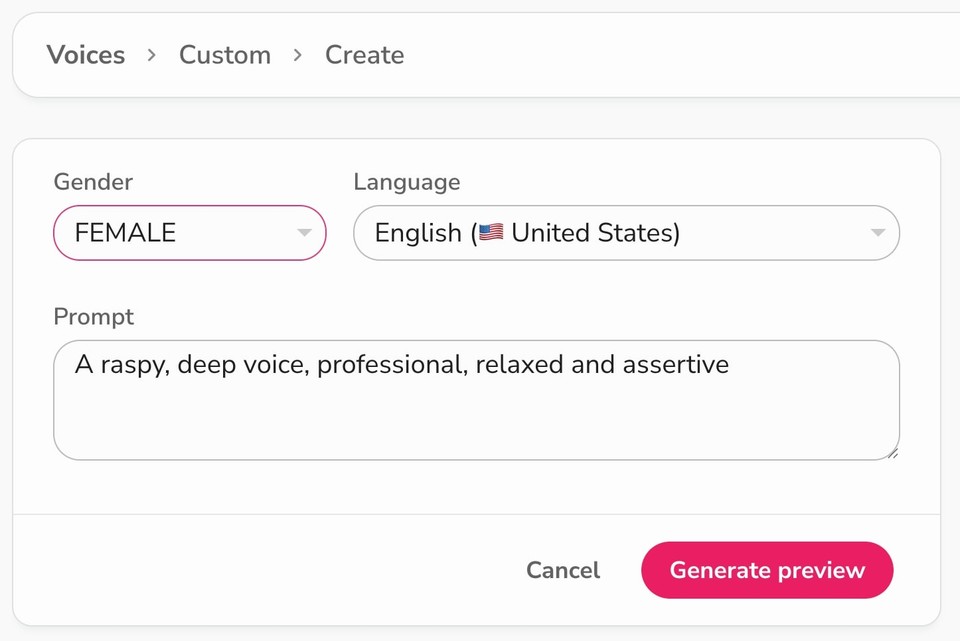
Plus, you can create custom voices using prompts, giving you even more flexibility for character voices or specific brand needs.
Emotion Control (Because Monotone Is Boring)
Here's something PlayHT users often complained about - limited emotional range. Fliki addresses this with voice styles that let you add emotion to selected voices. Want your narration to sound cheerful? Sad? Angry? Hopeful? You can do that.
This matters more than you might think. The difference between a voice that simply reads words and a voice that conveys emotion is the difference between content that people tolerate and content they actually engage with.
From Audio to Complete Video Production
This is where Fliki really pulls ahead. While PlayHT focused primarily on audio, Fliki is a complete text-to-video platform.
You can:
-
Convert scripts directly into videos with voiceovers
-
Transform blog posts into video content
-
Create presentations with AI avatars
-
Add stock footage, images, and animations or generate with AI
-
Include background music from a premium library
-
Auto-generate subtitles
For many content creators, this all-in-one approach eliminates the need for multiple tools. You're not just replacing PlayHT - you're potentially replacing your video editor, stock media subscriptions, and music library too.
Built-In Translation Capabilities
PlayHT offered multiple languages, but translating content between them required external tools. Fliki includes a built-in translation feature that lets you create content in one language and instantly adapt it for global audiences.
This is huge for creators and businesses targeting international markets. You can create a video in English and generate versions in Spanish, French, Japanese, or any of the other 80+ supported languages without starting from scratch.
The Pronunciation Map (A Small Feature That Makes a Big Difference)
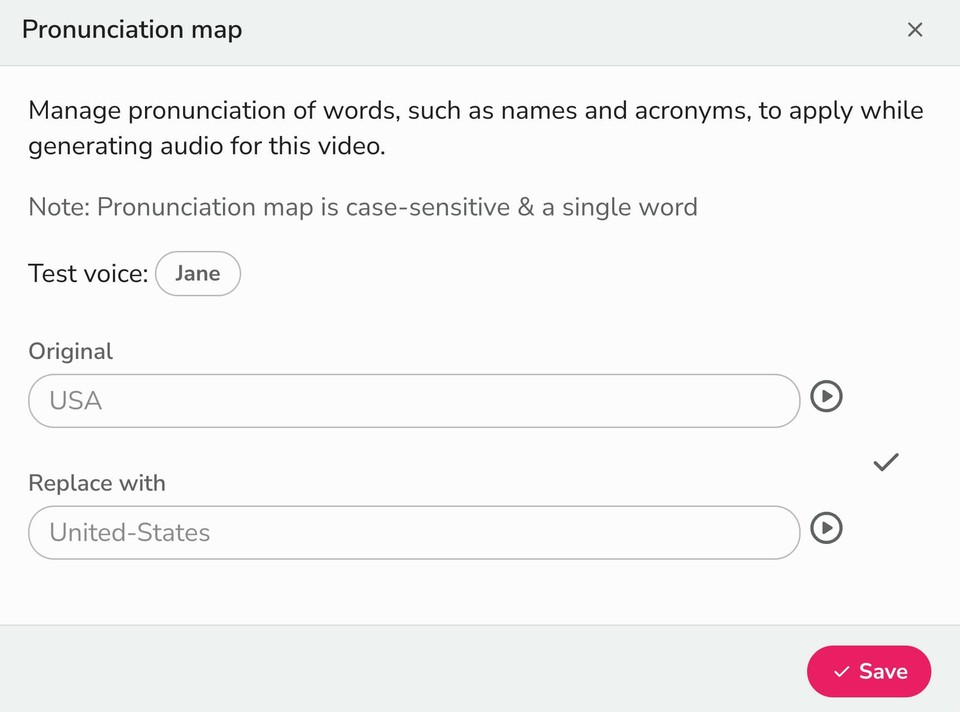
If you've ever dealt with AI mispronouncing brand names, acronyms, or technical terms, you know how frustrating it can be. Fliki's pronunciation map lets you create a custom dictionary for specialized terminology, ensuring consistent and accurate pronunciation across all your projects.
This is one of those features that seems minor until you need it, and then you can't imagine working without it.
PlayHT vs Fliki: A Direct Comparison
Let's put the two platforms side by side so you can see exactly how they stack up:
|
Feature |
PlayHT |
Fliki |
|---|---|---|
|
Number of Voices |
600-900 |
2500+ |
|
Languages Supported |
140+ |
80+ languages with 100+ accents |
|
Voice Cloning |
Yes (30 sec recording) |
Yes (1-2 min recording) |
|
Emotion Control |
Limited |
Yes (selected voices) |
|
Custom Voices |
No |
Yes (via prompts) |
|
Text-to-Speech |
Yes |
Yes |
|
Text-to-Video |
No |
Yes |
|
Built-in Translation |
No |
Yes |
|
Video Editing Tools |
No |
Yes |
|
Stock Media Library |
Limited |
10M+ assets |
|
Background Music |
Limited |
Premium library included |
|
Pronunciation Map |
Yes |
Yes |
|
AI Avatars |
No |
Yes |
|
Auto Subtitles |
No |
Yes |
|
API Access |
Yes (shut down) |
Yes |
|
Enterprise Security |
Standard |
GDPR & CCPA compliant |
|
Platform Status |
Shutting Dec 31, 2025 |
Active and growing |
|
Starting Price |
~$31/month |
~$28/month |
Real-World Use Cases: How Fliki Replaces PlayHT Workflows
Here are some common PlayHT use cases and how you'd handle them with Fliki:
-
Podcast Production: You were using PlayHT to generate intro/outro voiceovers or to convert scripts to audio. With Fliki, you can do the same text-to-speech conversion, but you can also turn your podcast into video content for YouTube or social media. Same voice quality, expanded distribution options.
-
E-Learning Content: If you were creating course narrations with PlayHT, Fliki lets you take those same scripts and turn them into complete video lessons with synchronized visuals, text overlays, and stock footage. You're not just narrating anymore - you're creating comprehensive educational videos.
-
YouTube Content Creation: Many creators used PlayHT for voiceovers on their videos. With Fliki, you can create the entire video from script to final product. Add your voice clone for consistency, include relevant visuals from the stock library, and export a finished video ready for upload.
-
Marketing and Advertising: Were you creating audio ads or promotional content? Fliki's video editor lets you create complete video ads with professional voiceovers, eye-catching visuals, and background music - all in one platform.
-
Audiobook Production: Voice cloning for consistent narration across chapters? Fliki handles that. But it also gives you options to create promotional videos for your audiobook, with snippets of narration and compelling visuals.
-
Multilingual Content: If you were using PlayHT to create content in multiple languages, Fliki streamlines this with its translation feature. Create once in your primary language, then generate versions for international audiences without re-recording or re-editing.
Making the Switch: What Migration Actually Looks Like
I won't sugarcoat it - migrating from PlayHT to any new platform takes some effort. But here's what the process actually looks like with Fliki:
Step 1: Sign up and explore
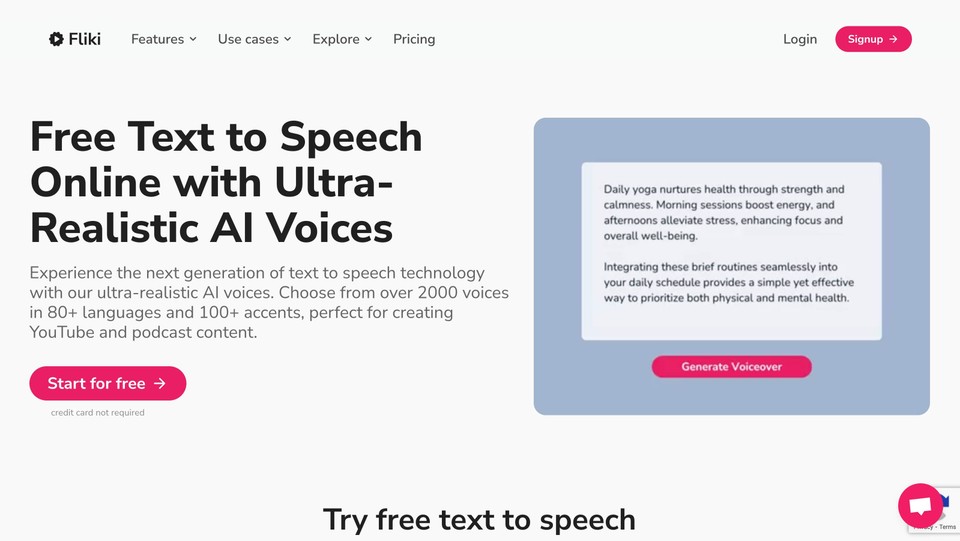
Fliki offers a free plan with 5 credit per month. This gives you time to test voices, try the interface, and make sure it meets your needs before committing financially.
Step 2: Recreate your voice clones
If you were using voice cloning with PlayHT, you'll need to record new samples with Fliki. Set aside a quiet afternoon, record the 2-minute scripts in your target languages, and submit them for approval. Within 6 hours, you'll have your cloned voices ready.
Step 3: Set up your pronunciation map
If you have specialized terminology or brand names, create entries in the pronunciation map. This ensures consistency from day one.
Step 4: Migrate your projects
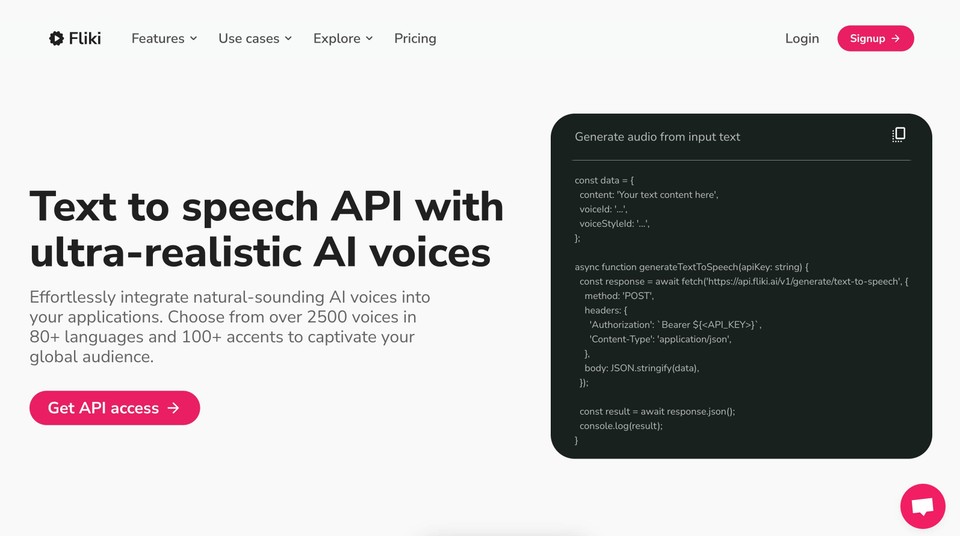
Start with smaller projects to get familiar with the workflow, then tackle larger ones. If you were using PlayHT's API, you'll need to visit Fliki's TTS API page to get access.
Step 5: Explore the expanded features
Once you've replicated your basic PlayHT workflows, start experimenting with Fliki's video capabilities, stock media, and translation features. You might discover new content opportunities you hadn't considered.
The Pricing Reality (Because Budget Matters)
Let's talk money, because that's a real consideration when you're forced to migrate platforms.
PlayHT's pricing started around $31/month for basic plans. Fliki's Standard plan starts at $21/month when billed yearly (or $28/month billed monthly). So you're looking at comparable or lower costs for significantly more features.
The free tier gives you 5 credits per month, which is enough for testing and small projects. For serious creators or businesses, the paid plans offer:
-
180 credits per month (Standard)
-
Full HD 1080p videos
-
Access to ultra-realistic voices
-
Commercial usage rights
-
Premium stock media
-
No watermarks
Enterprise plans are available for larger teams with custom needs, including enhanced security, team collaboration features, and dedicated support.
What About Other Alternatives?
You might be wondering about other options like ElevenLabs, Murf AI, or Descript. They're all solid tools, and I'm not going to tell you they're bad choices. But here's the reality:
-
ElevenLabs excels at voice quality and has strong emotional control, but it's primarily focused on voice generation. You'll still need separate tools for video creation, and the pricing can get steep for high-volume use.
-
Murf AI offers good voices and a user-friendly interface, but the feature set is more limited compared to Fliki's all-in-one approach. You're getting audio tools without the comprehensive video production capabilities.
-
Descript is excellent for podcast editing and transcription-based workflows, but it's designed for different use cases. If your primary need is generating new voiceovers and creating video content from scratch, it's more tool than you need.
Fliki sits in that sweet spot where it replaces PlayHT's core functionality while expanding into video production and visual content.
The Stability Question (Because You Don't Want to Do This Again)
One of the biggest concerns PlayHT users have is: "How do I know this won't happen again?"
Fair question. Here's what you can look for:
Fliki is already working with more than 10 million creators and is GDPR and CCPA compliant, indicating a mature, stable business. They're not a small startup dependent on a single round of venture funding. They have an established customer base, diverse revenue streams, and a track record of continuous feature development.
No one can guarantee that any company will last forever, but you can look for signs of stability: regular updates, growing user base, enterprise adoption, and a business model that makes sense. Fliki checks these boxes.
The Bottom Line: What Former PlayHT Users Should Do Now
If you're a PlayHT user staring down the December 31st shutdown deadline, here's my honest recommendation:
-
Start testing Fliki now - Use the free plan to explore the interface, test voices, and see if it fits your workflow. You have nothing to lose and everything to gain from being prepared.
-
Prioritize voice cloning if that's critical to your work - Get your voice clones set up early so you're not rushing at the last minute. The 6-hour approval process means you want to submit those recordings well before you need them.
-
Think beyond just replacing PlayHT - Consider how you might use Fliki's video capabilities to expand your content strategy. The forced migration might open up new opportunities you hadn't considered.
-
Export your PlayHT data before December 31st - Make sure you have copies of any audio files, voice clones, or project data you want to keep. Once PlayHT shuts down, it's gone.
The PlayHT shutdown is frustrating, but it doesn't have to be catastrophic. With the right alternative in place, you can maintain continuity in your work while potentially gaining access to better tools and capabilities.