Introduction
Let's be honest - nobody wants to sit through another boring slide deck where someone drones on for 30 minutes while you fight to keep your eyes open. I've been there, and if you're reading this, you probably have too.
But here's the thing that's changed everything: AI has completely transformed how we create video presentations. And if you're not using it yet, you're making your life way harder than it needs to be.
I'm going to walk you through exactly how to make a video presentation that people will actually want to watch - and I'll show you how AI tools can do most of the heavy lifting for you.
Why Video Presentations Beat Traditional Slides Every Single Time
Before we dive into the how-to, let me paint you a picture. You've spent hours perfecting your PowerPoint slides. Every transition is smooth, every bullet point is crisp. But when you present it? People are checking their phones, nodding off, or mentally planning their lunch.
Now imagine this instead: A polished video presentation where a professional-looking avatar presents your content with perfect pacing, crystal-clear audio, and engaging visuals - all created in a fraction of the time.
The data backs this up. Research shows that 83% of people prefer watching videos over reading or listening to information, and viewers retain 95% of a message when presented as video compared to 10% when reading it in text. That's not a small difference - that's game-changing.
Video presentations give you the flexibility to share your message asynchronously, meaning people can watch on their own time, pause when they need to, and rewatch sections they want to understand better. It's respectful of everyone's schedule and more effective at getting your message across.
The Traditional Way (And Why It's Becoming Obsolete)
The old-school method of creating video presentations goes something like this:
You'd create your slides in PowerPoint or Google Slides, set up recording equipment (or at least a decent webcam and microphone), rehearse your script multiple times, record yourself presenting (probably doing multiple takes because you stumbled on that one word), edit the footage, sync it with your slides, add transitions, and finally export the whole thing.
If you're technical, maybe you'd use tools like Loom or OBS to screen record. If you're not, you'd probably give up halfway through and just present live instead.
The process could easily take a full day or more for a 10-minute presentation.
The AI Revolution - Creating Video Presentations in Minutes, Not Hours
This is where things get interesting. Modern AI video generators have turned the entire process on its head. Instead of spending hours on production, you can now create professional video presentations in minutes.
Let me show you how this actually works with a practical, step-by-step approach.
Step 1: Creating Your Presentation (The Smart Way)
Here's where most people start overthinking things. They open a blank PowerPoint and stare at it, trying to figure out the perfect layout for slide one.
Skip all that.
Head over to Fliki and look for the presentation option under the design section. If you don't have an account yet, create one - it takes about 30 seconds.
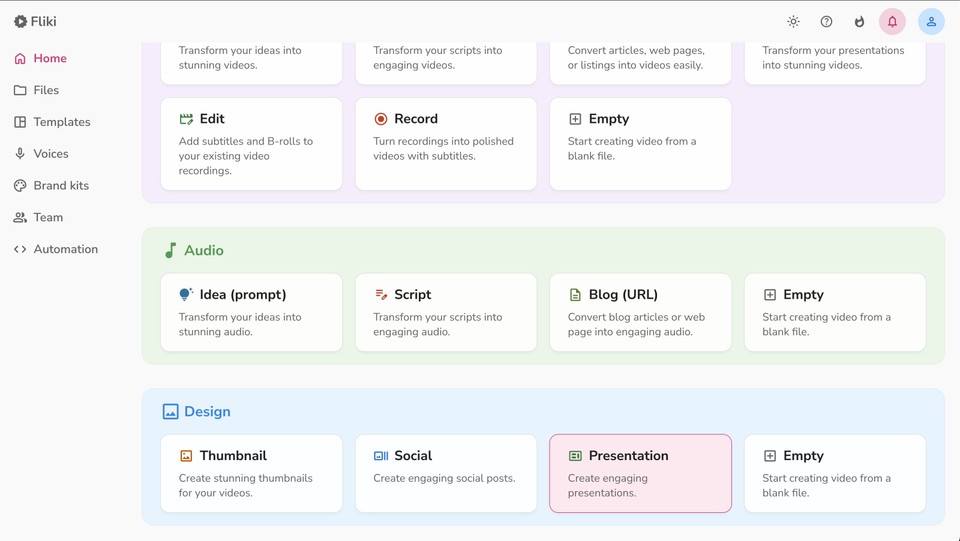
Here's what makes this approach brilliant: Instead of manually designing every slide, you simply describe your idea. That's it. Type in what you want your presentation to be about, select how many slides you need (you can go up to 20), and add any additional context or resources that will help the AI understand your topic better.
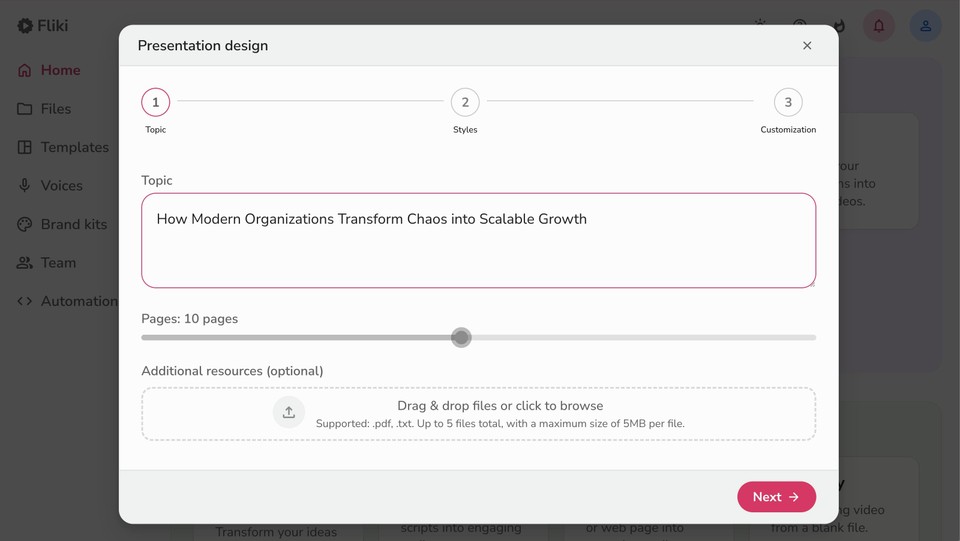
For example, if you're creating a quarterly sales presentation, you might type: "Q4 sales results presentation for our regional team, focusing on revenue growth, key wins, and next quarter goals." Then upload any relevant data or documents.
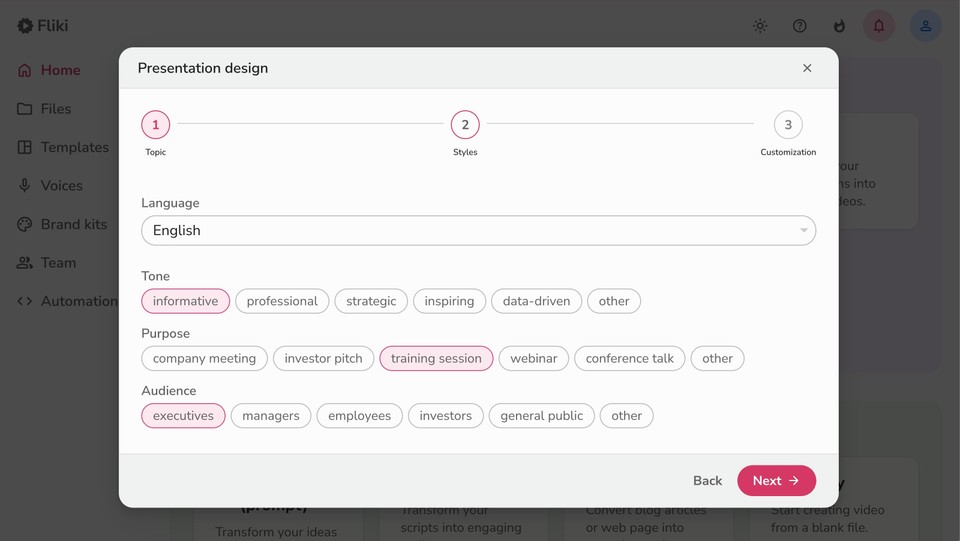
Click next, and you'll choose your language (Fliki supports over 80 languages), the tone you want (professional, casual, persuasive), your purpose, and your target audience. This is crucial because the AI will tailor the content specifically for your needs.
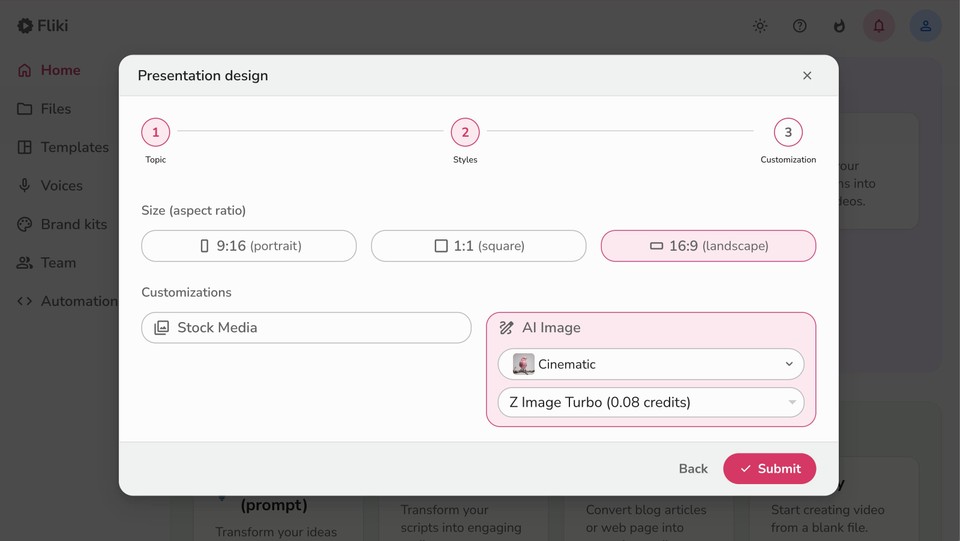
Finally, decide whether you want stock visuals or AI-generated images. For professional business presentations, I usually go with stock visuals - they look polished and credible.
Hit submit, and Fliki creates your entire presentation with static visuals and text. No dragging text boxes around. No hunting for the right stock photo. No formatting headaches.
You can download the result in PPTX format, which means you can still make edits in PowerPoint or Google Slides if you need to. It's the best of both worlds - AI speed with human control.
Step 2: Adding Video Content (Your Secret Weapon)
Now here's where things get really powerful. You have two options for turning your static slides into an engaging video presentation.
Option A: Record Yourself
If you're comfortable on camera and have good recording equipment, you can absolutely record yourself presenting the slides. Some people prefer this authentic, personal approach - especially for internal team presentations or client pitches where the human connection matters.
Open your presentation in Google Slides (or PowerPoint), hit record, and present as you normally would. Simple enough, but it still requires good lighting, a quiet space, multiple takes, and editing time.
Option B: Use AI to Create Your Video (The Game-Changer)
This is where Fliki's PPT to video feature becomes your best friend. Instead of recording yourself, you can use AI avatars and voiceovers to create a fully produced video presentation.
Think about that for a second. You can create a video that looks like you hired a professional presenter - complete with a realistic avatar and natural-sounding voiceover - without ever turning on your camera.
The process is straightforward. Upload your PowerPoint file to Fliki, and the platform converts it into video slides. You can choose from various AI avatars that will "present" your content, and thanks to voice cloning technology, you can even create an avatar that sounds like you.
This last part is crucial. Voice cloning means you record yourself speaking for a few minutes, and Fliki creates a digital version of your voice. From that point forward, your AI presenter can deliver any script in your voice. It's like having a digital twin who's always camera-ready, well-lit, and articulate.
For detailed instructions, check out Fliki's masterclass tutorial.
Step 3: Customizing and Polishing Your Video
Once your basic video is created, you'll want to add those finishing touches that make it truly professional.
Fliki's video editor lets you fine-tune everything. You can adjust timing between slides, change the avatar's voice or appearance, add background music, or modify the script on any slide.
If you're creating presentations for a global audience, Fliki's translator feature can convert your entire video into 80+ languages. Same avatar, same visuals, different language - perfect for international teams.
Want to add more visual variety? The slideshow video maker helps you combine multiple media types - images, video clips, and text - into a cohesive presentation that keeps viewers engaged.
The Real-World Impact
Here’s how it can go - Instead of blocking off your entire afternoon to create a training video, you spend 15 minutes inputting your content into Fliki. The AI generates the presentation and video. You spend another 15 minutes reviewing and making tweaks. Total time investment: 30 minutes for something that would have taken you 4-5 hours the traditional way.
And here's the kicker - the result often looks more professional than what most people can produce manually. The pacing is consistent, the audio quality is crystal clear, and the visuals are polished.
Beyond Basic Presentations
Once you understand how these AI tools work, you can apply them to so many scenarios:
Sales pitches that you can customize and send to individual prospects
Training content that new employees can watch at their own pace
Product demos that showcase features clearly and consistently
Educational videos that makes complex topics easy
Marketing presentations that you can repurpose across different platforms
The text-to-video capability means you can even start with just written content - a blog post, a script, or bullet points - and transform it directly into a video presentation.
The Bottom Line
Making video presentations doesn't have to be a technical nightmare or a time sink. With AI tools like Fliki, you can create professional, engaging video content in a fraction of the time it used to take.
The technology handles the tedious parts - slide design, avatar presentation, voiceover creation, timing, and video production. You focus on the core aspect i.e. your message and your audience.
If you're still creating presentations the old way - manually designing slides, struggling with recording equipment, and spending hours on editing - you're working ten times harder than you need to.
Give AI tools like Fliki a shot. Start with something simple - maybe a short team update or a product overview. See how much faster and easier the process becomes when you let AI do the heavy lifting. I'm willing to bet you'll never go back to the old way.
Because at the end of the day, your time is valuable. The question isn't whether you can afford to use these AI tools. It's whether you can afford not to.