Introduction
Higgsfield is one of the fastest-growing AI video platforms of 2026. It gives you Seedance, Kling, Veo, Sora and Nano Banana in one place, with flashy presets and a Claude integration it promotes everywhere. It is also one of the most argued-about. Search interest in "Higgsfield alternative" has climbed almost every month this year, and the reasons people give are usually the same: credits that run out faster than expected, "unlimited" that turns out to have conditions, and clips that still need a voiceover, captions and an edit before anyone can post them.
The short answer: the best Higgsfield alternative depends on what you make. Pick Fliki if you need finished, narrated videos (it also works inside Claude). Pick OpenArt for the closest like-for-like model playground, Runway for filmmaking and editing, Luma for many video models under one credit pool, and Kling or Dreamina if you only want one model at its source.
In this guide I compare nine alternatives on what actually matters when you leave Higgsfield: which models you keep, what you pay per month in USD, whether there is a usable free tier, and whether the tool connects to Claude through MCP, since that is now a big part of how Higgsfield sells itself. I also ran a hands-on test from inside Claude, and I share the real outputs, credit costs and timings below.
Why people look for a Higgsfield alternative
Higgsfield is not a bad product. It raised a $400M Series B at a $5.4B valuation in August 2026, according to The Next Web, and plenty of creators love its presets and Cinema Studio. On Trustpilot it holds a 4.0 out of 5 from about 5,000 reviews. But 18% of those reviews are one star, and the complaints cluster around a few themes that are worth understanding before you switch.
1. Credits disappear faster than the plan suggests
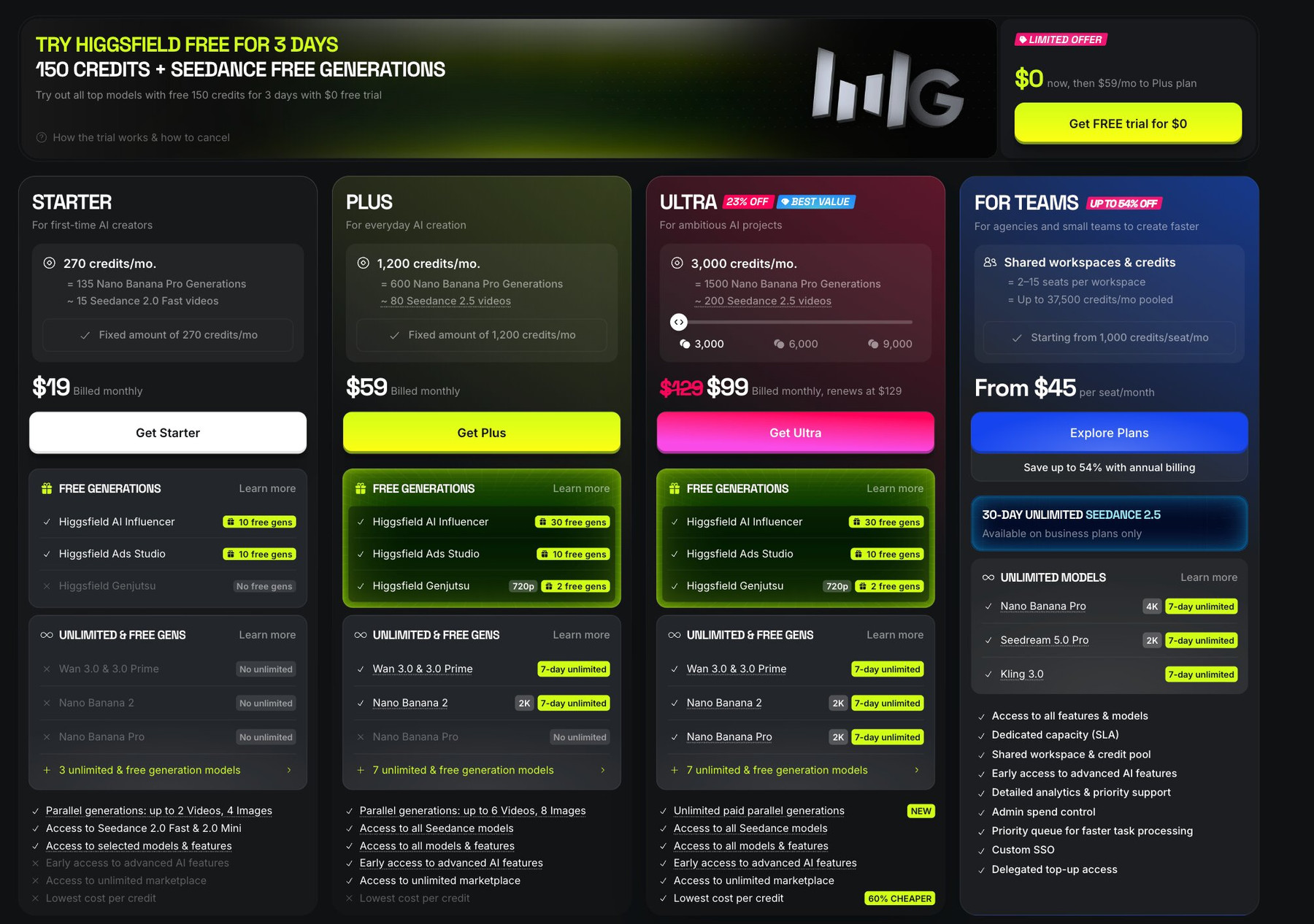
Every Higgsfield plan is credit based. The Starter plan's 270 monthly credits are described on the pricing page as about 15 Seedance 2.0 Fast videos, and Starter only includes Seedance 2.0 Fast and Mini. Re-rolls, upscales and failed attempts all draw from the same pool, so a few prompt iterations can eat a week of budget.
2. "Unlimited" has fine print
The higher plans advertise unlimited generations, but on the current pricing page that means a 7-day unlimited window on specific models (such as Kling 3.0, Wan 3.0 and Nano Banana 2 at 2K), not unlimited everything. Higgsfield's help center also says unlimited runs go through a standard queue. And a line at the bottom of the pricing page states that unlimited models and free generations are accessible only on higgsfield.ai, and not through MCP or the CLI. If you planned to use Higgsfield mainly from Claude, that matters.
3. Billing and trial surprises
The free trial is $0 for 3 days with 150 credits, then it converts to the Plus plan at $59 per month. Most one-star reviews, and the 33 complaints filed with the Better Business Bureau in the last 12 months, are about renewals, trial conversions and refunds. That does not make Higgsfield a scam, but it does mean you should read the renewal terms and set a reminder before a trial ends.
4. You get clips, not finished videos
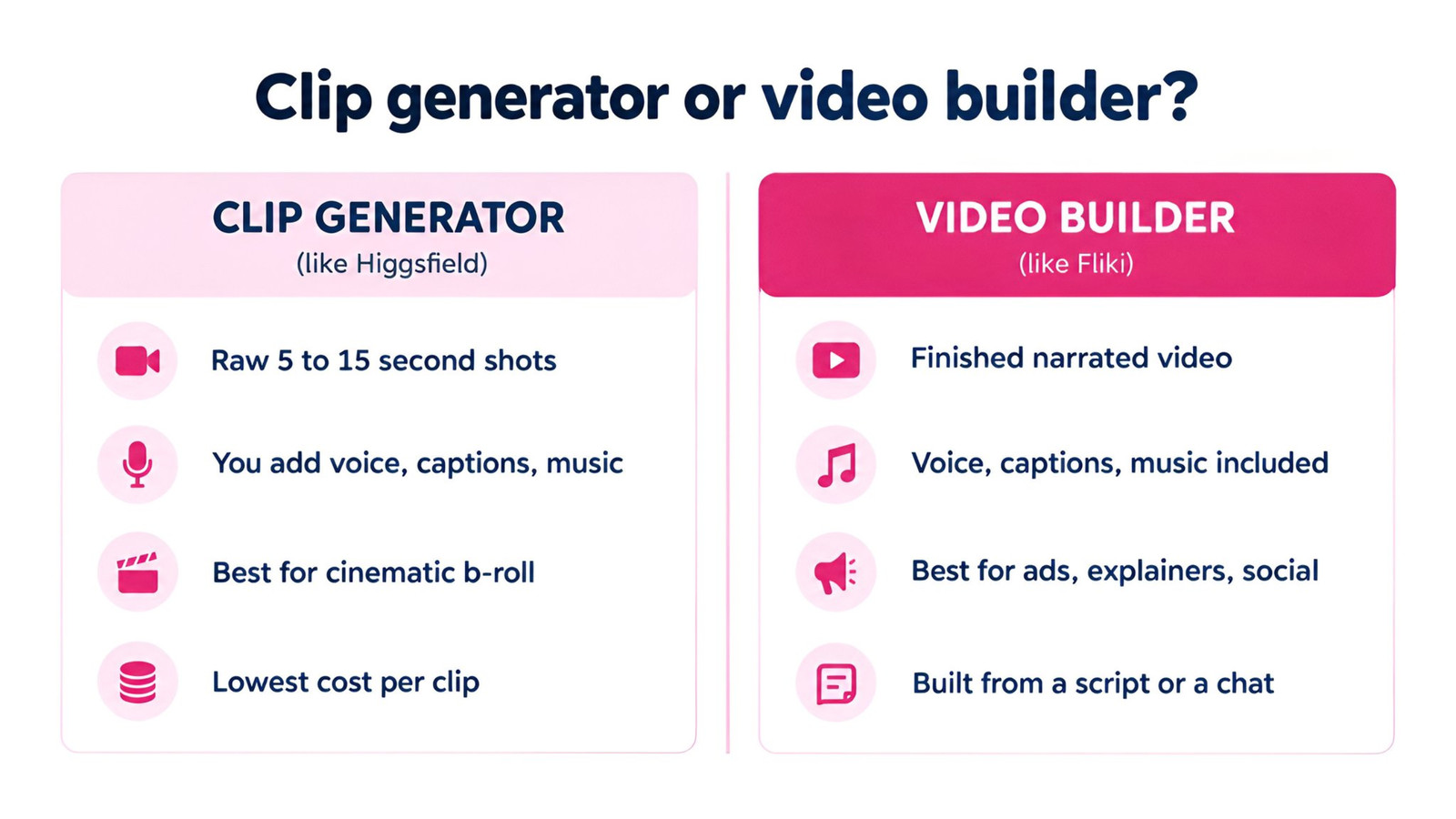
This is the one I hear most from marketers. Higgsfield is built to generate shots: a 5 to 15 second clip, an image, a character. Turning those into a 60-second ad or an explainer still means writing a script, recording or generating a voiceover, adding captions and music, and editing it all together somewhere else. If that is your actual job, you might not need a better clip generator at all. You might need a video builder.
Higgsfield pricing in 2026 (USD)
Before comparing alternatives, here is what you are comparing against. These are the monthly prices on Higgsfield's US pricing page in October 2026. Annual billing is cheaper, and the page often runs promotions, so treat this as a snapshot.
Plan | Monthly price | Billed yearly | Credits per month | What Higgsfield says it buys |
|---|---|---|---|---|
Starter | $19 | $19 | 270 | About 15 Seedance 2.0 Fast videos (Seedance 2.0 Fast and Mini only) |
Plus | $59 | $35/mo | 1,200 | About 80 Seedance 2.5 videos, 7-day unlimited on some models |
Ultra | $99 first month, then $129 | $70/mo | 3,000 | About 200 Seedance 2.5 videos, more 7-day unlimited models |
Teams | From $45 per seat | Up to 54% off | From 1,000 per seat | Shared workspace and credit pool |
To be fair to Higgsfield: if all you want is the largest number of raw Seedance clips per dollar, its Plus and Ultra plans are hard to beat on paper. Several alternatives below cost more per clip. The question is whether raw clips are what you need.
How I picked and tested these alternatives
I looked at the tools that keep showing up when people ask where to go after Higgsfield, and scored them on five things:
Model access: can you still use Seedance 2.0 or 2.5, Kling 3.0 and Veo 3.1, or an equally strong in-house model?
Real monthly cost in USD: taken from each vendor's pricing page in October 2026, monthly billing first.
Free tier: can you test it properly before paying?
Output type: raw clips, or a finished video with voice, captions and music?
Claude and MCP support: is there an official way to run it from Claude or another AI agent?
For the hands-on part, I used Fliki from inside Claude (through Fliki's MCP connection) and ran the same prompt on three models, then asked Claude for a complete narrated promo. Full disclosure: I work at Fliki, so I have tried to be specific about where Fliki costs more and where other tools are the better pick.
Quick picks
Tool | Best for | Free option | Paid from (monthly) | Claude / MCP |
|---|---|---|---|---|
Fliki | Finished narrated videos, from a script or a chat | Yes, 3 credits/mo, 720p, watermark | $28 (AI clips and Claude on $88 Premium) | Yes, official |
OpenArt | Closest like-for-like model playground | Start free | $14 | Yes, official |
Runway | Filmmakers and AI editing | 125 one-time credits | $15 | Yes, official (listed on Pro) |
Magnific (formerly Freepik) | Design plus video in one subscription | Limited | $20 | Listed on pricing page |
Krea | Cheap entry and real-time image work | 100 compute units/day | $9 | Not verified |
Kling AI | Kling models at the source | Daily free credits | About $10 | Not verified |
Luma | Cinematic clips and many models in one place | No | $30 | Yes, official |
InVideo AI | Script-to-video for YouTube | Limited | $20 ($10 billed yearly) | Yes, beta |
Dreamina (CapCut) | Seedance at its home | Promotional credits | Varies by region | No |
The 9 best Higgsfield alternatives in 2026
1. Fliki
Best for: marketers, educators and creators who need finished videos with voiceover, captions and music, not just clips. Also the strongest pick if you liked the idea of Higgsfield inside Claude.
Fliki started as a text-to-video and voiceover tool, and that is still the difference. You can open the AI Playground and generate a single clip with Seedance 2.0 or 2.5, Kling 3.0, Veo 3.1 Fast, MiniMax H3 or Gemini Omni Flash, much like Higgsfield. But you can also hand Fliki a script, a blog post, a PPT or a one-line idea and get back a complete video: scenes, AI footage or stock, a voiceover from 2,000+ voices in 80+ languages, subtitles and background music, all editable in a timeline.
My test: the same prompt on three models, run from Claude
I connected Fliki to Claude and asked it to run one prompt (a handmade coffee mug on a cafe table at sunrise, steam rising, slow dolly-in) on three models through Fliki. I did not open the Fliki app at all. Each clip came back in about a minute or two.
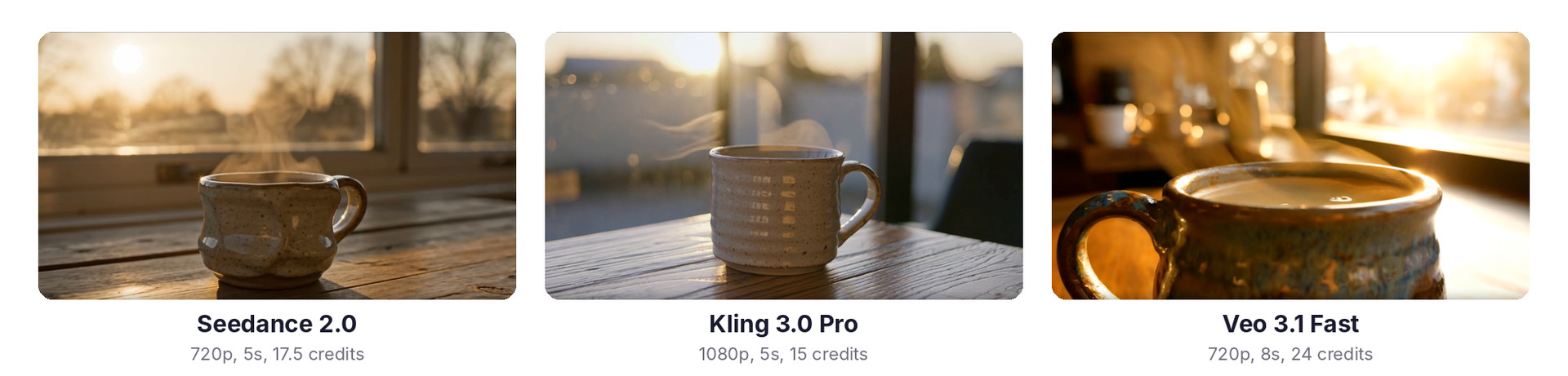
Seedance 2.0 followed the prompt most literally, with a visible sunrise and steam that reads well on a small screen. Kling 3.0 Pro produced the sharpest 1080p frame, though it added odd glyph-like marks on the mug. Veo 3.1 Fast ignored the dolly-in framing and went for a moody macro shot, which looked great but was not what I asked for. That is a useful reminder that no single model wins every prompt, so having several behind one subscription matters more than any one model's demo reel.
Then the part Higgsfield's MCP does not do
Next I pasted a five-line script for a fictional cafe into Claude and asked for a narrated promo using AI video clips. Claude ran Fliki's script-to-video workflow and, about four minutes later, I had a 23-second, 1080p video with AI footage in every scene, a voiceover, subtitles and a music bed. The whole run, including the export, used roughly 52 credits on my account. The three test clips above used 56.5 credits together.
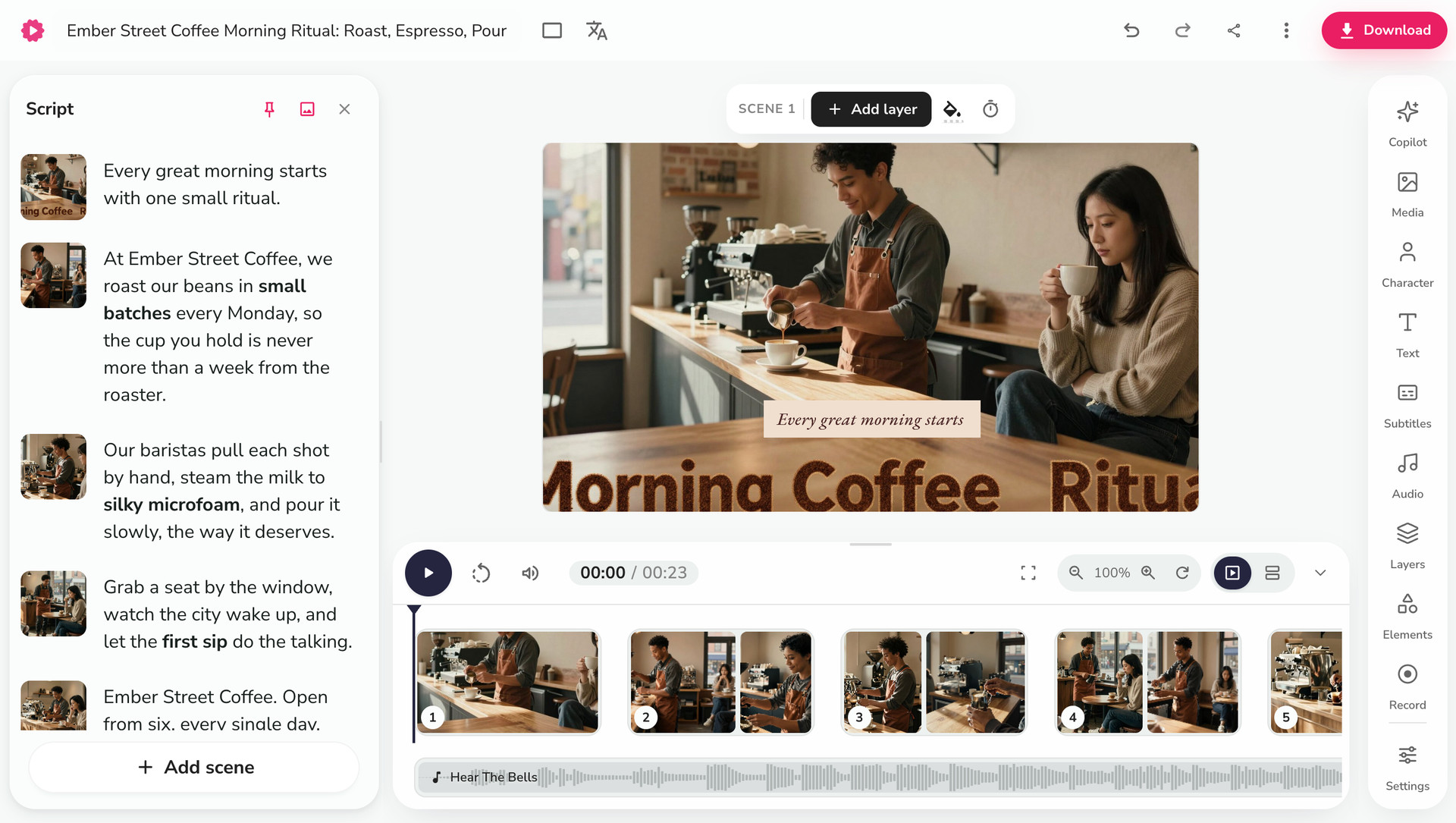
Everything Claude made landed in my Fliki library, so I could open it in the editor, swap a clip, change the voice or fix a caption by hand. That combination of chat-driven creation and a real editor is the main reason I would point most Higgsfield users who make marketing or educational content to Fliki.
Pricing
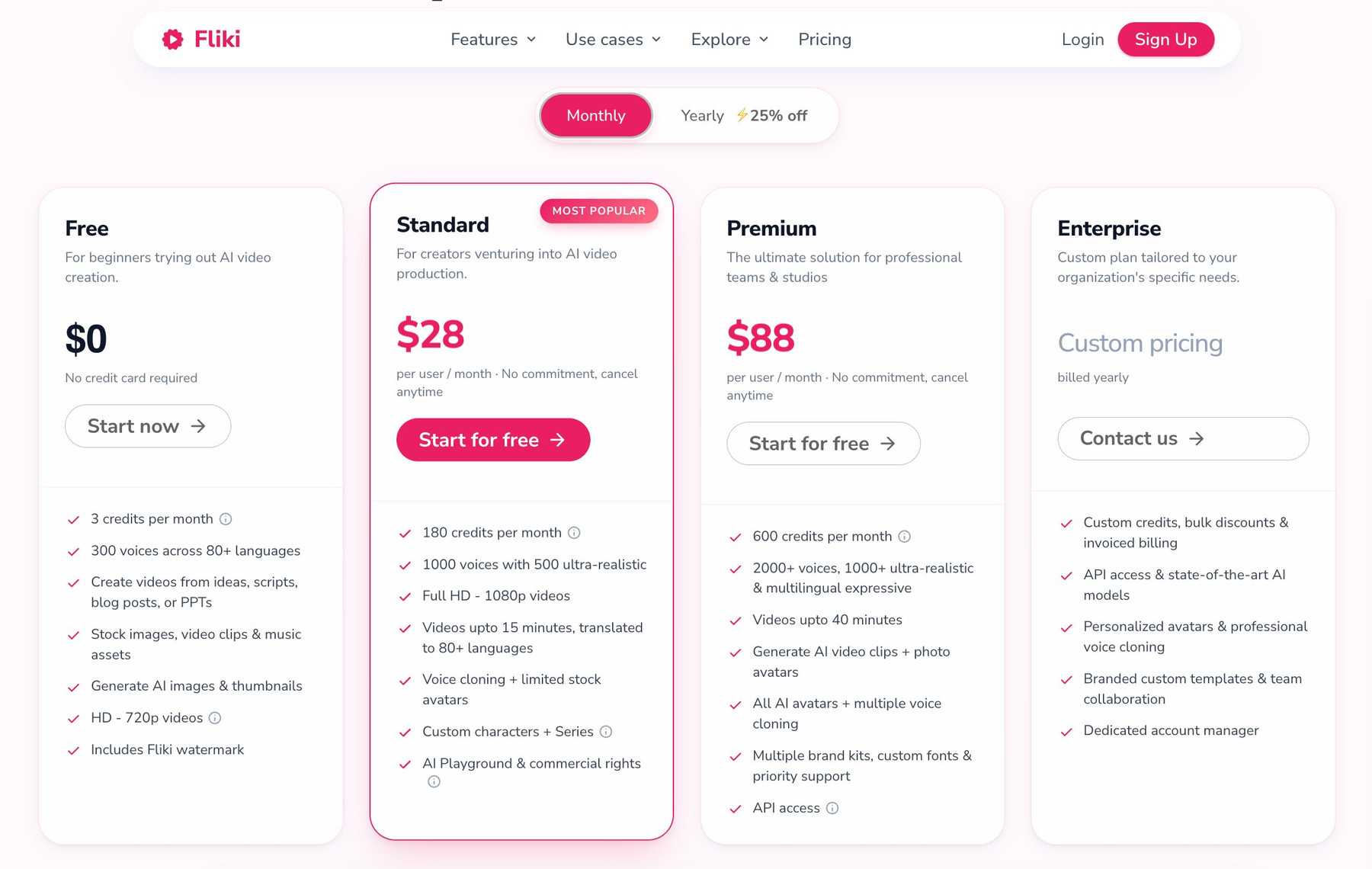
Fliki has a free plan (3 credits a month, 720p, watermark). Standard is $28 a month ($21 billed yearly) with 180 credits. Premium is $88 a month ($66 billed yearly) with 600 credits, and it is the plan you need for AI video clips, photo avatars, API access and the Claude connection. See the pricing page for current details.
Pros: finished videos rather than clips; top video models plus 2,000+ voices, voice cloning, avatars and auto captions in one place; full workflow from Claude including scripts, blog posts, music videos, thumbnails and slide decks; everything stays editable.
Cons: a raw Seedance or Veo clip costs more credits per second than on Higgsfield's bigger plans; AI clips and Claude access need Premium; the free plan is for trying the editor, not for serious AI video.
Verdict: the best Higgsfield alternative if your end product is a video someone watches, not a clip someone edits. If you compared Higgsfield and Fliki directly before, my HeyGen vs Higgsfield vs Fliki test goes deeper on that head-to-head.
2. OpenArt
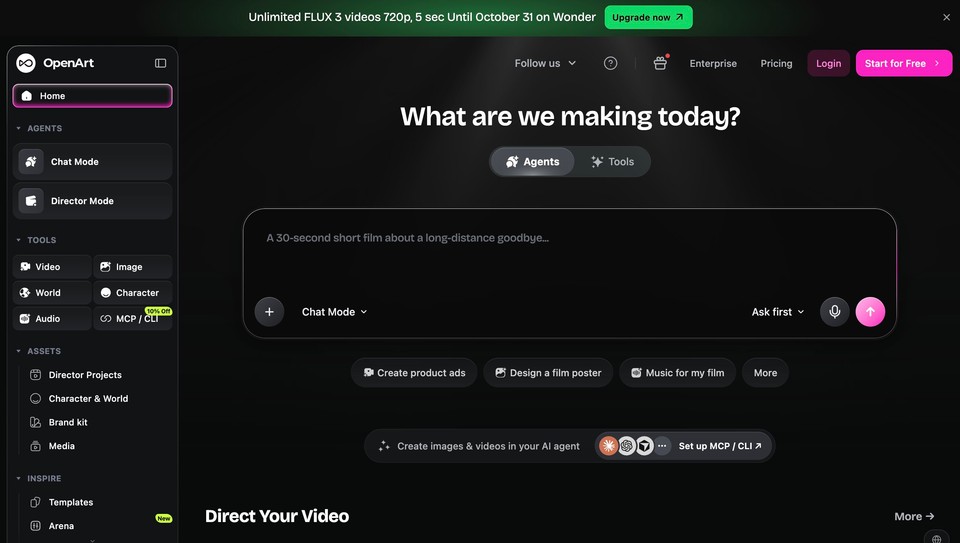
Best for: people who like Higgsfield's model-aggregator approach and want the most similar experience at a lower entry price.
OpenArt bundles 100+ image, video and audio models, including Veo, Kling, Seedance and Nano Banana Pro, with character tools and an agent it calls Director. It also has an official MCP server, so you can drive it from Claude or ChatGPT with the same credits. Pricing starts at $14 a month for Starter (4,000 credits), then $34 for Plus and $56 for Pro, with small discounts for yearly billing.
Pros: very wide model menu, official MCP, lower starting price than Higgsfield. Cons: like Higgsfield, it produces assets, not finished videos, and credit costs vary a lot by model.
3. Runway
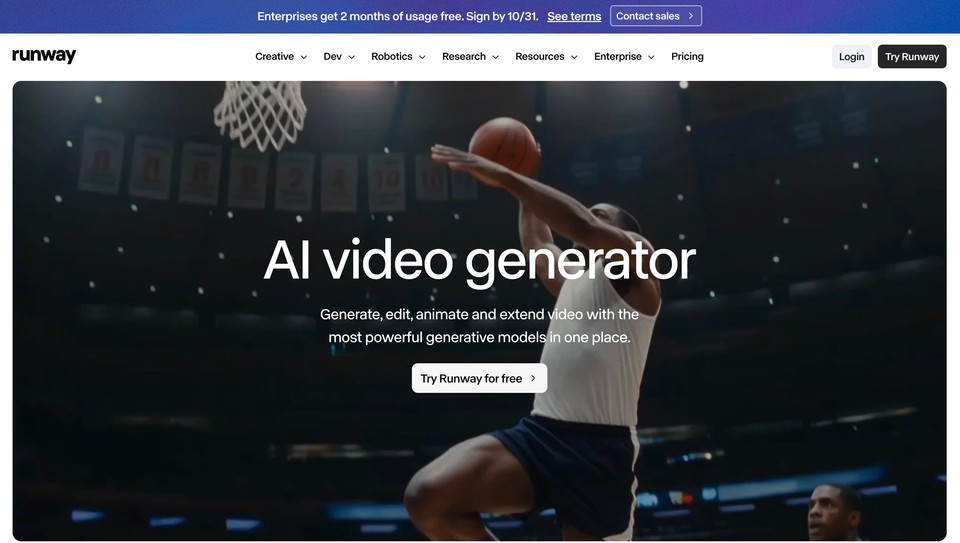
Best for: filmmakers, editors and agencies who want strong in-house models plus serious AI editing.
Runway has its own Gen-4.5 and Aleph models (Aleph edits existing footage) and also offers third-party models such as Seedance and Kling. It launched an official Runway MCP in May 2026 that works with Claude, ChatGPT and Cursor; the pricing page lists it on the Pro plan. Plans run from a free tier with 125 one-time credits to Standard at $15 a month ($12 yearly), Pro at $35 ($28 yearly) and Max at $95.
Pros: best-in-class video editing models, mature product, official MCP. Cons: the free credits do not renew, and monthly credits do not roll over on most plans.
4. Magnific (formerly Freepik)
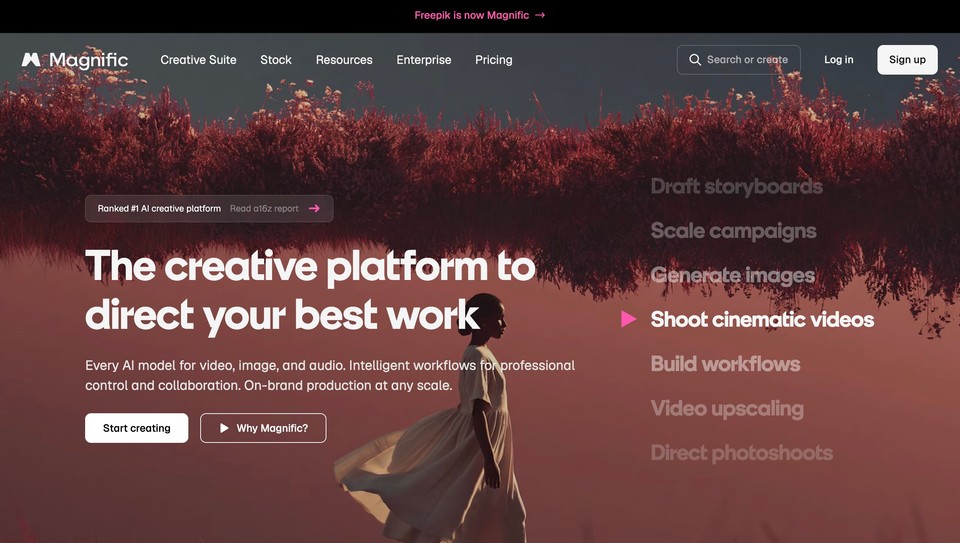
Best for: designers and small teams who want images, video, stock and editing tools in one subscription.
Freepik rebranded its AI suite as Magnific in April 2026. It offers dozens of image and video models on a node-based canvas, alongside the stock library many designers already pay for. Premium is $20 a month ($14.50 billed yearly), and Premium+ at $45 adds unlimited use of some image models. Credits are allocated yearly and stay valid for a year, which suits bursty workloads better than monthly resets.
Pros: great value if you also use stock and design tools; long-lived credits. Cons: video is one feature among many, and it is still clip-based.
5. Krea
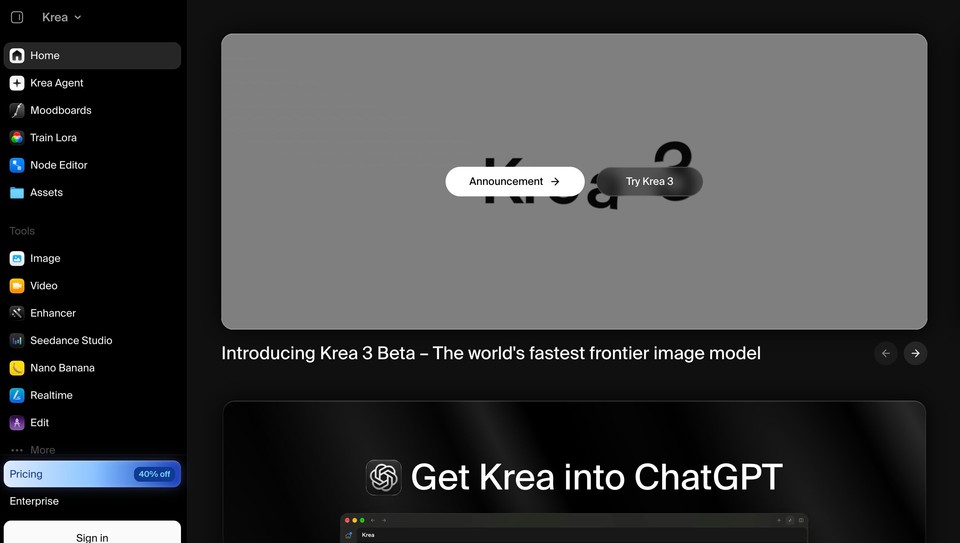
Best for: the cheapest way to keep access to multiple top video models, plus real-time image generation.
Krea combines its own models with Veo, Runway, Luma, Kling and Seedance, and adds a node editor and real-time canvas. Basic is $9 a month ($5 billed yearly) with 5,000 compute units, Pro is $35 ($21 yearly), and the free tier gives 100 units a day for images (it does not let you run video jobs).
Pros: low entry price, fun real-time tools. Cons: Basic only includes selected video models, and I could not confirm an official MCP connection.
6. Kling AI
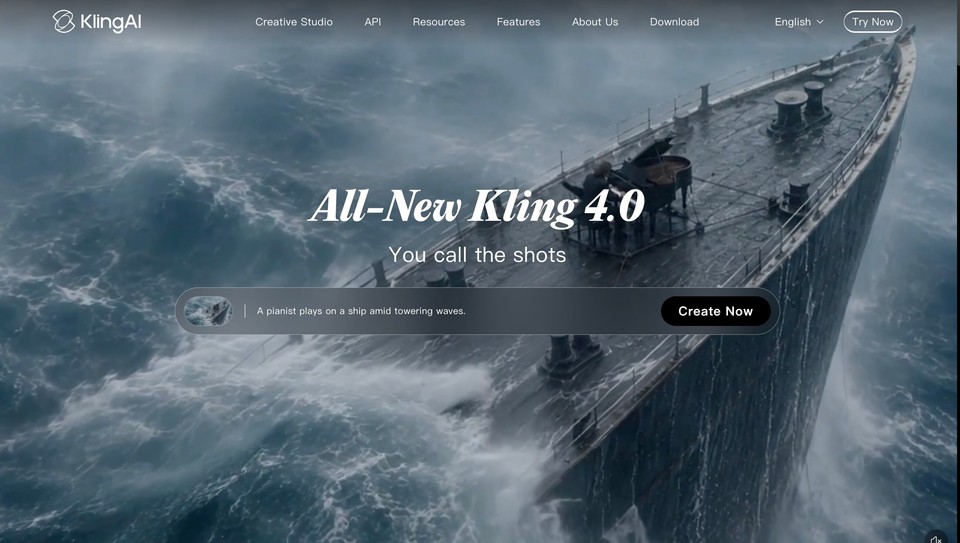
Best for: creators who mostly used Kling inside Higgsfield and want it at the source.
If 80% of your Higgsfield credits went to Kling 3.0 motion control, going direct to Kling AI is often the simplest move. It has a free tier with daily credits (watermarked, lower resolution) and paid plans that start at roughly $10 a month, according to eesel's 2026 pricing breakdown. I could not load Kling's own pricing page, so check it before you buy.
Pros: newest Kling features first, generous free tier. Cons: one model family only; no voice or editing workflow.
7. Luma
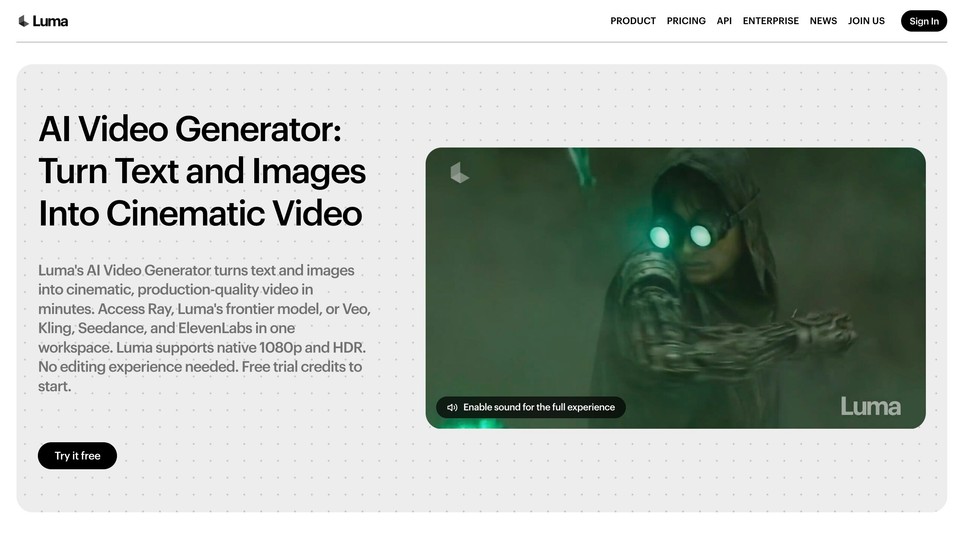
Best for: cinematic text-to-video and image-to-video with one credit pool across many models.
Luma runs its own Ray video models and also gives you third-party models such as Seedance 2.5, Kling, Veo 3.1 and MiniMax H3 under the same credits. It has an official MCP server for Claude, ChatGPT and Codex, and Claude Motion animations can be sent straight to Luma. There is no free plan; Plus is $30 a month, Pro $90 and Ultra $300, with up to 20% off yearly.
Pros: many models in one place, official MCP. Cons: no free plan, and clips only, so you still need another tool for narration and finished videos.
8. InVideo AI
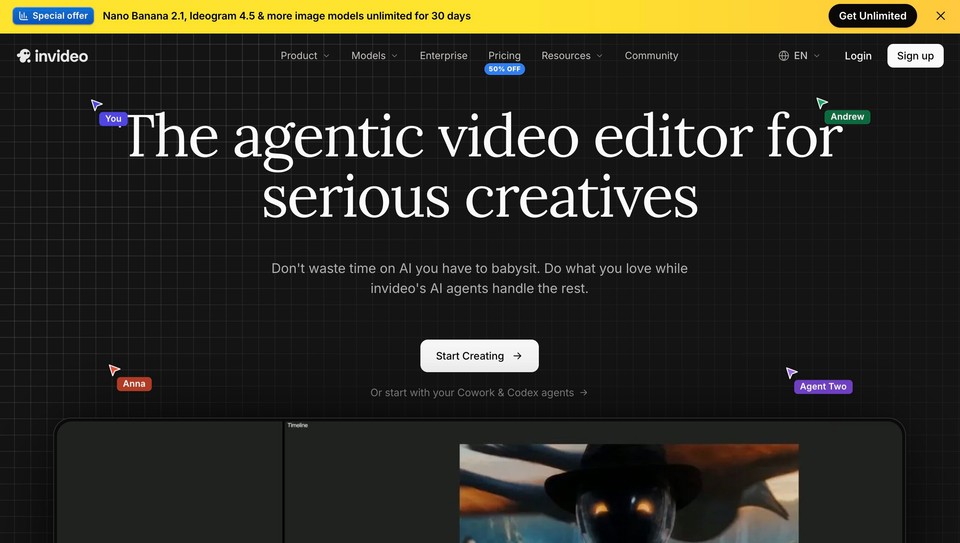
Best for: YouTube creators who want a long script turned into a stock-and-AI video.
InVideo AI turns prompts and scripts into edited videos and now includes Seedance models. Its pricing page shows Starter at $20 a month per seat ($10 billed yearly, Seedance 2.0 Fast and Mini only), Plus at $60 ($30 yearly) and Max at $150 ($75 yearly). It has an MCP server in beta.
Pros: fast script-to-video for long-form YouTube. Cons: best Seedance access sits on the higher plans; no rollover of credits.
9. Dreamina (CapCut)
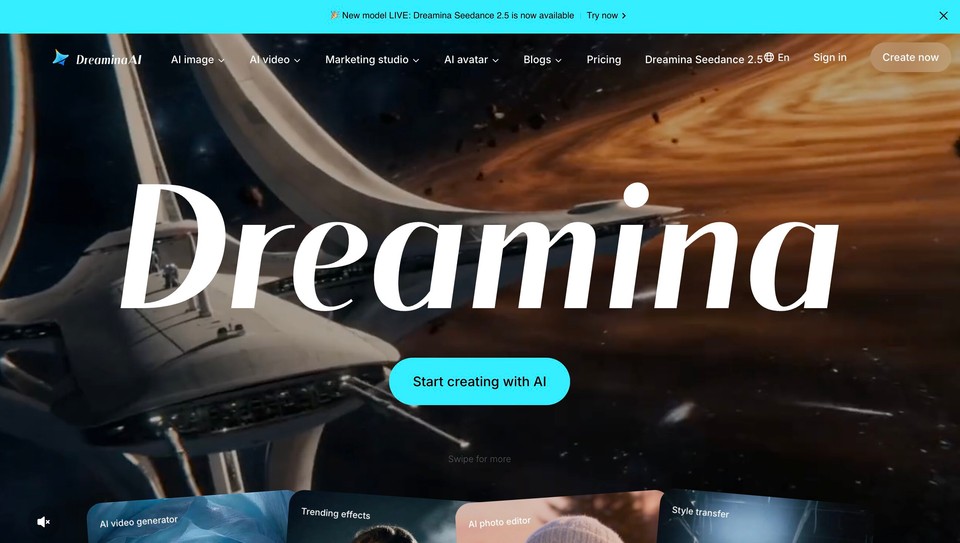
Best for: people who mainly want Seedance, from ByteDance's own app.
Seedance is a ByteDance model, and Dreamina is where it ships first. It often runs aggressive promotions (a recent one cut the first month of its Basic plan by 90%), and it pairs naturally with CapCut for editing. Regular pricing varies by region and changes often, so check the app in your country.
Pros: Seedance at the source, frequent cheap promos. Cons: pricing is hard to pin down, and there is no MCP support.
Higgsfield alternatives that work with Claude (MCP)
Higgsfield's biggest marketing push this year has been its MCP server, which lets Claude or ChatGPT generate images and videos with your Higgsfield credits. It is genuinely useful, but you are not locked into it. Here is how the alternatives compare if you want to work from Claude:
Tool | Official MCP | What Claude can make with it | Plan needed |
|---|---|---|---|
Higgsfield | Yes | Images and video clips; skill bundles for ads, UGC and motion design | Any paid plan (credits); unlimited models not available over MCP |
Fliki | Yes | Clips, images, music and voiceovers, plus finished narrated videos, audiobooks, thumbnails, carousels and slide decks | Premium or Enterprise |
OpenArt | Yes | Images and clips across 100+ models | All plans |
Runway | Yes | Gen-4.5, Aleph edits and third-party models | Listed on Pro |
Luma | Yes | Images and video clips | Paid plan |
InVideo AI | Beta | Script-to-video | Paid plan |
The difference that matters is the size of the job Claude can finish. With a clip-only MCP, Claude hands you a folder of shots. With Fliki, you can say "make a 30-second vertical Reel promoting our new cold brew" and Claude will storyboard it, show you a credit estimate, generate the shots and narration, and return a finished, editable video. Setup takes a couple of minutes through Claude Desktop's plugin marketplace; Fliki's Fliki in Claude tutorial walks through it.
How to choose the right Higgsfield alternative
You post finished videos (ads, explainers, Reels, courses): choose Fliki. You get the models plus voice, captions, music and editing, from the app or from Claude.
You want the same playground, cheaper: choose OpenArt or Krea.
You edit real footage or make short films: choose Runway.
You want to try several video models in one place: choose Luma, or Fliki if you also need narration and a finished video.
You only use one model: go to the source, Kling AI for Kling or Dreamina for Seedance.
You also need stock and design assets: choose Magnific.
Whichever you pick, test with the free tier or a single month before committing to annual billing, and check how many credits your typical clip actually burns. That number, not the headline price, is your real cost.
Bottom line
Higgsfield is a strong clip generator with a very good marketing machine, and if raw Seedance volume is all you need, its bigger plans are still competitive. Most people searching for an alternative, though, are not short of clips. They are short of finished videos and of time. If that sounds like you, try Fliki free, generate a few clips in the AI Playground, and when you are ready, connect it to Claude and let it build the whole video. For more options, see my roundup of the best AI video generators and the best Sora alternatives.
Written by Shivam Aggarwal, who works on content and marketing at Fliki and ran the Claude tests in this article himself. Pricing was checked on each vendor's US pricing page in October 2026 and changes often, so verify current prices and plan terms before you buy.
FAQs
It depends on what you make. Fliki is the best pick if you need finished videos with voiceover, captions and music, and it works inside Claude. OpenArt is the closest like-for-like model playground and Runway is best for filmmaking and AI editing.
Yes. Fliki, Krea, Kling AI, and Runway all have free tiers or free credits, though each has limits such as watermarks, lower resolution or no video generation on the free plan. Kling's daily free credits and Fliki's free plan are the easiest ways to test without a card.
As of October 2026, Fliki, OpenArt, Runway and Luma all have official MCP connections, and InVideo has one in beta. Fliki stands out because Claude can make complete narrated videos, audiobooks, thumbnails and slide decks with it, not only individual clips. Fliki's Claude access needs a Premium or Enterprise plan.
On Higgsfield's US pricing page in October 2026, Starter is $19 a month for 270 credits, Plus is $59 a month (or $35 a month billed yearly) for 1,200 credits, and Ultra is $99 for the first month, then $129 (or $70 a month billed yearly) for 3,000 credits. Teams start at $45 per seat.
Yes. Both models are available in several other tools, including Fliki, OpenArt, Runway and Krea. You can also go to the source: Seedance through ByteDance's Dreamina app and Kling through klingai.com. Prices and resolutions differ by platform, so compare the credit cost per second.
Higgsfield is worth it if you mainly need a high volume of raw cinematic clips, because its larger plans offer a low cost per clip. It is less suited to people who need finished videos, since voiceover, captions and editing happen elsewhere, and its unlimited models are time-limited and not available through MCP.