Introduction
If you search for "AI video generator" long enough, these three names keep showing up together: HeyGen, Higgsfield and Fliki. They look like competitors. After spending a day inside all three, I think that is only half true. They overlap, but they are built for different jobs, and picking the wrong one is the most common (and most expensive) mistake I see.
So instead of declaring one winner for everything, I opened each product, ran the same test brief where the plan allowed it, and walked through every workflow I could reach. This article is the result. I work on content and marketing at Fliki, so I have a bias, and I will tell you where each tool beats Fliki, because there are real places where they do.
The 30-second verdict
HeyGen is the one to pick when a person on screen is the point: a spokesperson, a training presenter, a localized talking head in 175+ languages.
Higgsfield is the one to pick when you want cinematic, model-driven clips and stills: product shots, ads, stylized scenes, AI influencers, with the newest image and video models in one place.
Fliki is the one to pick when you need a finished, narrated video from an idea, script, blog post or deck, with voice, visuals, subtitles and music assembled for you, plus a playground for raw model generation.
If you only remember one sentence: HeyGen makes presenters, Higgsfield makes shots, Fliki makes finished videos.
How I tested
My accounts were not equal, and I want to be upfront about that. HeyGen and Higgsfield were free accounts. Fliki was a premium account. That matters, because both free tiers blocked the exact test I wanted.
The brief I used everywhere was: "A 30-second explainer video: 3 reasons small businesses should use AI video for marketing. Friendly, confident tone, 16:9."
What happened:
HeyGen: my Video Agent run stopped with "You have reached the quota limit. Please upgrade your plan to continue." I did not upgrade. Instead I inspected an existing finished project on the account and toured every section of the product.
Higgsfield: starting a video with Seedance 2.0 (36 credits) opened an "Upgrade required" wall. I did not upgrade. I used the free image generation (Nano Banana Pro, 2 credits) and the free AI Influencer generations, and toured the rest.
Fliki: I ran the brief end to end, and then re-ran it with an explicit five-scene script. More on both runs below, including the first one that went wrong.
So this is not a fair "same video, three tools" shootout, and I would be misleading you if I presented it as one. It is a hands-on tour of what each product actually offers, with the one video I could complete in each case shown honestly. Free tiers change often, so check what yours allows today.
HeyGen: the avatar presenter specialist
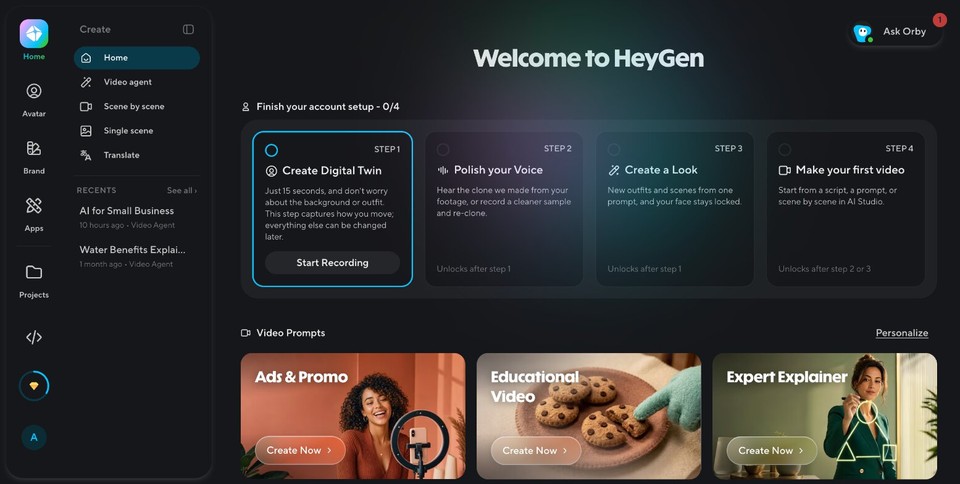
HeyGen's home screen tells you what it is about. It opens on "Create Digital Twin", "Pick your Voice" and "Create a Look", with video prompts like Ads and Promo, Educational Video and Expert Explainer underneath. It is built around people on screen.
What is inside:
Video Agent: you describe a video in chat, and the agent writes the script, picks scenes and builds it. This is the workflow I tried to run.
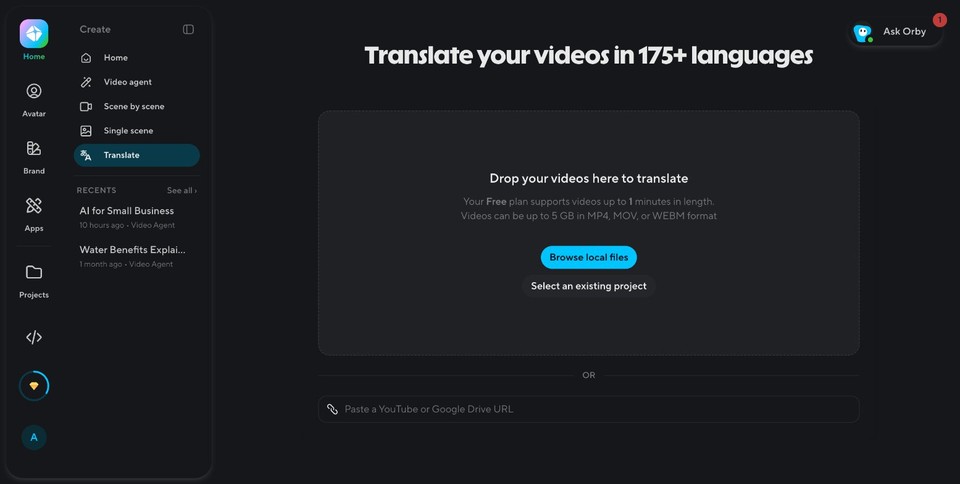
AI Studio / Avatar video: the classic path. Pick an avatar, paste or write a script, choose a voice, generate.
Avatars: public stock avatars plus the option to clone yourself as a digital twin or create a virtual character.
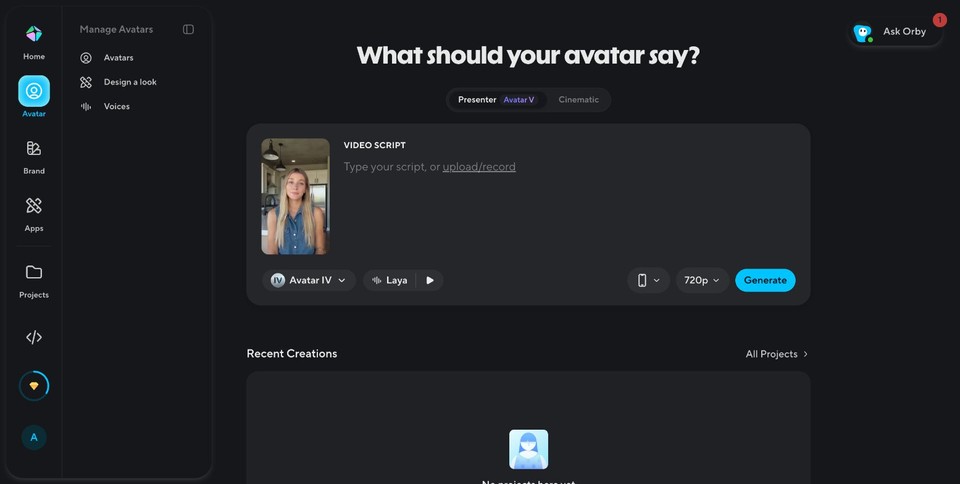
Creative Studio and the App Library: a hub of 20+ image and video models, plus utilities like speech cleanup and a video podcast tool.
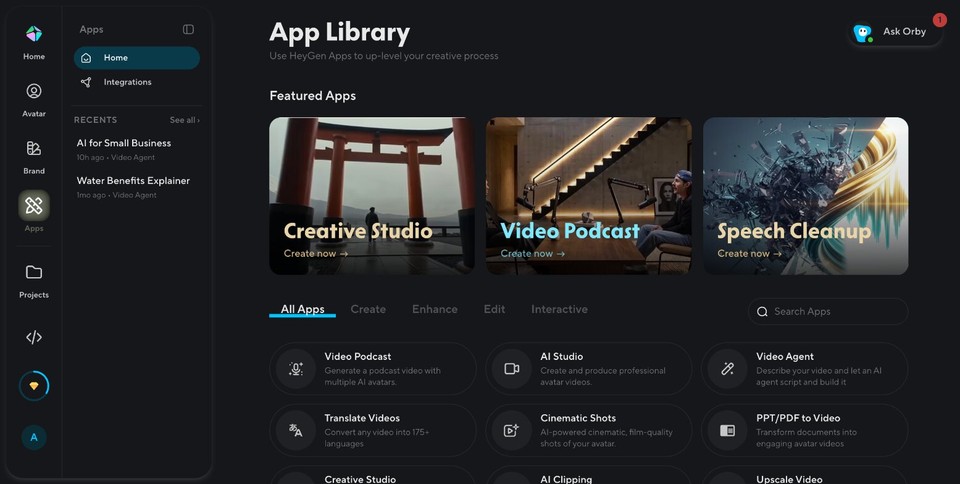
Translate: upload a video and dub it into 175+ languages with lip sync.
Brand Systems: save brand colors and fonts so videos stay consistent.
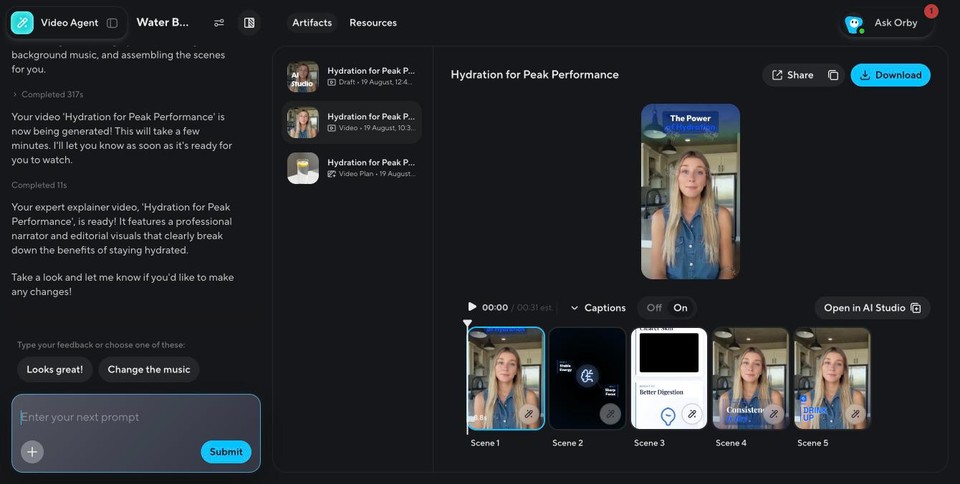
What the existing project showed. Since my own run hit the quota wall, I opened the finished "Hydration for Peak Performance" project which I’d previously created on the account. The agent had produced a vertical video with a presenter, five scenes, captions and an "Open in AI Studio" button to fine-tune in the editor. The presenter looked natural and the scene breakdown was sensible. That is a good sign of what the paid agent can do, but it is not my test, so weigh it accordingly.
Pricing (HeyGen's own page, checked October 2026):
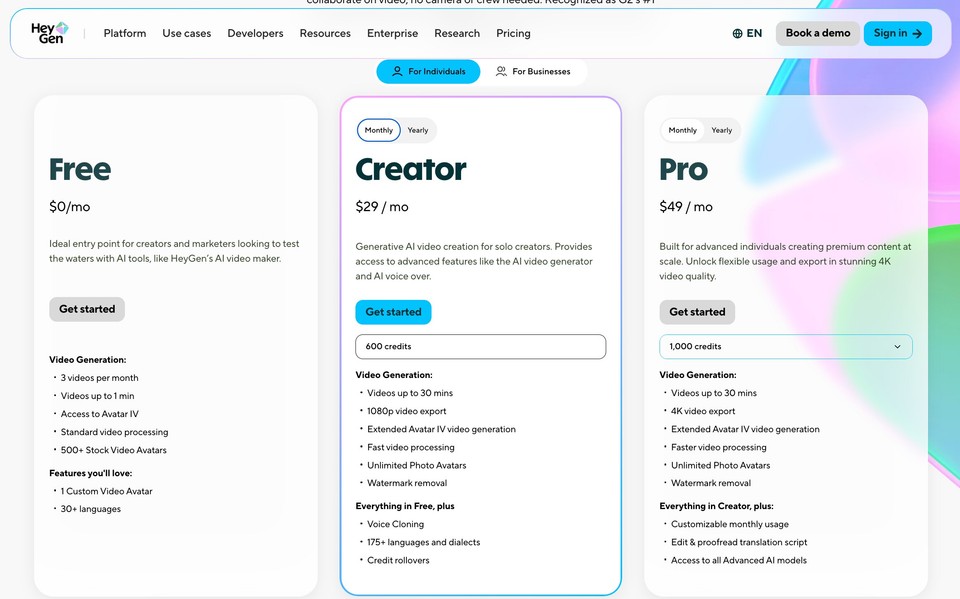
Free is $0 with 3 videos a month, each up to 1 minute, access to Avatar IV and 500+ stock avatars.
Creator is $29 per month ($24 per month billed yearly, $288 a year) with 600 credits, 1080p export, videos up to 30 minutes, watermark removal, voice cloning and 175+ languages.
Pro starts at $49 per month ($41 yearly) for 1,000 credits with 4K export.
Business is $149 per month plus $20 per seat. Verify before buying.
Best for: spokesperson videos, training, sales outreach, multilingual dubbing. Watch-outs: the free quota ran out on my first agent attempt, and the product is clearly oriented to talking-head output. If you want varied b-roll, motion graphics or music-driven videos, you will work around its grain.
Higgsfield: the cinematic model playground
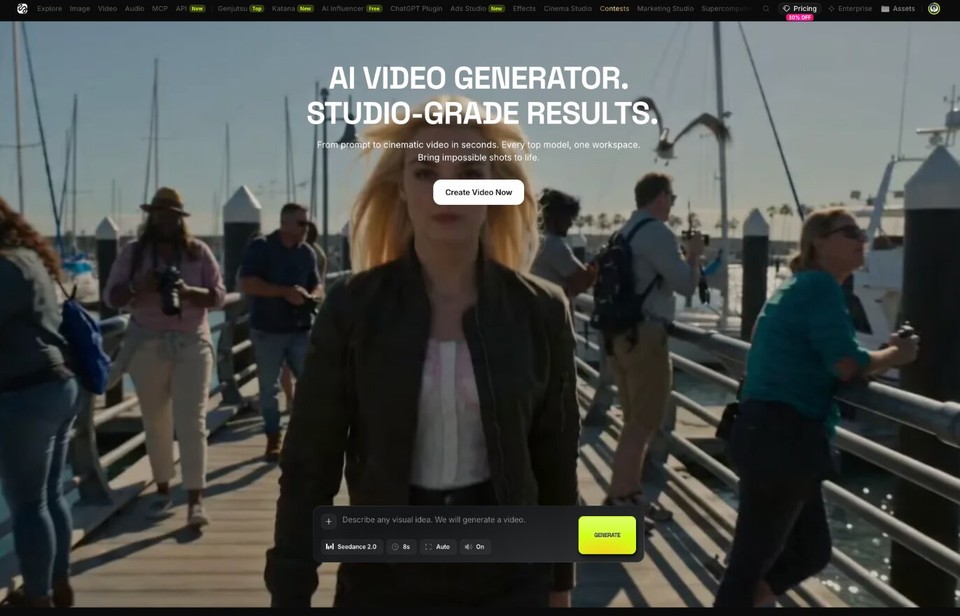
Higgsfield feels like a creative studio for people who care about shots. The top navigation reads like a catalog of the current model scene: Image, Video, Audio, MCP, API, Seedance 2.5, Kling 3.0, Nano Banana Pro, Cinema Studio, AI Influencer and more.
What is inside:
AI video generator: prompt to clip, with models such as Seedance 2.0 and 2.5 and Kling. This is where I hit the upgrade wall for a 36-credit generation.
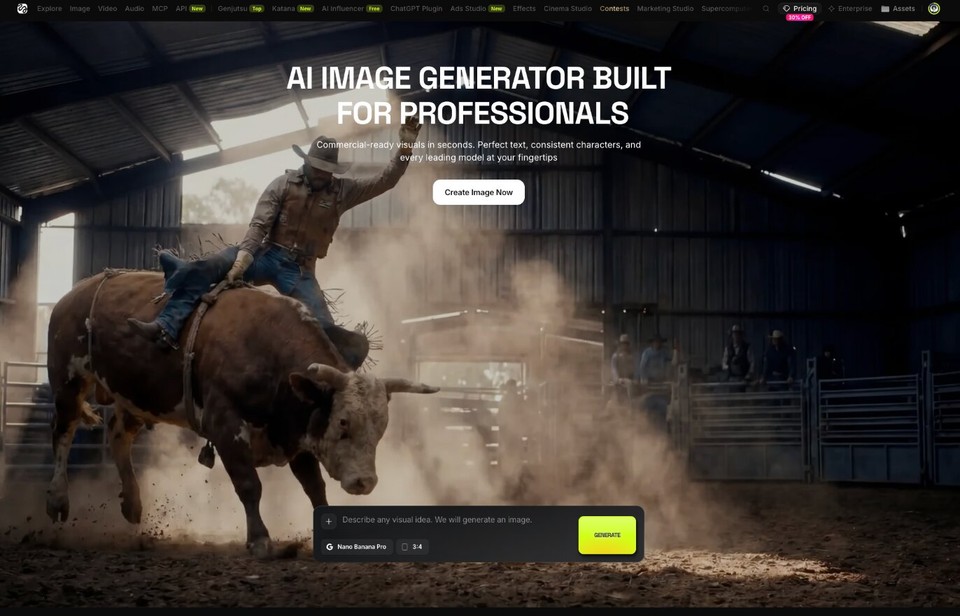
AI image generator: I used Nano Banana Pro for 2 credits and got a clean, believable image of a small-business owner holding a tablet. This worked on the free account.
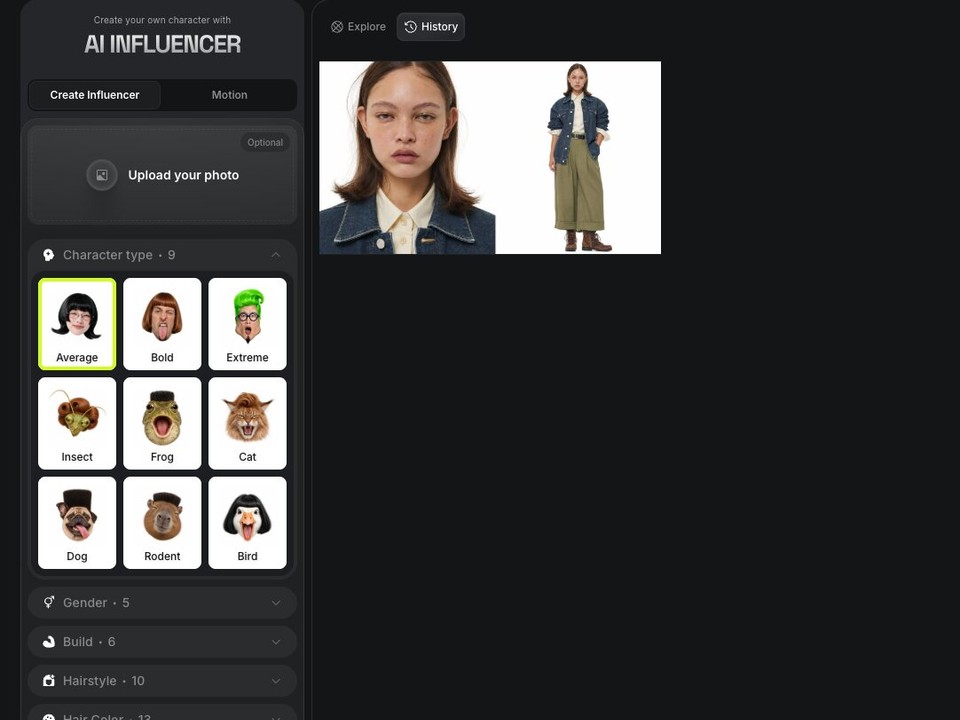
AI Influencer: build a consistent character, with several character types and a "use free gens" toggle. I generated one on the free allowance and had a handful left.
Text to speech: pick or clone a voice and generate audio.
Cinema Studio and Marketing/Ads Studio: structured tools for directing scenes and producing ad creative from a product.
MCP and API access: useful if you want to wire generation into your own workflow.
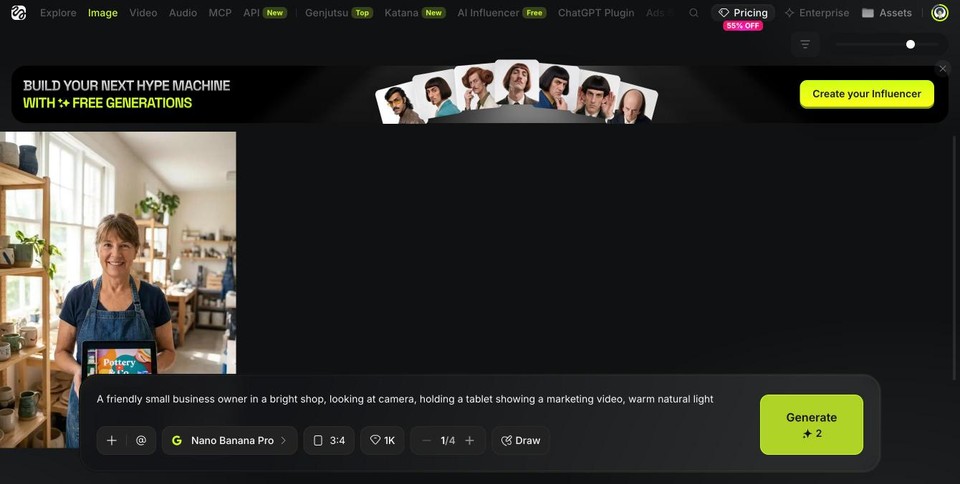
The honest limit of my test. I could not generate video on the free plan, so I cannot tell you how a 30-second explainer would come out. I can tell you the product surface is deep, the image models are fast and good, and the paywall for video appears quickly.
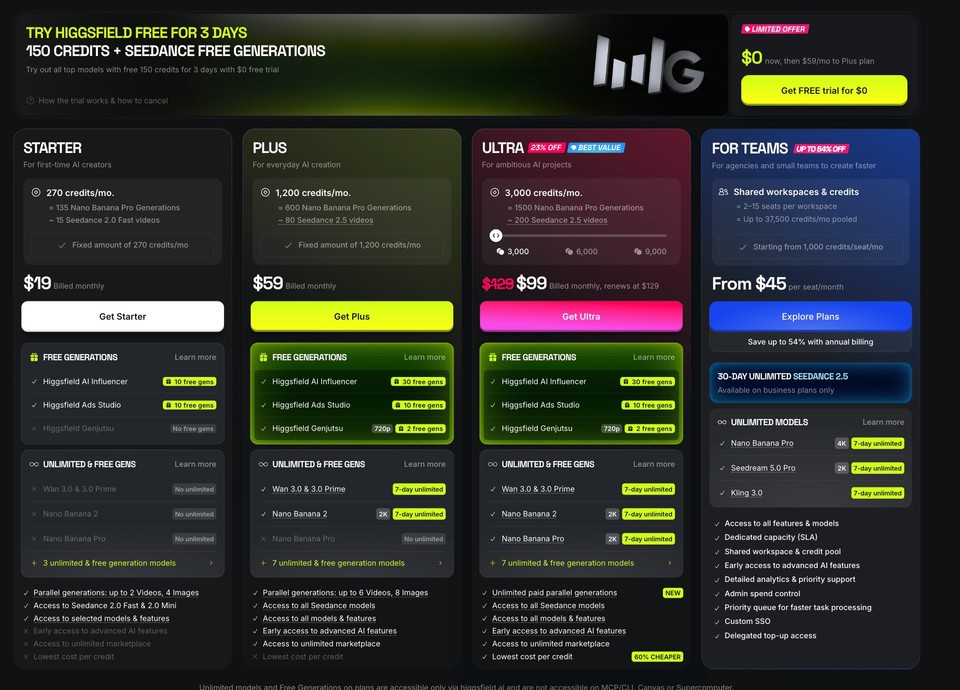
Pricing (Higgsfield's own page, October 2026): it is credit-based, and the page was running promotions, so treat these as a snapshot.
Starter is $19 per month for 270 credits (about 15 Seedance 2.0 Fast videos).
Plus is $59 monthly or $35 per month billed annually for 1,200 credits (about 80 Seedance 2.5 videos).
Ultra is $99 monthly (renewing at $129) or $70 per month billed annually for 3,000 credits.
Teams start at $45 per seat. There was also a 3-day trial with 150 credits that converts to the $59 Plus plan, so set a reminder if you try it. Check Higgsfield's pricing page.
Best for: cinematic clips, stylized ads, product visuals, AI influencer characters, anyone who wants the newest models on day one. Watch-outs: it is a shot generator, not a finished-video builder. You still need to script, voice, caption, cut and assemble scenes elsewhere to get a 30-second explainer with narration.
Fliki: the all-in-one narrated video builder
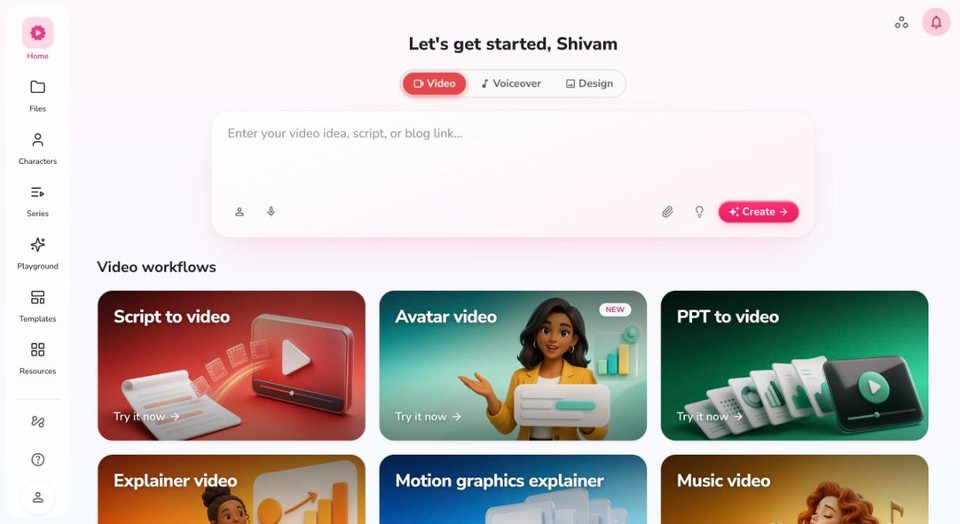
Fliki's home screen is a menu of workflows, which is the most important thing to understand about it. You do not start from a blank timeline. You start from the thing you already have.
The workflows I opened:
Script to video: paste a script, get scenes, visuals, voice, subtitles and music.
Avatar video: a presenter-style video with an avatar and a voice.
PPT to video: upload a deck and turn it into a narrated video.
Blog to video: paste a blog URL and get a video version.
Explainer video, Motion graphics explainer, Music video, Podcast video: guided templates for each format.
Swap Studio: face and character swaps.
Edit video: upload footage and add voiceover, subtitles and more.
Translate video: dub an existing video into another language.
Screen recording, plus separate Design and Voiceover tabs for thumbnails, presentations, audio and music.
Playground: direct access to image, video and music models, including Seedance 2.5, for when you want a raw generation.
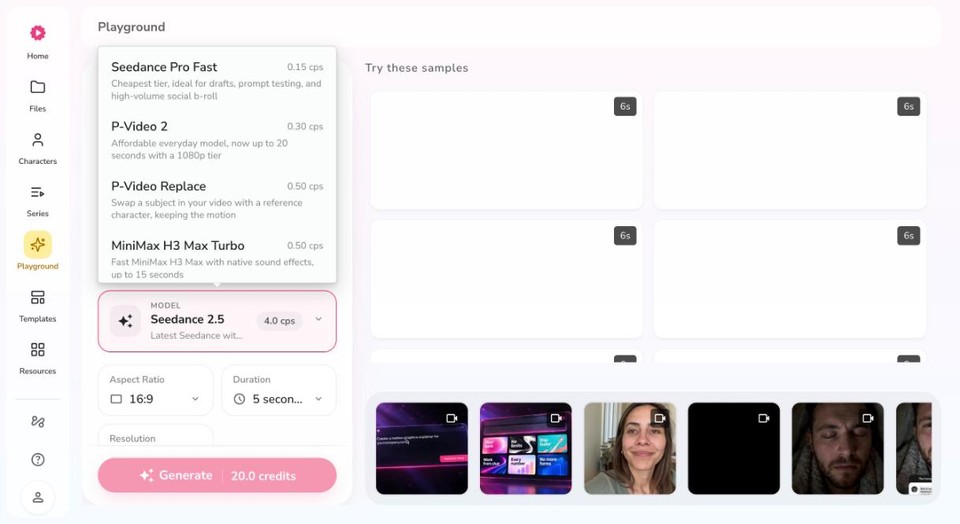
Script to video in depth. This is the workflow I ran, so here is every panel:
Format and template: 16:9, 9:16 or 1:1, with an Auto template, Start fresh or Browse templates.
Scene media: choose stock media or AI images. For AI images there are more than a dozen styles (Neon noir, Paper cutout, Pencil sketch, Realistic, Renaissance, Stick figure, Technical illustration, Tiny world, Watercolor, Whimsical and more), a visuals engine choice, an image model (Flux 2 Klein showed 0.05 credits per image), animation options, and a toggle to turn some images into AI video clips.
Narrator and subtitles: a voice browser with Multilingual (37), Ultra (8) and Standard (15) voices, plus cloned and favorite voices, with credits per minute shown as 0.25, 0.5, 1 or 2 depending on the voice. Subtitles come in many styles, for example Coral Accent, Y2K Yellow, Pop Lime and Bold Outline.
Characters: add a presenter avatar from a public or personal library, or detect story characters from the script.
Extras: brand kit, highlighted subtitles, on-screen text, sound effects, licensed music and pauses between scenes.
I typed a five-scene script with the three reasons spelled out and generated. The job kept going and finished in roughly two and a half minutes. The output was a nice video with five scenes, AI-generated images, burned-in subtitles with highlighted words, and a background music track, all editable in the timeline afterward. The script on screen matched mine exactly.
What I would improve: the images were competent but could be even more personalised (a laptop on a desk, repeated variations), and I would swap a couple for stock footage or an AI video clip. That is a two-minute edit, not a rebuild.
Pricing (checked October 2026):
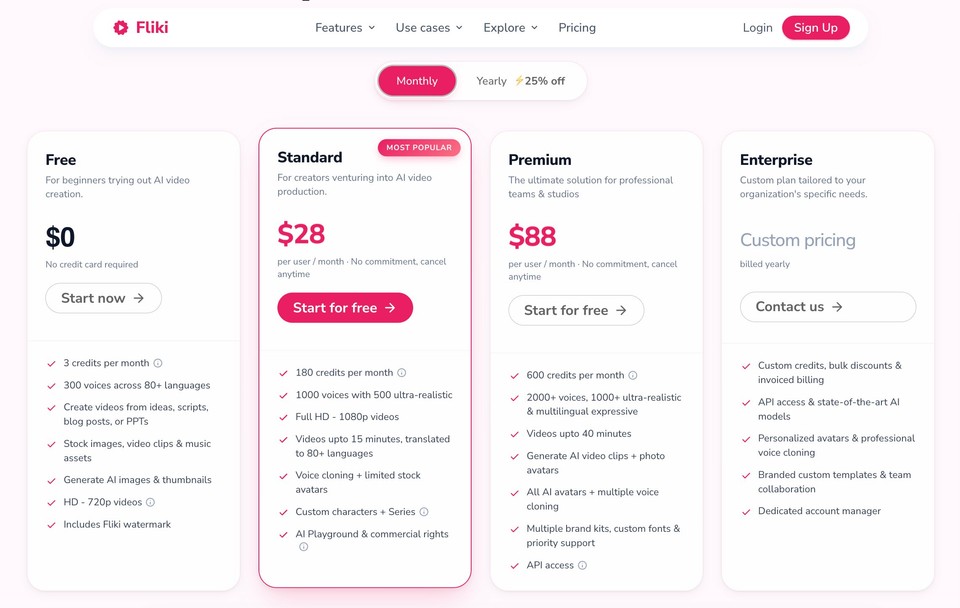
Free is $0 with 3 credits a month, 720p and a Fliki watermark.
Standard is $28 per month, or $21 per month billed yearly ($252 a year), with 180 credits a month, 1080p, 15-minute videos, voice cloning, custom characters, Series, and the AI Playground with commercial rights.
Premium is $88 per month, or $66 per month billed yearly ($792 a year), with 600 credits a month, 40-minute videos, AI video clips, all avatars and API access. Credits are consumed per generation and per voice minute, so the credit counts matter as much as the sticker price.
See Fliki pricing for current amounts.
Best for: turning blogs, decks, scripts and ideas into complete narrated videos, faceless channels, training content, translated versions of the same video. Watch-outs: AI-image-led scenes can look repetitive without some manual swapping, and avatar realism is not the headline feature the way it is at HeyGen.
Head to head by category
Talking-head avatars. HeyGen wins. It is the focus of the product, and the digital twin, avatar library and lip-sync translation are all strongest there. Fliki's AI avatar video workflow is solid for presenter-style clips, but it is one workflow among many.
Cinematic AI clips and stills. Higgsfield wins on breadth and speed of new models. Fliki's Playground reaches Seedance 2.5 and image models too, which covers many cases, but Higgsfield's Cinema Studio and character tools are deeper for pure shot-making.
Going from idea to finished video. Fliki wins. Script, blog, PPT and idea workflows end with narration, subtitles, music and an editable timeline. In my test the full output arrived in about two and a half minutes. Neither of the other two offered a comparable one-shot path on a free plan, though HeyGen's Video Agent aims at the same thing on paid tiers.
Translation and dubbing. HeyGen leads on advertised language count (175+). Fliki also offers video translation and dubbing and a broad text to speech library.
Voices. Fliki shows the clearest voice picker (language, dialect, gender, tiers and credits per minute). HeyGen's voices are tuned for avatars. Higgsfield has text to speech and cloning, but it is a side feature.
Free plan experience. Fliki's free plan is small (3 credits a month). HeyGen's free plan lets you make short videos but hit a quota on my agent run. Higgsfield's free tier is generous for images and influencer characters and closed for video. None of the three is a free production tool.
Comparison table
HeyGen | Higgsfield | Fliki | |
|---|---|---|---|
Core strength | Avatar spokesperson video | Cinematic clips and images | Finished narrated videos |
Start from | Prompt, avatar, script | Prompt, reference image | Idea, script, blog, PPT, footage |
Avatars | Best of the three | AI Influencer characters | Avatar workflow |
Text to video models | Creative Studio hub | Seedance, Kling and more | Playground, Seedance 2.5 |
Translation | 175+ languages | Not the focus | Video translator and dubbing |
Voices and TTS | Avatar voices | Text to speech tool | 37 multilingual, 8 ultra, 15 standard |
Subtitles and music | Captions | Not built in for clips | Many styles, music included |
Free plan I tested | Quota wall on agent run | Images yes, video no | Premium account used |
Paid plans from (monthly) | $29 (Creator) | $19 (Starter) | $28 (Standard) |
Mid plan credits | 600 (Creator) | 1,200 (Plus, $59) | 180 (Standard) |
Which should you pick?
You are a sales or training team that needs a presenter on screen: HeyGen.
You are a creative, ad maker or filmmaker experimenting with the newest models: Higgsfield.
You are a marketer, educator or creator who needs a finished video from text: Fliki.
You need a presenter plus lots of b-roll and music: HeyGen or Fliki avatar workflows, then decide based on how much editing you want to do.
You want to combine them: this is more common than people admit. Generate hero clips in Higgsfield, finish and narrate in Fliki, and use HeyGen when a human face is essential.
Bottom line
HeyGen, Higgsfield and Fliki are not the same product at three prices. They are three different answers to "how do I get a video made with AI." If a person on screen is the point, start with HeyGen. If a single stunning shot is the point, start with Higgsfield. If you want to go from an idea or a blog post to a finished video this afternoon, try Fliki free and see how far a script gets you. For more options, see our guide to the best AI video generators, the Fliki alternatives page, and our text to video and script to video tools.
For comparison reading, see the official sites for HeyGen and Higgsfield.
FAQs
It depends on the job. For realistic talking-head avatars and lip-sync translation, HeyGen is the stronger specialist. For turning a script, blog post or presentation into a complete narrated video with subtitles and music, Fliki is built for that.
Only partly. Higgsfield generates cinematic clips and images with top models. Fliki assembles complete videos with voice, subtitles and music. Many creators use a generator and a finishing tool together.
HeyGen and Fliki have free plans. HeyGen offers 3 videos per month of up to one minute, and Fliki gives 3 credits per month with a watermark. Higgsfield's pricing page shows a 3-day trial with 150 credits that converts to a paid plan, plus free generations on certain tools. Limits change, so check each pricing page.
Fliki, because narration, stock or AI visuals, subtitles and music come together in one workflow. Higgsfield can supply striking clips to drop in.
HeyGen advertises the widest language coverage (175+). Fliki also dubs and translates videos and has a large multilingual voice library.
Yes. A common stack is Higgsfield for hero shots, HeyGen for a presenter intro, and Fliki to narrate, caption and assemble the final cut.