Introduction
You spend hours scripting, filming, and editing your YouTube video. Then you slap on a rushed thumbnail - and wonder why nobody clicks. Sound familiar?
Here is the truth: your thumbnail is your video's first impression. It is the one thing standing between a viewer scrolling past and actually watching your content. And in 2026, you do not need to be a graphic designer or spend a penny to get a professional, click-worthy thumbnail. You just need the right AI thumbnail maker.
In this guide, we are breaking down the best free AI thumbnail maker for YouTube, how to use it, and exactly what makes a thumbnail go from forgettable to irresistible.
Why Your YouTube Thumbnail Is More Important Than You Think
YouTube serves up millions of videos every day, and the algorithm rewards content that gets clicks. A higher click-through rate (CTR) signals to YouTube that your video is worth showing to more people - which means more organic reach, more subscribers, and more growth.
According to YouTube's own creator guidelines, thumbnails are one of the most powerful tools you have for attracting viewers. Yet many creators still treat them as an afterthought. If you are serious about growing your YouTube channel, nailing your thumbnail game is non-negotiable.
The good news? Creating a stunning thumbnail no longer requires Photoshop skills or hours of design work. AI has changed the game entirely.
What Makes a Great YouTube Thumbnail?
Before we dive into the tool itself, let us talk about what separates a high-performing thumbnail from one that gets ignored. Great thumbnails typically share a few common traits:
-
Bold, readable text - if your title or key phrase is on the thumbnail, it should be legible even at small sizes
-
High contrast visuals - bright colors and strong contrast make your thumbnail pop in a busy feed
-
Emotional faces or expressions - human faces (especially expressive ones) naturally draw the eye
-
Clear subject matter - viewers should understand the video's topic in less than a second
-
Consistent branding - using your channel's colors and fonts builds recognition over time
The challenge used to be achieving all of this without professional design skills. That is exactly where an AI thumbnail generator changes everything.
Introducing Fliki’s Free AI Thumbnail Maker for YouTube
When it comes to the best free AI thumbnail maker for YouTube, Fliki's AI Thumbnail Maker stands out from the crowd. It is built specifically for content creators who want professional-quality results without a design degree - or a hefty subscription fee.
What makes Fliki different from other tools?
-
No watermark on your final downloads
-
No mandatory login to get started and explore
-
Multiple AI models to choose from, including FLUX Pro, FLUX 2, and Z Image Turbo - each offering different balances of quality, speed, and detail
-
Built-in templates tailored for YouTube thumbnails
-
Full customization so you are never stuck with a generic output
And if you are already using Fliki for text-to-video creation or video editing, the thumbnail maker slots right into your existing workflow - no switching between a dozen different apps.
How to Create a YouTube Thumbnail with Fliki AI - Step by Step
Ready to try it? Here is exactly how to create your first AI-generated thumbnail using Fliki.
Step 1 - Create a Design File
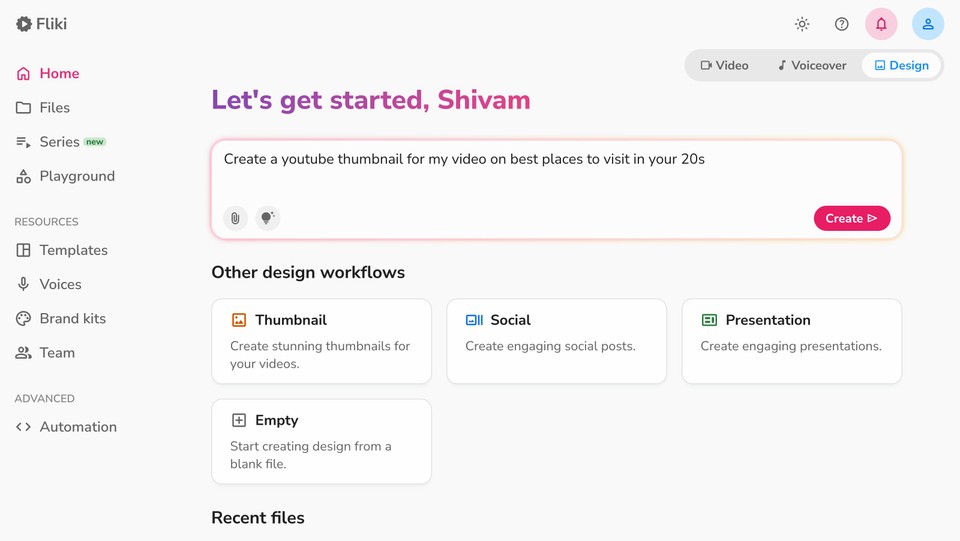
Head to the Fliki app homepage and click on the Design tab. From there, select the Thumbnail option. In the prompt box, type your video topic or title. This is the seed that tells the AI what kind of visuals to generate - so be descriptive and specific for the best results. Then click Next to continue.
Step 2 - Choose Your Aspect Ratio and AI Model
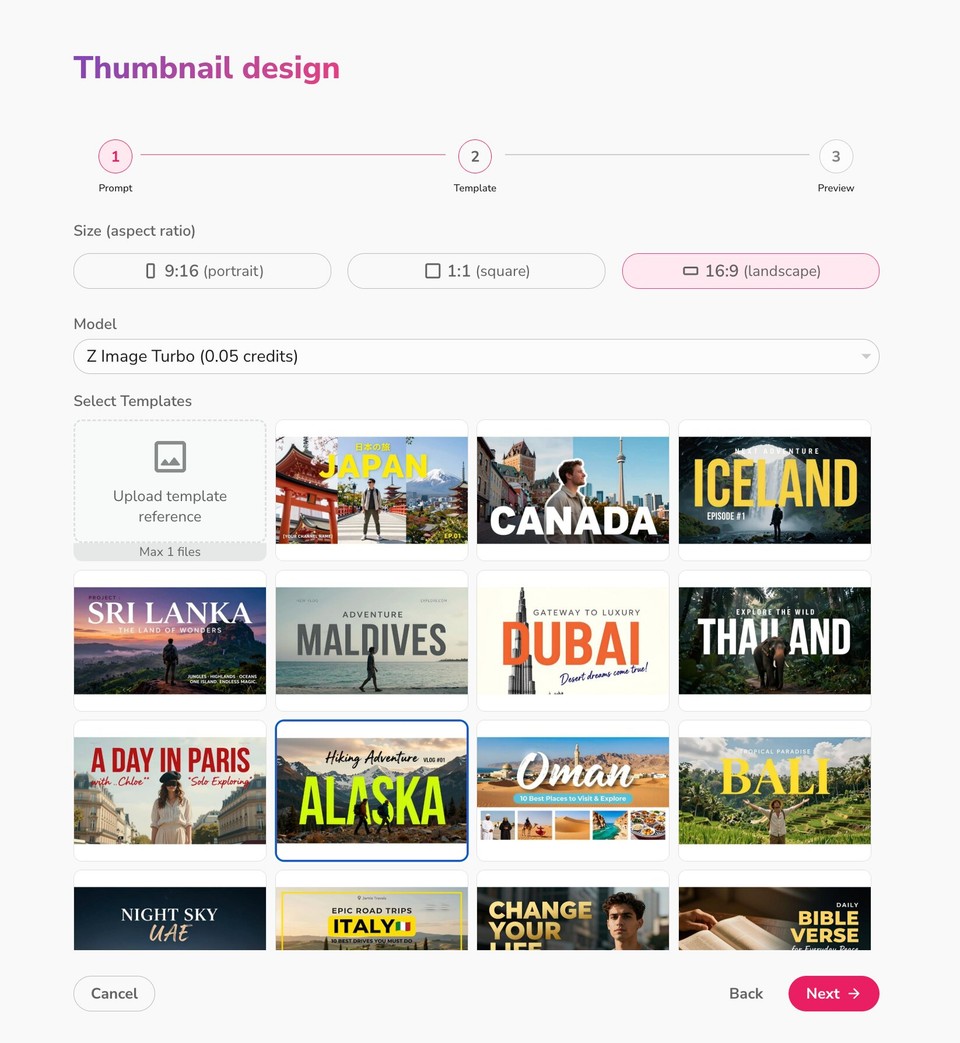
Select your preferred aspect ratio - landscape, portrait, or square - and then pick an AI model. Fliki gives you options like Z Image Turbo, FLUX Pro, and FLUX 2. Each model has its own strengths: some prioritize photorealistic detail, others lean toward speed. Choose a thumbnail template from the library, or upload your own reference for the AI to work from. Hit Next when you are ready.
Step 3 - Review and Refine the Prompt
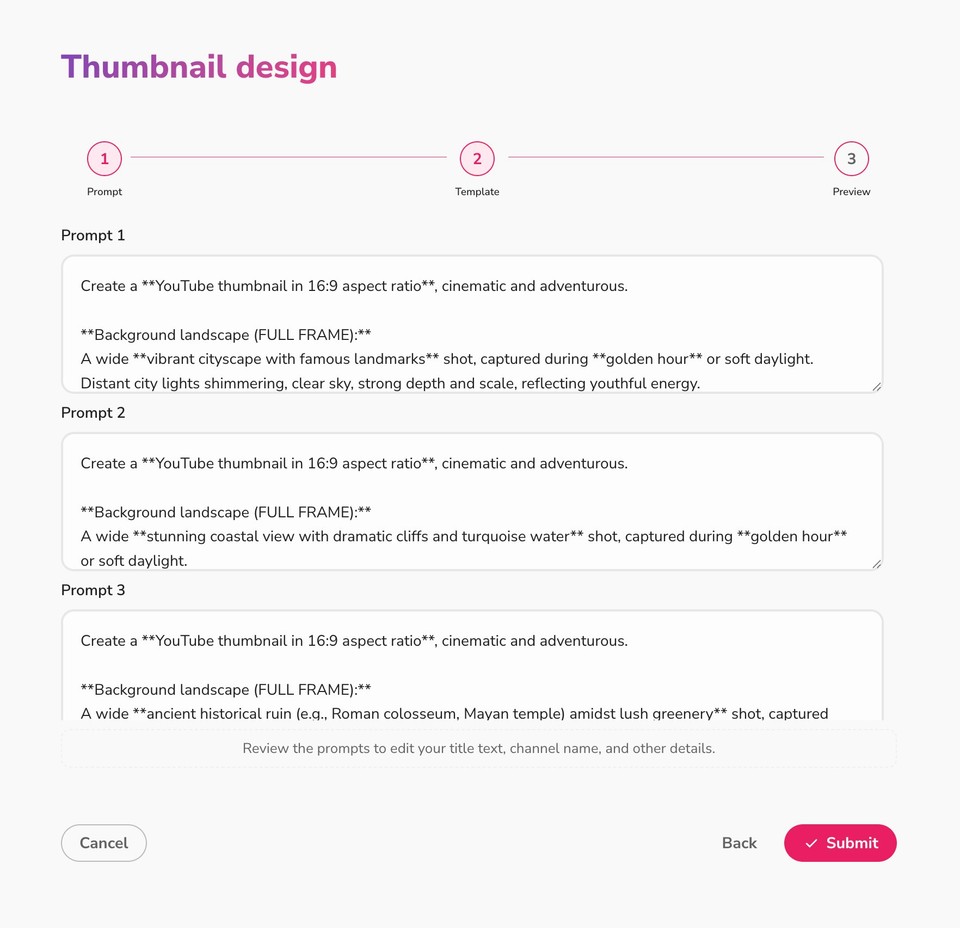
Fliki will automatically generate three different prompts based on your input. Review each one, and make any edits you want - adjusting your title, channel name, style preferences, or any other details. Once you are happy, click Submit. Fliki will generate three distinct thumbnail designs for you to choose from.
Step 4 - Customize Your Thumbnail
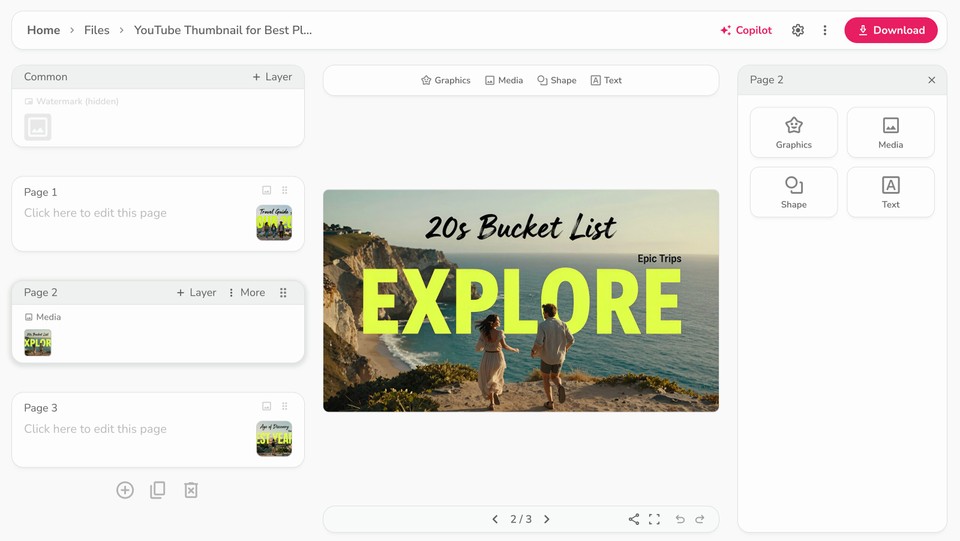
Got your three options? Browse through them and pick your favorite. If you want to tweak anything - the image style, the prompt, the aspect ratio, or the AI model - just double-click on the thumbnail to open the editor. You can fine-tune until it looks exactly right for your brand and content.
Step 5 - Download and Upload
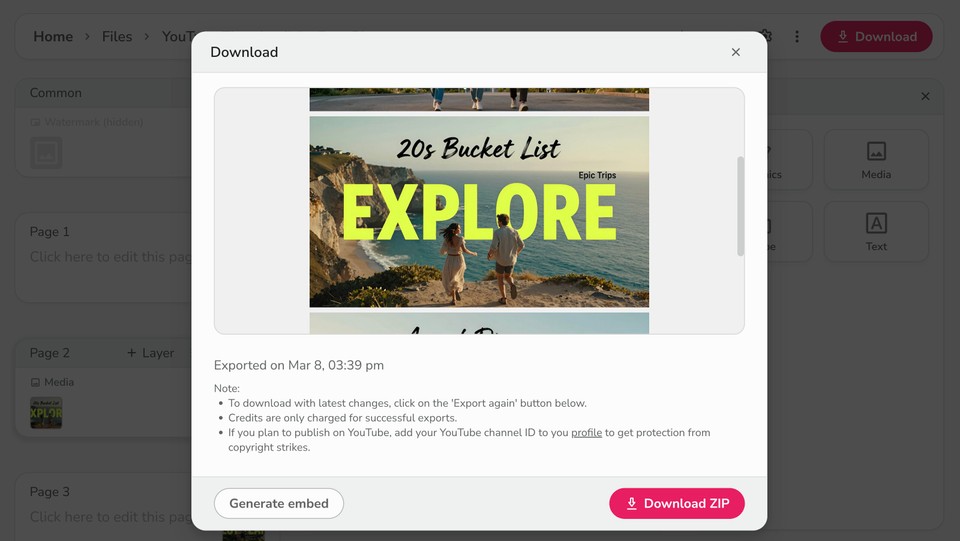
When you are satisfied with your design, click the download button in the top right corner. Choose your preferred file format - PNG, JPG, or WEBP - then click Start Export. Once the export is complete, download the file to your device and upload it directly to your YouTube video. That is it - done!
Want a deeper dive? Check out Fliki's full YouTube thumbnail tutorial for even more tips and tricks.
Beyond Thumbnails: Build a Complete YouTube Content Engine with Fliki
A great thumbnail gets people to click. But what keeps them watching - and subscribing - is great content. Fliki is not just an AI thumbnail maker; it is a full-stack creator platform.
With Fliki, you can also write engaging YouTube scripts with AI, convert your scripts into polished videos with text-to-speech narration, and even translate your content to reach global audiences. If you are exploring YouTube automation, Fliki gives you the tools to streamline the entire production process - from idea to upload.
And once you are consistently publishing great content, do not forget to pair it with smart YouTube SEO strategies to maximize your reach.
Stop Losing Clicks to a Bad Thumbnail
You have put real work into your videos. It would be a shame to lose viewers before they ever hit play - all because of a thumbnail that does not do your content justice.
The best free AI thumbnail maker for YouTube in 2026 is the one that is fast, flexible, and produces results good enough to make viewers stop scrolling. Fliki checks every one of those boxes: no watermarks, no forced logins, multiple AI models, customizable templates, and a simple five-step process that anyone can follow.
So next time you finish editing a video, do not rush the thumbnail. Give it the attention it deserves - and let Fliki's AI do the heavy lifting. Your click-through rate will thank you.
Ready to try it? Get started with the Fliki AI Thumbnail Maker today - it is free, fast, and genuinely fun to use.