Introduction
YouTube has shipped more in the last year than it did in the previous three, and almost all of it points the same direction: the platform is building for an AI-powered, high-cadence, hyper-personalized future, and it is quietly rewarding creators who can keep up. Between Made on YouTube 2025 and Made on YouTube 2026, viewers got AI that curates their own feeds, and creators got AI that writes, edits, dubs, and clips their videos.
The temptation is to read each announcement as a standalone novelty. The more useful lens is this: what do these features actually demand of you, and how do you meet that demand without burning out or hiring a team? That is what this guide is about. I work on content at Fliki, so I will be straight about where AI tools (ours included) genuinely help and where they do not. Let's go feature by feature, and end each one with what you should actually do about it.
First, a sense of the stakes. In its January 2026 creator letter, YouTube said it has paid more than $100,000,000,000 to creators over the past four years, that Shorts now average 200 billion daily views, and that more than a million channels used its AI creation tools every day in December. This is not a side bet. The creators who thrive on YouTube in 2026 will be those who treat AI as part of the workflow, because the platform already does.
Custom Feeds: niche beats broad now
The headline change for viewers from Made on YouTube 2026 is Custom Feeds. Instead of one algorithmic Home, viewers can describe what they want in plain language, something like "witty podcasts for my commute" or "beginner woodworking projects," and YouTube builds a personalized feed around exactly that, in its own tab.
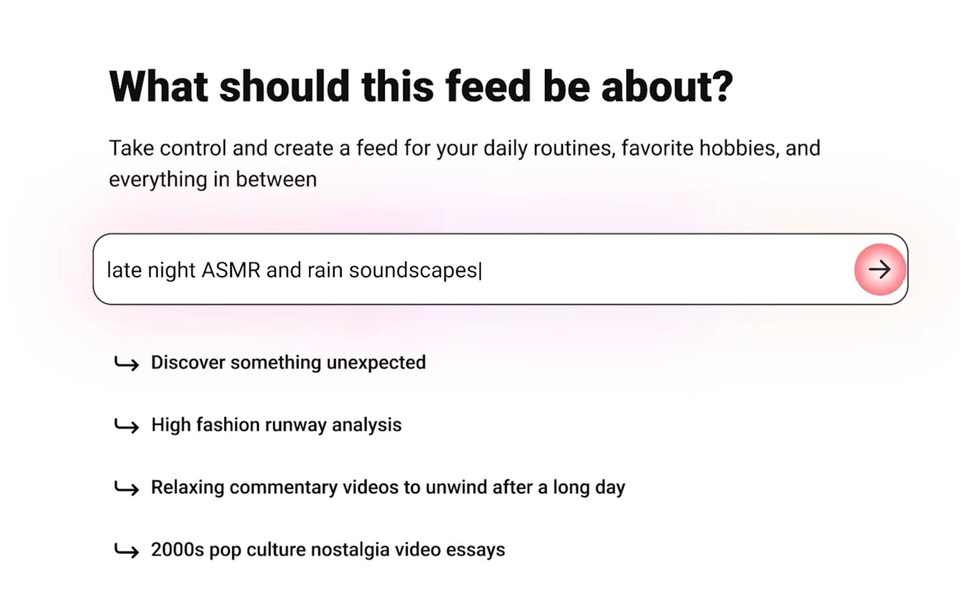
What it means for you: discovery is getting more specific, not less. When viewers can summon a feed for a precise interest, the videos that win are the ones that match a precise interest clearly, in the title, the thumbnail, and the first ten seconds. Broad, do-everything channels get diluted; sharply targeted content gets surfaced. The practical response is to publish more, and more tightly targeted, videos aimed at specific viewer intents rather than one catch-all upload a week. This is exactly the kind of volume that used to be impossible for a solo creator and is now realistic with an AI video generator that turns an idea or a script into a finished video in minutes. If you have been meaning to spin up a faceless channel around one niche, the Custom Feed era is the reason to do it now.
Edit with AI and conversational editing: the first draft is free
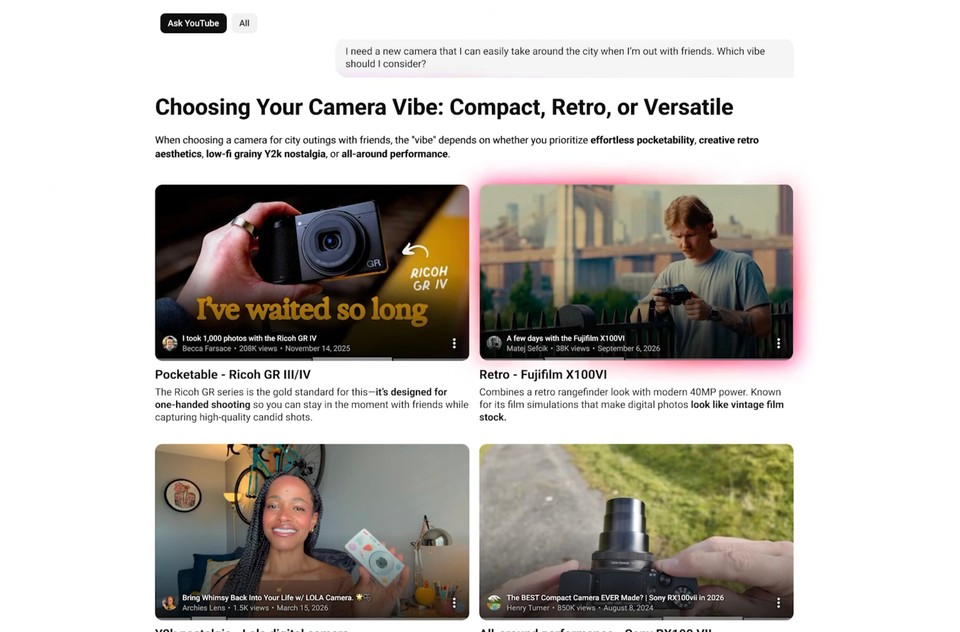
YouTube introduced Edit with AI in 2025 to turn raw footage into a first-draft video automatically, and in 2026 extended it to a conversational editing partner in Shorts, where you can tell it what to change in plain language.
What it means for you: editing, long the biggest bottleneck in publishing, is no longer a reason to post less. YouTube baking AI editing into the app is a signal, not a threat: the entire industry is moving to "describe the change, get the result." If you want that same speed across your whole workflow and not just inside YouTube's editor, tools like Fliki generate the video and let you edit it by talking to a copilot, then export a 16:9 master and cut vertical Shorts from the same project. The takeaway is simple: in 2026, slow editing is a choice.
Auto-dubbing: your audience is now global by default
One of the most consequential changes is quieter than the rest. YouTube's auto-dubbing now covers around 20 languages, with lip-sync rolling out, and in its creator letter the company noted that millions of viewers a day already watch meaningful amounts of auto-dubbed content. Your English video is being served, in other languages, to people who never would have found it before.
What it means for you: language is no longer the wall it was. But auto-dubbing is YouTube's automated pass, you do not control the voice, the nuance, or where it goes. If international audiences matter to your channel, it is worth dubbing proactively and with control, using an AI video translator that lets you choose the voice, keep your own cloned voice across languages, and publish the dubbed versions anywhere, not only where YouTube decides to auto-dub. Either way, the lesson is to stop thinking of your channel as single-language. The platform already stopped.
Title A/B testing (Test & Compare): packaging is a science now
Here is one worth getting right, because it is widely misreported. YouTube's Test & Compare tool now lets you test up to three options and pick a winner by watch-time share, but to be precise, it tests your titles and thumbnails, not different edits of the video itself. Thumbnail testing alone has been used tens of millions of times since it launched, and adding titles makes packaging a measurable, optimizable thing rather than a guess.
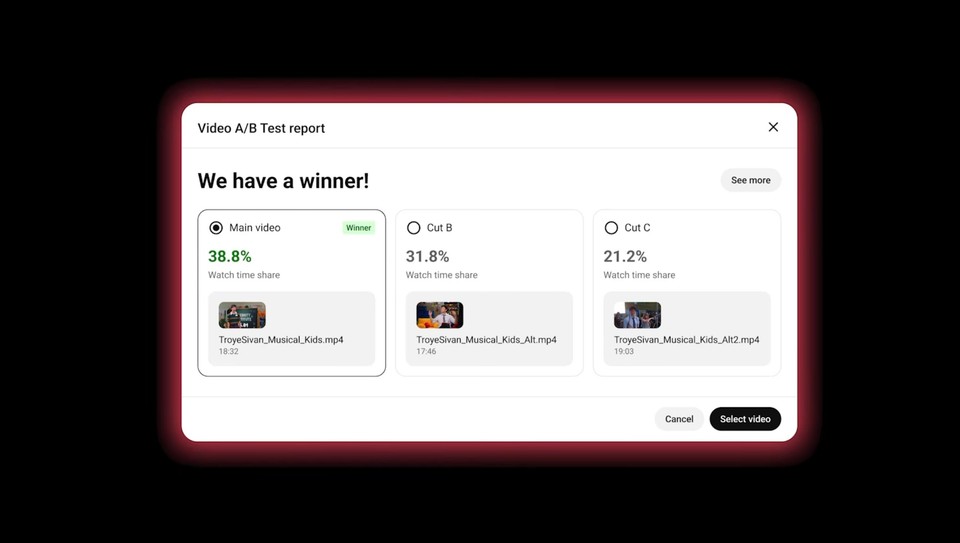
What it means for you: your packaging now has a feedback loop, so feed it options. A test is only as good as the variants you give it, which means you need multiple strong thumbnails per video, fast. This is a direct, practical fit for an AI thumbnail maker that generates several on-brand thumbnail options you can drop straight into a test. Pair that with sharper titles, and you turn packaging from the thing you rush at the end into the thing that compounds your views. (If your videos are not getting views at all, packaging is usually the first culprit, we dug into the full list of reasons here.)
Ask Studio: analytics you can just talk to
Ask Studio, introduced in 2025, is an AI assistant inside YouTube Studio you can ask things like "catch me up on how my last video is performing" or "what is my community saying about my editing." It turns the analytics maze into a conversation.
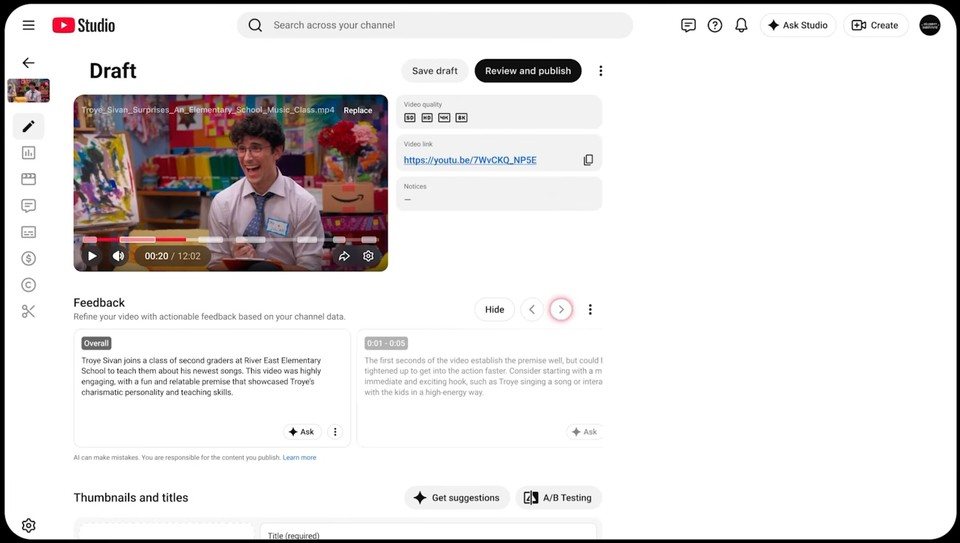
What it means for you: the insight is easier to get; acting on it is still on you. Ask Studio will tell you a video underperformed or that a topic resonated, but it will not make the next ten videos on that topic. The creators who benefit are the ones who can turn "this worked, do more of it" into actual published videos quickly, which, again, is a production-speed problem that AI video tools exist to solve.
React live, Live showdowns, and collaborations: more formats, more cadence
YouTube leaned hard into live and collaborative formats. React live lets you go live and react to other creators' streams and videos (the exact revenue-sharing and attribution terms reported in the press are still being clarified, so treat the specifics as provisional). Live showdowns in 2026 let creators run friendly cross-creator competitions that viewers can influence. And Collaborations let you add up to five people to a single video so it surfaces to all of their audiences.
What it means for you: YouTube is rewarding creators who show up often and tap into other audiences. You cannot automate a genuine collaboration, nor should you, but you can make sure your core content engine is fast enough that live sessions and collabs are additive rather than the only thing keeping your channel alive. A steady base of produced videos is what lets you say yes to the live, collaborative, higher-effort formats without going dark in between.
The podcast and AI-creation push: the platform is all-in on AI video
Two more threads tie the year together. On podcasts, YouTube added a Podcast Lineup of curated weekly summaries and tools to auto-generate clips and even video from audio-only shows, on top of becoming, by its own count, the home of 1 billion monthly podcast viewers globally. If you have a podcast and no video version, that is now a real gap, and one you can close without a studio using an AI video podcast workflow.
On creation, YouTube put Veo-powered AI video generation directly into Shorts and reported that over a million channels use its AI tools daily. The significance is bigger than any single feature: YouTube, the largest video platform on earth, is telling creators that making video with AI is not just allowed, it is encouraged and built in. That removes the last bit of hesitation about using AI tools to produce your content.
The catch: AI is welcome, slop is not
This is the part to take seriously, because it protects you. YouTube's embrace of AI comes with a hard line on quality. Its inauthentic and mass-produced content policy, updated in 2025, targets repetitive, templated, low-value uploads, the AI "slop" that games the system without adding anything. AI-made content is completely fine, and monetizable, when it is original and genuinely useful. It is a problem when it is a content farm.
So the goal is not to use these features to flood the zone with forgettable videos. It is to use AI to produce more of the videos only you could make: your niche, your point of view, your voice, just faster and in more languages and formats than you could by hand. That is the line between keeping up and getting flagged, and it is the whole game in 2026.
Common mistakes creators make with the new features
A few patterns to avoid. Reading the updates as news to watch rather than a workflow to change, which is the biggest one. Still publishing broad, unfocused videos in a Custom Feed world that rewards specificity. Treating packaging as an afterthought when Test & Compare makes it measurable. Ignoring auto-dubbing and leaving a global audience on the table. Letting editing speed cap how much you publish. And, at the other extreme, using AI to mass-produce thin content and running straight into the inauthentic-content policy. The creators who win read each feature as a prompt to adjust how they work.
The bottom line
The through-line of everything YouTube shipped is clear: it is betting its entire platform on AI-assisted, personalized, global, high-cadence video, and it is steering rewards toward creators who move the same way. You do not need to chase every feature. You need a workflow that lets you publish more of your best, most specific content, in more languages and formats, without a team, and then use the new packaging and analytics tools to sharpen it. That is how you keep up, and it is very doable now.
If your bottleneck is simply making enough video to feed all of this, that is exactly what an AI video tool is for. You can turn ideas, scripts, or blog posts into finished videos with Fliki free and spend your energy on the part only you can do: the idea.
FAQs
The biggest from Made on YouTube 2026 include Custom Feeds (viewers build personalized feeds in natural language), conversational AI editing in Shorts, Live showdowns, real-time auto-dubbing, and podcast tools. These build on 2025 features like Ask Studio, Edit with AI, Title A/B testing via Test & Compare, React live, and expanded auto-dubbing.
Not full video edits. YouTube's Test & Compare tool lets you test up to three titles and thumbnails per video and picks a winner by watch-time share. It is about packaging, not different cuts of the video, a point many summaries get wrong.
Yes. YouTube actively builds AI creation tools into the platform and reports over a million channels using them daily. The limit is quality: original, valuable AI-assisted content is fine and monetizable, while mass-produced, repetitive content can be demonetized under the inauthentic-content policy.
A 2026 feature that lets viewers describe what they want to watch in plain language and get a personalized feed built around it, in its own tab, separate from Home. For creators, it rewards content that targets a specific interest clearly.
YouTube may automatically dub your videos into around 20 languages, exposing you to international viewers you could not reach before. You do not control the automated version, so if global reach matters, consider dubbing proactively with a tool that lets you choose the voice and publish anywhere.
Treat them as a workflow change, not a news feed. Publish more targeted content, test your packaging, go multilingual, and edit faster, using AI to raise your output without lowering quality. The features reward cadence and specificity, both of which AI production tools make achievable alone.