Introduction
Every Nano Banana 2 guide on the internet right now is doing the same four things. Paste the Google announcement. List the headline features. Dump 10 prompts that read like they were generated by ChatGPT in a hurry. Tell you to "be specific." Move on.
That's fine if you want to feel busy. It's useless if you want images you can actually ship.
This guide is what I wish someone had handed me on launch day. It is built from hundreds of generations across the Fliki playground, the Gemini app, and Google AI Studio, plus a pile of notes from the threads where power users quietly trade what works. By the end of this article, you will know exactly how Nano Banana 2 parses a prompt, why it behaves completely differently from every diffusion model that came before it, and you will have 30 prompts that earn their place on your desktop.
I also wrote a full Nano Banana Pro review a few months ago if you want the baseline on the Pro model. Nano Banana 2 is a different beast. Let's get into it.
What Nano Banana 2 actually is (and why it breaks the rules you learned)
Nano Banana 2 is technically Gemini 3.1 Flash Image Preview. It launched on February 26, 2026 and immediately took the number one spot on the Artificial Analysis Image Arena at roughly half the API cost of every comparable model. It is the third model in the Nano Banana family, sitting between the original Nano Banana from August 2025 and Nano Banana Pro from November 2025.
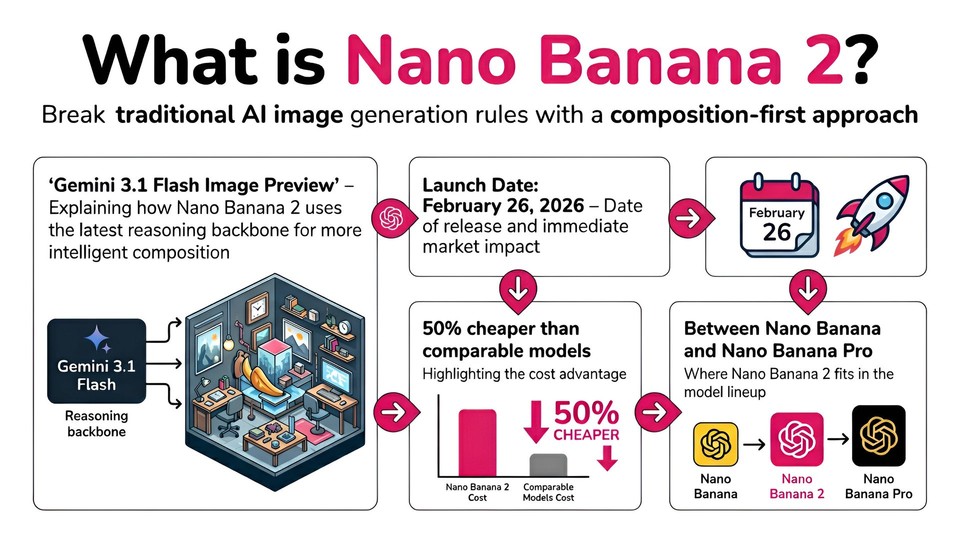
Here is the part that matters for how you prompt it.
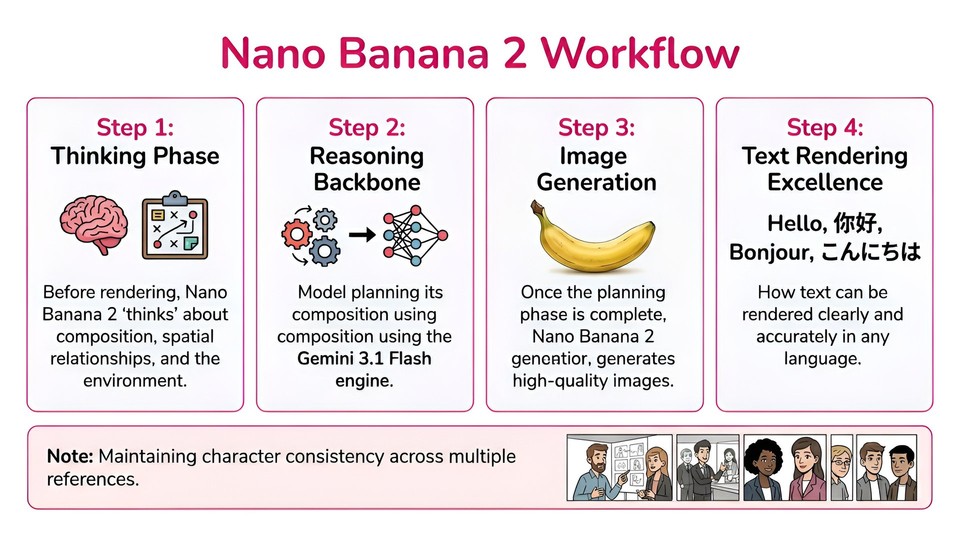
Nano Banana 2 is not a pure diffusion model. It runs on the Gemini 3.1 Flash reasoning backbone, which means it thinks before it renders. It plans the composition, resolves physics, reasons about spatial relationships, and only then produces pixels. Internally it even generates interim "thought images" to refine the layout before it commits to the final output.
That one architectural fact rewrites everything you thought you knew about prompting image models.
If you are coming from SDXL, Flux, or Midjourney, you have spent years training yourself to write comma-separated keyword soup. "Portrait, woman, red dress, cinematic, 8k, masterpiece, trending on artstation." That habit actively hurts you here. Nano Banana 2 is a multimodal language model that generates images. It reads your prompt like a creative director reads a brief, not like a search engine matching tags. The better your prompt reads as a sentence, the better the image gets.
Three more facts to lock in before we go further:
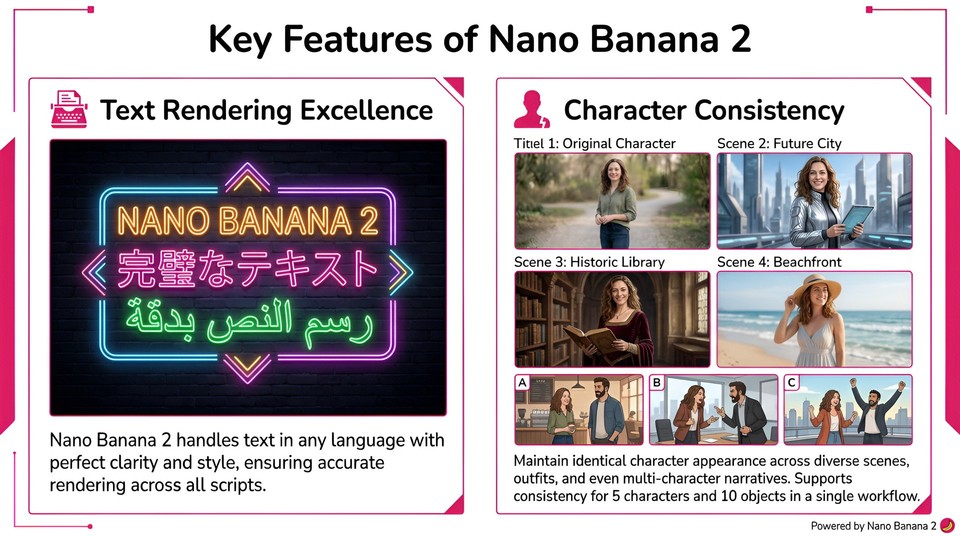
Nano Banana 2 excels at legible text inside images in any language. Text rendering is a solved problem for this model. Use that.
It maintains character consistency across up to 5 characters and 10 objects using up to 14 reference images in a single workflow. No LoRAs, no fine-tunes, no hacks.
It supports native resolutions from 512px to 4K across 14 aspect ratios, and you control all of it from the prompt or the API.
That is the technical mental model. Now let's talk about the part that separates the people getting usable output from the people still regenerating.
The insight nobody is writing down
Here is the thing I kept running into in my first week with Nano Banana 2. I would write what felt like a detailed prompt. Something like "A cinematic portrait of a woman in a coffee shop." The result would be technically competent but weirdly generic. Clean skin, flattering light, perfectly symmetrical face, the kind of photo a stock site would sell for $20.
Not bad. Not useful either.
The fix took me about forty generations to find, and it is the opposite of what most guides tell you. With older models like SDXL or Z-Image Turbo, the problem is that the model defaults to "beauty stock photo" and you have to fight it with specific camera names and film stocks to force documentary realism. Nano Banana 2 has a different problem. It is such a good listener that vague prompts produce vague images. The model is not defaulting to a generic look because it wants to. It is defaulting because you did not tell it anything specific enough to differ from the mean.
💡Learn how to fix the over beautification problem with our Z-image turbo prompting guide.
The mental shift is this: stop writing prompts and start writing briefs. Imagine you are a creative director who just hired a photographer with a $50,000 camera kit, and you are explaining what you want before the shoot. You would not say "portrait of a woman." You would say who she is, what she is wearing, what mood you want, how the light should fall, what lens you are shooting, and what the final image is for.
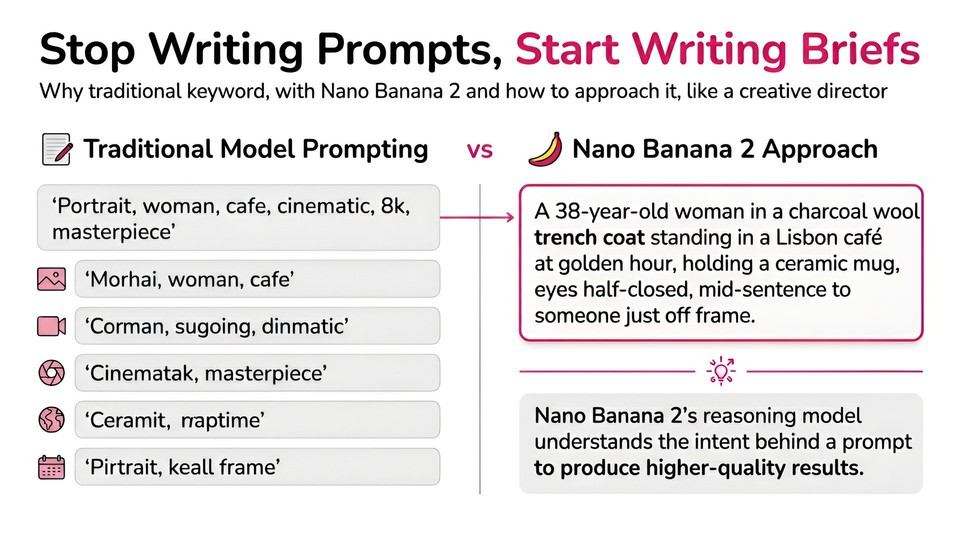
That last part, the "what the final image is for," matters more than anything else I discovered. Telling Nano Banana 2 that an image is "a hero shot for a luxury perfume launch campaign" noticeably changes the output quality. The model uses the commercial context to resolve ambiguity. It is reasoning about your intent, not just your keywords.
The 6-part prompt formula, adapted for a reasoning model
Every solid Nano Banana 2 prompt I have written follows the same skeleton. It is the same six parts you might recognize from other guides, but the weight on each part is different because you are briefing a reasoning model, not tag-matching a diffusion model.
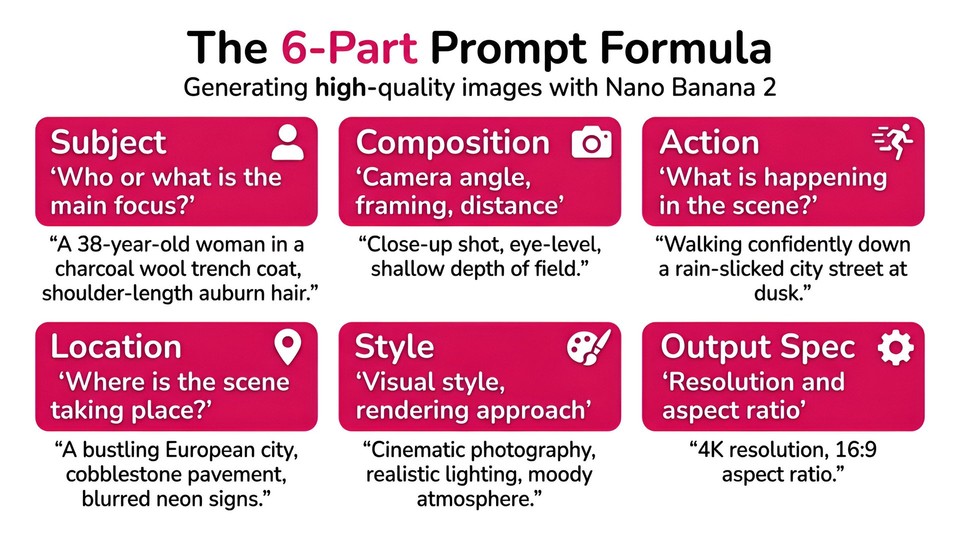
1. Subject. Who or what is the main focus. Describe age, materials, clothing, and one or two specific features. Not "a woman" but "a 38-year-old woman in a charcoal wool trench with shoulder-length auburn hair tucked behind one ear."
2. Composition. Camera angle, framing, distance, and layout. "Medium shot, eye level, three-quarter framing, subject occupying the left third of the frame." Naming a specific camera and lens is where this model starts to sing. "Shot on Hasselblad X2D camera with a 90mm lens at f/2.8" gives you a far better result than a simple "close up portrait."
3. Action. What is happening in the scene. This is the part most people skip, and it is where reasoning models earn their keep. "She is lifting a ceramic mug halfway to her lips, eyes half-closed, mid-sentence to someone just off frame." The model will resolve the physics, the hand position, the mug angle, the posture, all from that one sentence.
4. Location. Where the scene takes place, including time of day and atmosphere. "A sunlit corner of a Pois cafe at 7am on a summer morning, warm golden light through tall east-facing windows, the street just starting to wake up outside."
5. Style. Visual style, film stock, color palette, rendering approach. Pick one style family and stay inside it. "Editorial photography, muted warm palette, slight Kodak Portra 400 color shift, shallow depth of field."
6. Output spec. Resolution and aspect ratio, stated explicitly at the end. "4K output, 16:9 aspect ratio." The model respects these when you put them at the end of the prompt.
Write all six parts as full sentences. Do not use commas as glue between keywords. Nano Banana 2 is reading your prompt like prose, so write prose.
The photography vocabulary that actually moves the needle
Nano Banana 2 understands real camera gear the way a photographer does. Naming the equipment is not cosmetic. It is the single fastest way to move the output from "AI image" to "photograph."
A few phrases I keep in heavy rotation:
"Shot on Hasselblad X2D 100C with 90mm f/2.8 lens" for editorial portraits with creamy falloff
"Canon R5 with 24-70mm f/2.8 at 35mm, natural window light" for lifestyle and documentary work
"Phase One IQ4 medium format with 120mm macro lens" for food and still life
"Sony A1 with 600mm f/4 GM lens at 1/2000s" for wildlife and sports action
"Leica Q3 with 28mm f/1.7 lens, anamorphic lens flare" for street and cinematic moods
"Shot on Kodak Portra 400, warm skin tones, subtle film grain" for film character
"Cinestill 800T tungsten halation glow" for neon-lit night scenes
"Fujifilm GFX100 II medium format, 110mm f/2 lens, shallow depth of field" for luxury product and beauty
Pick one camera phrase per prompt. Do not stack them. Two different camera bodies in the same sentence will confuse the model, and it will average them into something that looks like neither.
Lighting is the other lever that most prompts do not touch. Nano Banana 2 responds to directional language. "Soft key light from upper left at 45 degrees, subtle rim light from behind right" is a sentence a gaffer would understand, and the model treats it the same way. "Good lighting" is a sentence nobody can do anything with, including the model.
The text rendering trick that changes what you can build
Text rendering inside images was a decade-long embarrassment for AI image models. Nano Banana 2 fixed it. Not "improved it." Fixed it. You can ask for specific words in specific fonts at specific positions and they will render legibly, in any language, including Chinese, Japanese, Korean, Arabic, and Cyrillic scripts in the same image if you want.
The rule I call the text distance rule is simple. When you want text in an image, give the model four things in one sentence:
The exact words, wrapped in quotes
The font style or mood
The position relative to other elements
The size hierarchy
Example: "A bold headline at the top of the frame reads 'FUTURE STACK 2026' in a thick condensed sans-serif, with a smaller subtitle directly below in a light italic serif reading 'The AI Creators Summit', and a thin line at the bottom left in all caps reading 'SAN FRANCISCO · JUNE 10-12'."
That prompt will give you a print-ready conference poster with perfect typography on the first try. Most models would have turned "FUTURE STACK 2026" into "FULURE STEK 2O2G" and called it a day.
If you need bilingual content, just write both languages in the prompt and tell the model which goes where. "A neon sign in a Tokyo alleyway reads '未来餐厅' on top and 'FUTURE KITCHEN' below in hot pink neon." It will honor both.
Character consistency without a single LoRA
This is the feature that legitimately changes what solo creators can build. Nano Banana 2 maintains character identity across up to 5 characters and 10 objects in a single workflow, for a total of 14 reference images. No training, no fine-tuning, no waiting. You upload the references and describe the scene.
The workflow that actually holds together across 20 plus images:
First, build a reference sheet for each character. Generate one clean image per character showing them from the front, at eye level, with neutral expression and flat lighting. Save these as your canonical references.
Second, describe every character in the scene prompt using the exact same physical description you used in the reference sheet. "Mira, a 29-year-old woman with chin-length black hair, a small scar above her left eyebrow, wearing a charcoal wool trench" should appear word for word in every prompt where Mira shows up.
Third, upload the references alongside the scene prompt. In Google AI Studio you can drag up to 14 images into the reference panel. In the API you pass them as reference inputs.
Fourth, keep the scene description tightly separated from the character description. Do not bury "Mira" inside a sprawling paragraph about the lighting. Lead with the characters. Follow with the scene.
For multi-panel storytelling (think comic strips, storyboards, product catalogs), add a line that tells the model the image is part of a series. "This is panel 3 of a 6-panel sequence. Maintain visual identity with panels 1 and 2." It works better than you would expect.
The 14 aspect ratios and how to actually use them
Nano Banana 2 supports more aspect ratios than any major model: 1:1, 2:3, 3:2, 3:4, 4:3, 4:5, 5:4, 9:16, 16:9, 21:9, 1:4, 4:1, 1:8, and 8:1.
The short version of which to use when:
1:1 for Instagram feed, profile icons, square thumbnails
16:9 for YouTube thumbnails, web banners, presentation slides
9:16 for TikTok, Instagram Reels, Stories, phone wallpapers
21:9 for cinematic shots, panoramic banners, ultrawide hero images
4:5 for Instagram portrait feed, editorial magazine layouts
3:2 for traditional photography, print media
1:4 and 4:1 for vertical or horizontal infographics and website headers
1:8 and 8:1 for scroll-stopping ticker content and extreme panoramas
In the Gemini app, state the aspect ratio in plain English at the end of your prompt. In Google AI Studio, use the dropdown. In the API, set the aspect_ratio and image_size parameters in the ImageConfig object. Put the aspect ratio and resolution at the end of your prompt ("4K output, 16:9 aspect ratio") even when you are also setting them in the UI. The redundancy helps the model plan composition correctly before rendering.
Generation mode vs editing mode (and why people confuse them)
Nano Banana 2 has two operational modes, and choosing the wrong one is one of the top three reasons people complain about inconsistent results.
Generation mode is for creating an image from scratch using only a prompt. Write for composition, lighting, and full creative direction.
Editing mode is for modifying an existing image while preserving everything else. Upload the image, describe only what should change, and explicitly name what should stay the same. "Change the subject's jacket from black leather to tan suede, preserve the face, pose, lighting, and background exactly."
The rule is simple: if you have a base image and want to change one element, use editing mode. If you are starting from zero, use generation mode. If you try to do editing-style work in generation mode ("make the same image but with a red car instead of a blue one"), the model will happily produce a brand new image that ignores your original reference. The two modes have different reasoning priors.
For editing prompts, the magic words are "preserve" and "maintain." List everything you want kept. The more you list, the more identity survives the edit.
The secret weapon: search grounding
This is the feature that is exclusive to Nano Banana 2 and not available in Nano Banana Pro, and almost nobody is using it.
Nano Banana 2 can pull live data from Google Search and Google Image Search during generation. That means you can ask it for an infographic on the top 5 programming languages in 2026 and it will actually look up current data instead of hallucinating from its training cutoff. You can ask for an accurate depiction of a specific building, a real product, or a current event, and it will ground its visual choices in real search results.
To use search grounding in Google AI Studio, toggle the Search tool on in the model settings panel. In the Gemini app, it is enabled by default for any prompt that references current information. In the API, set the grounding parameter to include web search.
Use cases where this is unreasonably good:
Live data infographics and charts based on real numbers
Accurate architectural renders of specific real buildings
Product mockups that match the actual product you are referencing
Historical scenes where period accuracy matters
Brand asset generation when you want the model to pull brand colors and logos from search
Toggle it off for purely creative work where you do not want the model constrained by reality.
Thinking mode: when to turn it on
In Google AI Studio there is a Thinking Mode toggle. When it is on, Nano Banana 2 spends more compute on the planning phase before rendering. Interim thought images get more refinement. Spatial relationships get more careful resolution. Text layouts get more validation.
Turn it on for:
Infographics with multiple sections and data
Complex multi-character scenes
Diagrams with connecting arrows and labeled nodes
Any image with significant amounts of text
Architectural plans and floor plans
Anything where getting the composition wrong would force a full regeneration
Leave it off for:
Simple portraits
Quick concept exploration at 512px for composition testing
High-volume batch generation where speed matters more than precision
Thinking mode adds a small cost (roughly $0.002 per image on the API) but it is almost always worth it when composition matters.
Where to actually run Nano Banana 2
You have more options to run Nano Banana 2 than most people realize. Here are the ones worth knowing about.
The Gemini app (free). Nano Banana 2 is the default image model across all modes. Just ask Gemini to create an image, or click the image icon. Works on web and mobile. The fastest path to trying it.
Google AI Studio (free with an API key). Go to aistudio.google.com, select gemini-3.1-flash-image-preview from the model dropdown. This is where power users live. You get the aspect ratio dropdown, the resolution slider from 512px to 4K, the Thinking Mode toggle, the Search grounding toggle, and reference image uploads. Anything you cannot do in the Gemini app, you can do here.
Google Flow (free, zero credits). Google Flow is Google's AI filmmaking environment and Nano Banana 2 is its default image generation engine. It costs zero credits even for free users. You can batch generate up to 4 images per prompt at specified resolutions. For anyone trying to produce a high volume of reference images without paying, this is the play.
Fliki. Fliki pipes Nano Banana 2 directly into a text-to-video workflow, which is where I spend most of my production time. The reason is simple. Generating images is one thing. Turning them into a finished video with voiceover, captions, and transitions is the actual work. Fliki connects both in one tab. You can generate images, drop them into scenes, layer a cloned voice from the AI voice library, and export a finished piece without jumping between five tools. For anyone building social content at volume, it collapses the workflow from an afternoon into about twenty minutes.
Pomelli (Google Labs, free). Purpose-built for small business marketing. Upload a product photo and Pomelli generates studio-grade product shots in multiple templates. Worth knowing about if you run a store.
NotebookLM (free). Upload your documents, click Create Slides or Create Infographic, and NotebookLM uses Nano Banana 2 to turn source material into visual decks. Underrated for educators and analysts.
Adobe Firefly, Perplexity, Figma, Notion, and Gamma all have Nano Banana 2 integrations now. Useful if you already live in one of those tools.
The mistakes I see every single day
Writing keyword soup. "Portrait, woman, cafe, cinematic, 8k, detailed, masterpiece." This is Midjourney muscle memory and it leaves 60% of Nano Banana 2's quality on the table. Write sentences.
Burying the subject. The subject should be in the first 15 words of the prompt. Not the third paragraph. The model pays more attention to early tokens.
Asking for "realistic." The word "realistic" on its own does almost nothing. "Realistic" is a feeling, not an instruction. Replace it with a camera, a lens, and a lighting direction.
Stacking contradictory styles. "Photorealistic anime oil painting watercolor" will obediently produce a smeared hybrid that looks like none of them. Pick one style family and commit.
Ignoring the "why." Telling the model that an image is for a specific use case (magazine cover, product launch, children's book illustration) noticeably improves output quality. The model uses that context to make a thousand small decisions you did not have to spell out.
Treating generation as trial and error. If you have regenerated the same prompt more than twice and you are still unhappy, the prompt is the problem. Rewrite from scratch using the 6-part formula. My regeneration rate dropped by more than half once I stopped blaming the model.
Forgetting the output spec. Put "4K output, 16:9 aspect ratio" at the end. Every time. Even when you already set it in the UI.
30 Nano Banana 2 prompts to copy, paste, and remix
Every prompt below is structured to demonstrate one specific capability. Drop them into the Fliki AI image generator, the Gemini app, or Google AI Studio, and remix the variables to your own subjects.
Portraits and editorial
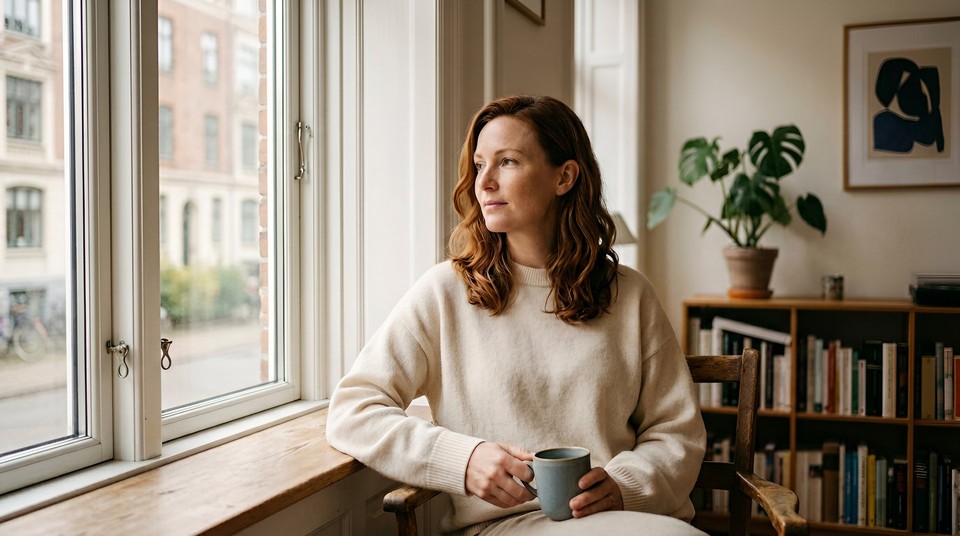
1. The 4K editorial portrait A 34-year-old woman with shoulder-length auburn hair tucked behind one ear, soft freckles across her cheekbones, wearing an oversized cream cashmere sweater, seated by a tall window in a Copenhagen apartment at 9am, looking past the camera at something across the room, soft diffused north light from her left, subtle shadow under her jaw, shot on Hasselblad X2D 100C with 90mm f/2.8 lens, shallow depth of field, editorial magazine aesthetic, muted warm palette with slight Kodak Portra color shift. 4K output.
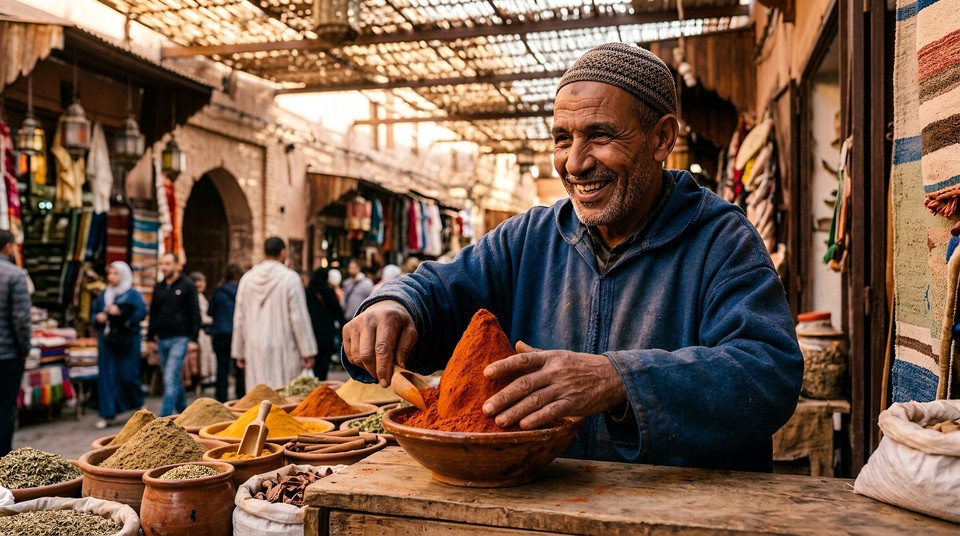
2. Documentary street portrait A 62-year-old Moroccan spice merchant standing behind his open-air stall in the Marrakech medina, deep smile lines around weathered brown eyes, a worn indigo djellaba, hands arranging a tall cone of saffron-red paprika, late afternoon golden light filtering through the woven reed roof creating soft dappled patterns, shot on Canon R5 with 35mm f/1.4 lens, National Geographic documentary style, visible pores and fine skin texture, candid and unposed. 4K.
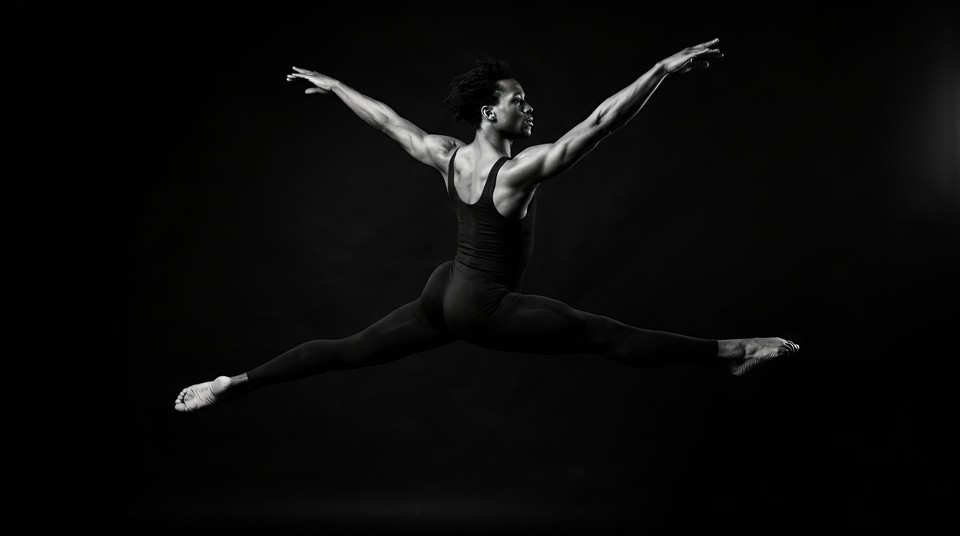
3. High-contrast studio portrait A Black male ballet dancer in his late twenties in a mid-leap against pure black seamless backdrop, muscles tensed in full extension, wearing minimal dark rehearsal attire, a single hard key light from upper right catching the edge of his shoulder and outer thigh, leaving the rest in deep shadow, shot on Phase One IQ4 medium format with 80mm lens, fine art monochrome conversion, sharp focus throughout. 4K.
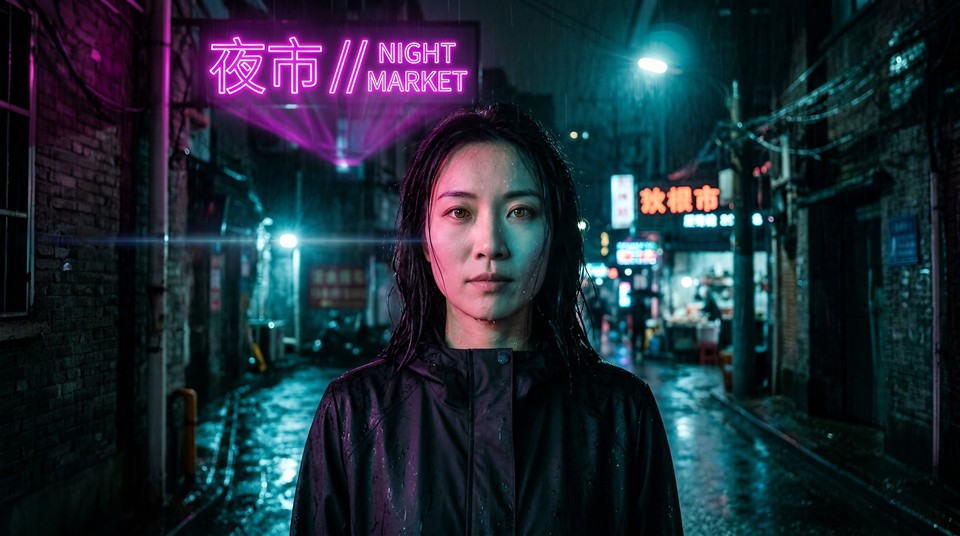
4. Cinematic neo-noir character A 29-year-old woman in a rain-soaked Shanghai alleyway at 1am, half her face lit by a flickering magenta hologram sign overhead reading "夜市 // NIGHT MARKET", the other half bathed in cold cyan from a distant streetlamp, water beading along her jawline, a sleek matte-black rain jacket, eyes amber and steady, shot on Leica Q3 with 28mm f/1.7 lens, anamorphic flare, Blade Runner 2049 teal and magenta color grade. 4K.
Product and commercial
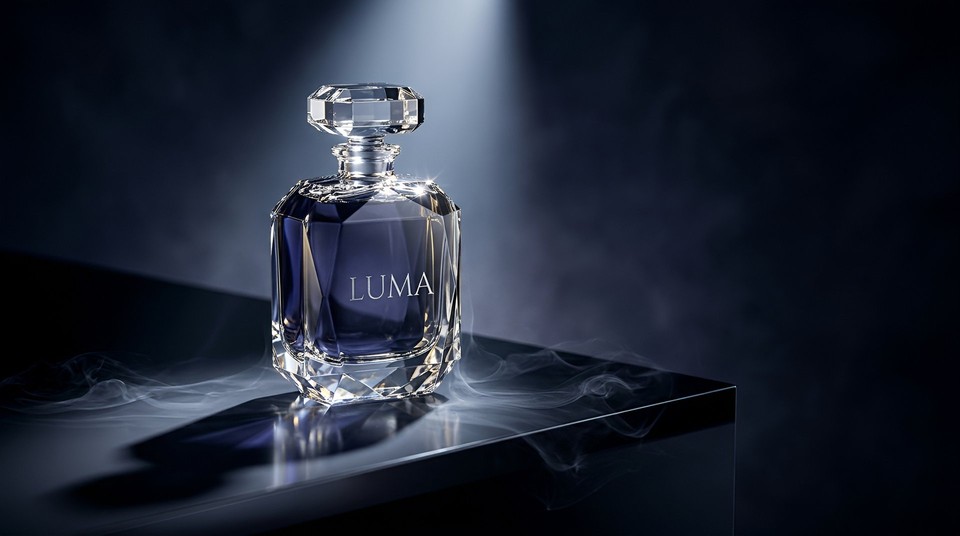
5. Luxury perfume hero shot A faceted crystal perfume bottle labeled "LUMA" in a thin engraved serif, centered on a polished obsidian platform, a single cool directional beam of light from above igniting the cut facets and casting a long geometric shadow across the surface, thin tendrils of dry ice smoke curling at the base, deep indigo and silver palette with subtle gold reflections, shot on Hasselblad medium format with 120mm macro, luxury campaign aesthetic, negative space on the right reserved for overlay text. 4K.
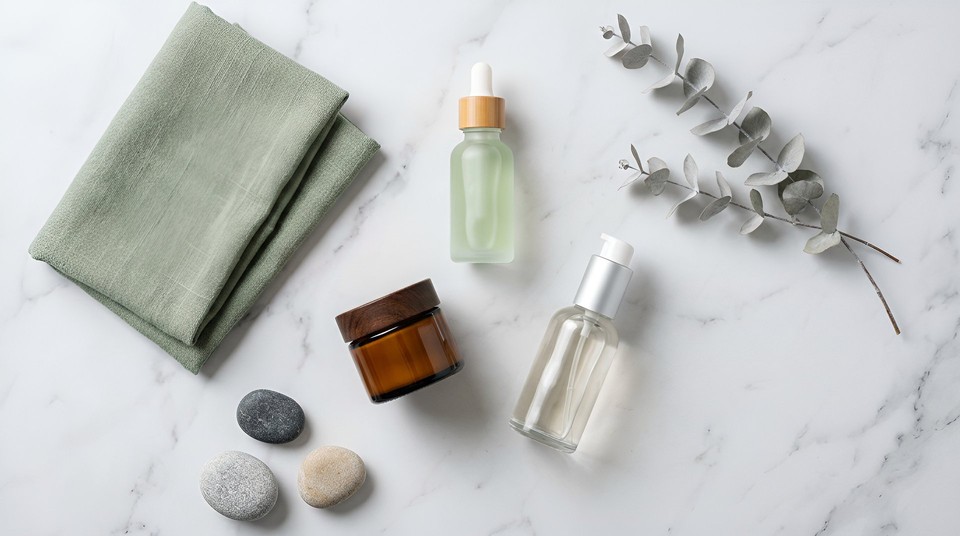
6. E-commerce skincare flat lay An overhead flat lay for a minimalist skincare brand called "Verdant", three products arranged in loose triangle on cool white Carrara marble, a single sprig of dried eucalyptus, a folded raw linen cloth in sage green, and three smooth beach stones, soft diffused light from above-left, spa-calm mood, zero text, shot from directly overhead with Canon R5 and 100mm macro lens. 4K.
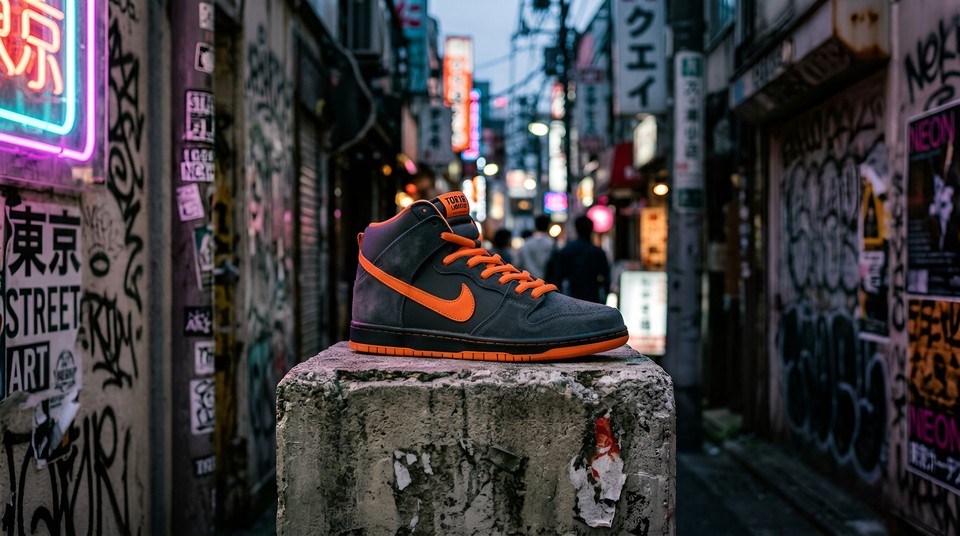
7. Streetwear sneaker A limited edition sneaker in matte charcoal and electric orange resting on a raw concrete pedestal in a graffiti-marked Tokyo back alley at dusk, sharp focus on the shoe with the alley dissolving into soft magenta and cyan bokeh, an off-camera neon sign casting a colored rim on one side of the shoe, shot on Sony A7R V with 85mm f/1.4 lens, gritty streetwear campaign aesthetic. 4K.
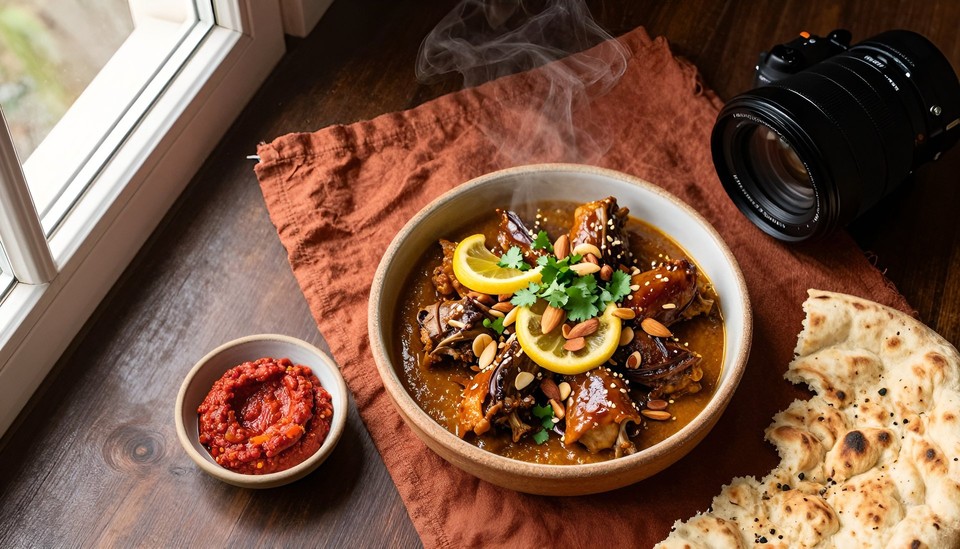
8. Food photography with steam An overhead flat lay of a rustic ceramic bowl of slow-cooked Moroccan lamb tagine with preserved lemon, glazed in mahogany saffron sauce, scattered with toasted almonds and torn cilantro, a small dish of harissa beside it, a half-torn round of khobz on a crumpled rust linen napkin, dark walnut table, single window of soft north light from upper left, visible steam rising, shot on Phase One IQ4 with 120mm macro lens, food editorial style. 4K.
Typography and text-in-image
9. Conference poster A modern tech conference poster on a deep indigo gradient background with subtle cyan circuit-line patterns, a massive bold headline at the top reading "FUTURE STACK 2026" in a thick condensed sans-serif, a smaller subtitle directly below in light italic serif reading "The AI Creators Summit", a thin line at the bottom left in all caps reading "SAN FRANCISCO · JUNE 10-12", generous negative space, high contrast, print-ready layout. 4K.

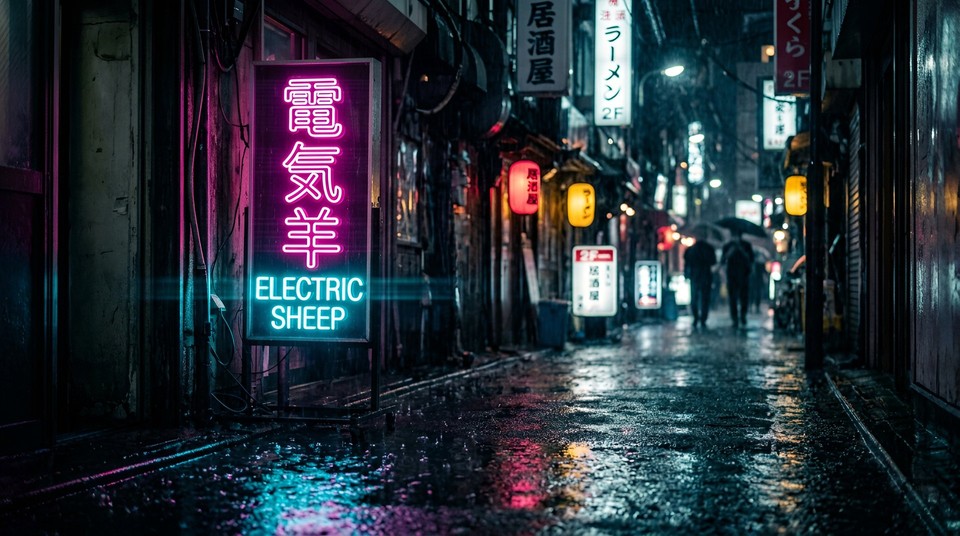
10. Bilingual neon sign A rain-soaked narrow alleyway in Shinjuku at midnight, a vertical neon shop sign at eye level clearly reads "電気羊" in hot pink neon on top and "ELECTRIC SHEEP" in electric cyan below, puddles on the wet asphalt reflecting the glow, distant silhouettes of passersby dissolving into bokeh, shot on Leica Q3 with anamorphic flare. 4K.
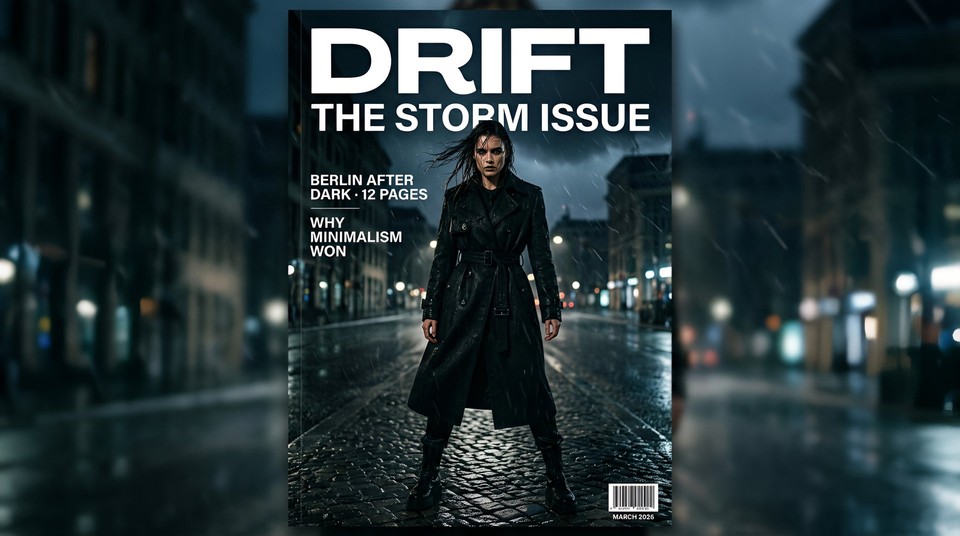
11. Magazine cover A high fashion magazine cover for "DRIFT", a female model in her early thirties in a structured black trench coat standing in horizontal wind and rain, shot from a low dramatic angle, the masthead "DRIFT" at the top in a bold condensed white sans-serif, below in clean caps "THE STORM ISSUE", a left sidebar in smaller text reading "BERLIN AFTER DARK · 12 PAGES" and "WHY MINIMALISM WON", a small barcode and date "MARCH 2026" at the bottom right, Scandinavian minimalist design aesthetic. 4K.
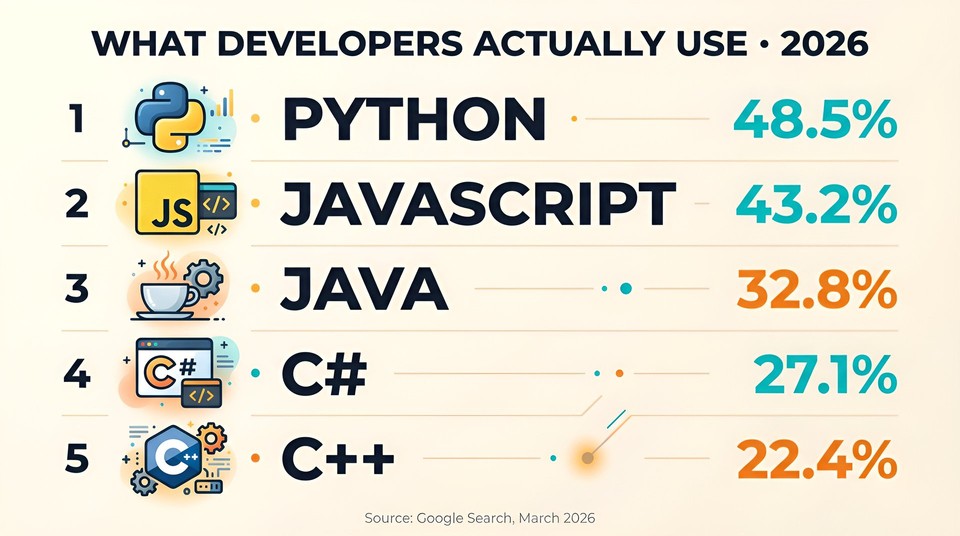
12. Infographic with live data Search top five most-used programming languages in 2026 with current ranking and market share percentages. Create a clean 16:9 infographic on a warm off-white background, each language as a horizontal row with a custom flat icon on the left, the language name in a large bold geometric sans-serif, the percentage in a secondary accent color, ranked top to bottom, header reading "WHAT DEVELOPERS ACTUALLY USE · 2026", small footer in muted gray reading "Source: Google Search, March 2026". 4K.
Character consistency and multi-panel
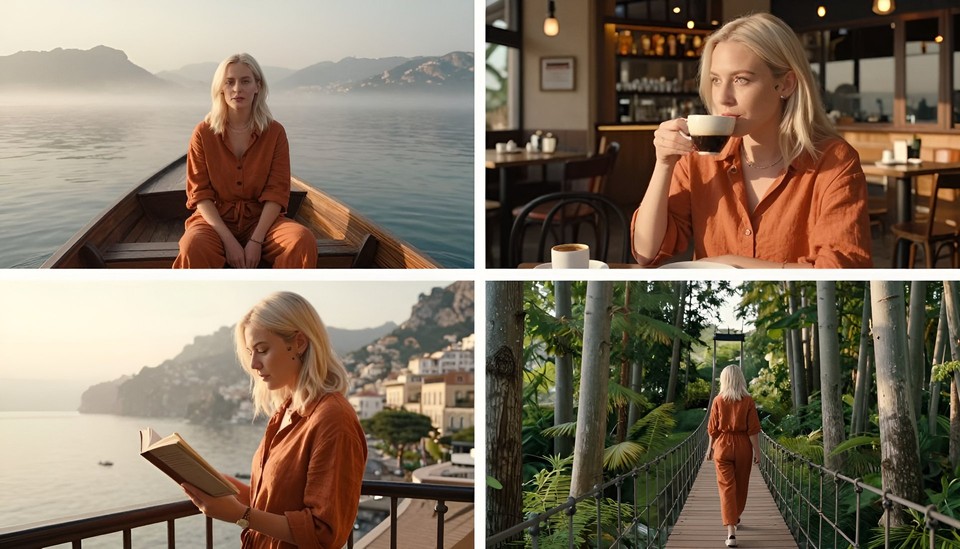
13. Four-panel travel series with a single character A series of four images of the same young woman named Nova, a 27-year-old with chin-length platinum blonde hair, a small star tattoo below her right ear, wearing a burnt orange linen jumpsuit, maintain her face and outfit exactly across all four panels. Panel 1: Nova on a traditional wooden boat crossing a misty lake in Vietnam at dawn. Panel 2: Nova sipping espresso at a sunlit cafe in Lisbon. Panel 3: Nova reading a book on a hotel balcony overlooking the Amalfi coast at golden hour. Panel 4: Nova walking across a suspension bridge in a Japanese cedar forest. Shot on Fujifilm GFX100 II with 45mm lens across all four panels, warm film aesthetic. 4K.
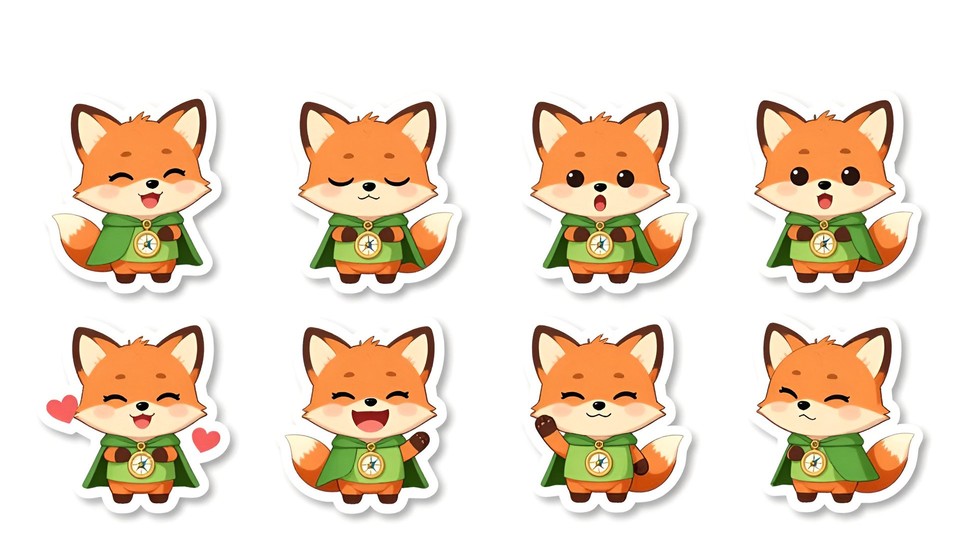
14. Sticker sheet with 8 expressions A digital sticker sheet laid out in a 4x2 grid on a pure white background, featuring the same chibi-style fox character wearing a tiny green cloak and a brass compass pendant, keep the character's colors, outfit, and proportions identical across all eight stickers, each sticker with a thin white border and a soft drop shadow. Expressions from left to right, top row: joyful, sleepy, surprised, thinking. Bottom row: in love, laughing, determined, waving. 4K.
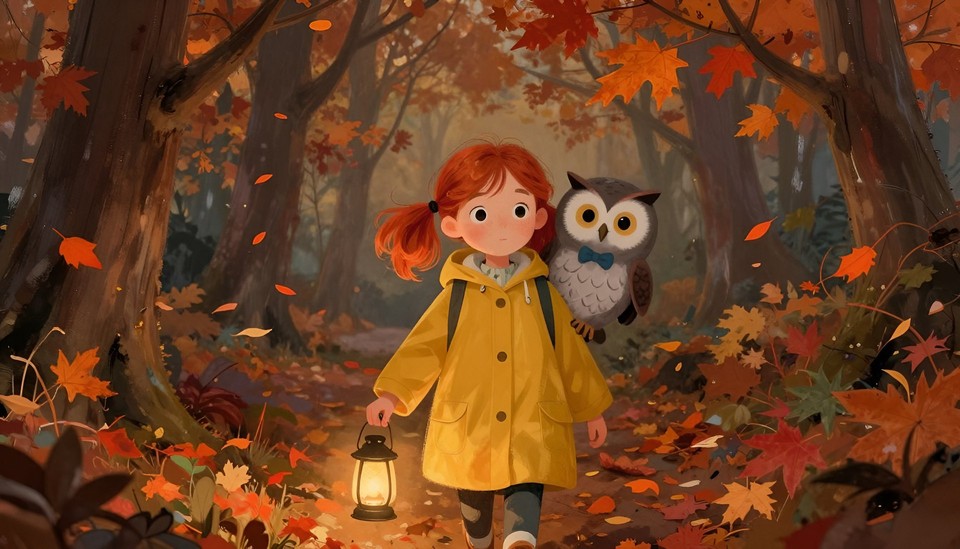
15. Storybook spread with two characters A painterly storybook illustration of two characters walking through an enchanted autumn forest at dusk. Character one is Olive, a 9-year-old girl with messy red pigtails, freckles, and a mustard yellow raincoat. Character two is Basil, a small round grey owl with oversized amber eyes perched on Olive's shoulder wearing a tiny blue bow tie. Maintain both characters exactly as described. Falling orange and crimson leaves, soft lantern glow from Olive's hand, warm painterly brushstrokes in the style of Jon Klassen. 4K.
Infographics and data visualization
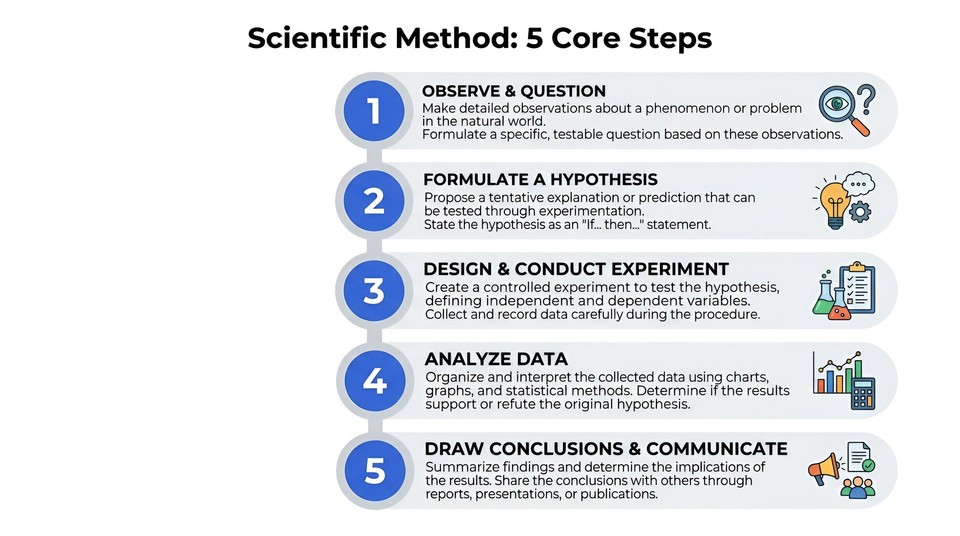
16. Scientific method vertical infographic A "Scientific Method: 5 Core Steps" educational infographic in portrait format, vertical ladder layout with five numbered nodes connected by a clean central spine, each node containing the step number in a large cobalt blue circle, the step title in bold geometric sans-serif, a two-sentence description in muted gray, and a small flat icon on the right. Background clean white, generous spacing, educational textbook aesthetic. 4K.
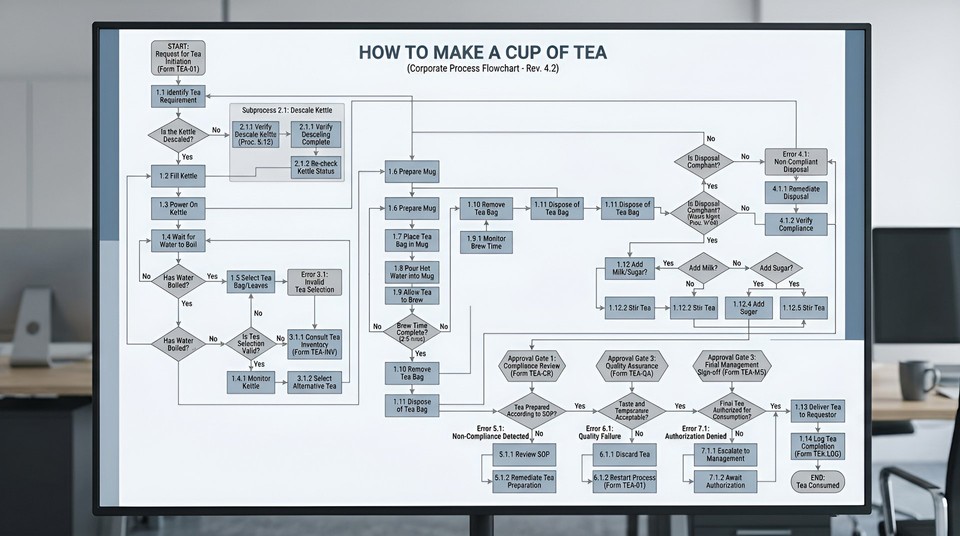
17. Absurd flowchart An absurdly complicated corporate process flowchart titled "HOW TO MAKE A CUP OF TEA", laid out in landscape format with decision diamonds asking questions like "Is the kettle descaled?", subprocess boxes, error handling paths, and three approval gates for compliance, every piece of text fully legible, rendered in dry corporate visual language with muted blues and grays. 4K.
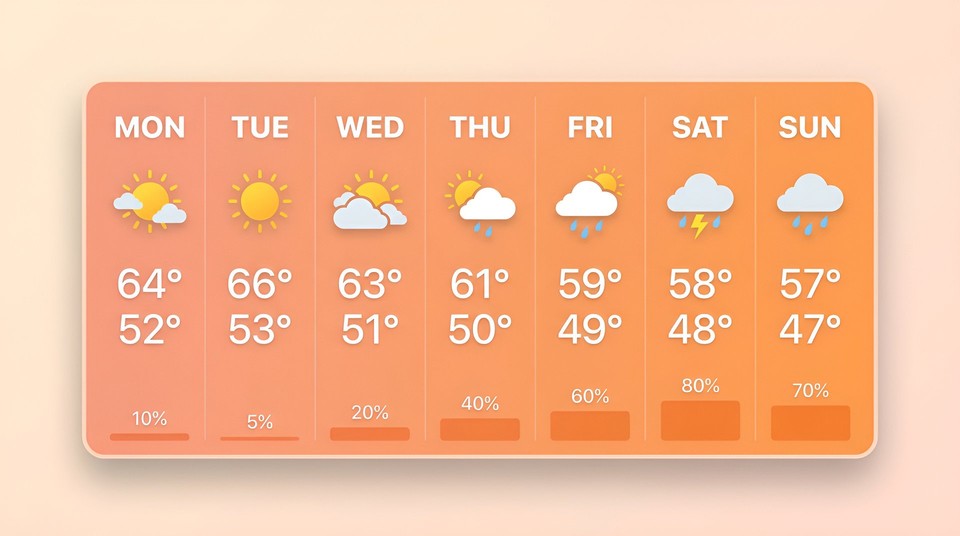
18. Weather data dashboard Search current 7-day weather forecast for San Francisco. Render it as a clean horizontal dashboard card, each day as a vertical column with the day name at the top in bold sans-serif, a custom weather icon in the middle, the high and low temperatures below in large numbers, and a thin precipitation bar at the bottom. Color palette soft warm gradient background with white text, modern iOS-inspired card design. 4K.
Architecture and interior
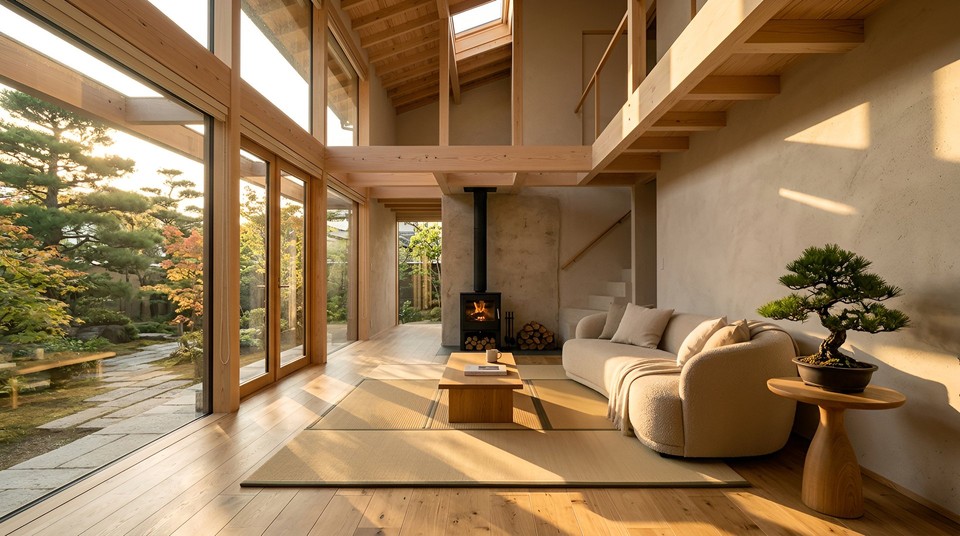
19. Scandinavian living room A wide-angle interior shot of a Japanese-Scandinavian fusion living room at golden hour, double-height ceilings with exposed pale pine beams, a low curved bouclé sofa in oat beige facing a black steel wood-burning stove set into a raw plaster wall, a single woven tatami-style rug over warm oak floors, floor-to-ceiling glass flooding the space with late afternoon sun striping across the floor, a single bonsai pine on a hand-turned side table, zero clutter, soft volumetric light particles in the sun beams, shot on Canon R5 with 16-35mm f/2.8 lens at 20mm. 4K.
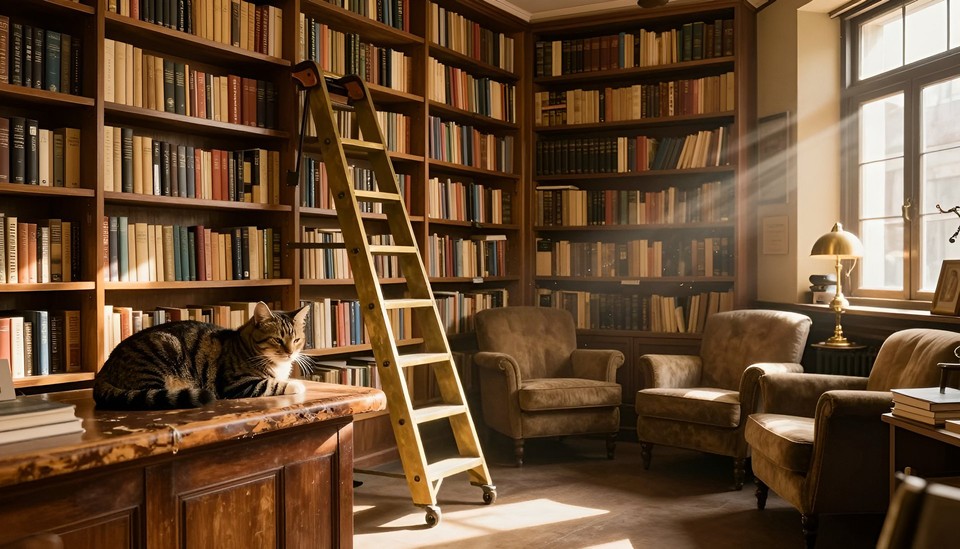
20. Cozy independent bookshop A warm independent bookshop interior bathed in golden late afternoon light, floor-to-ceiling walnut shelves crammed with aged paperbacks, a striped tabby cat napping on a worn leather counter, a rolling brass ladder against one shelf, two overstuffed armchairs tucked into a corner beneath a brass reading lamp, dust motes drifting through the slanting light, shot wide-angle at eye level, cinematic photorealism, nostalgic mood. 4K.
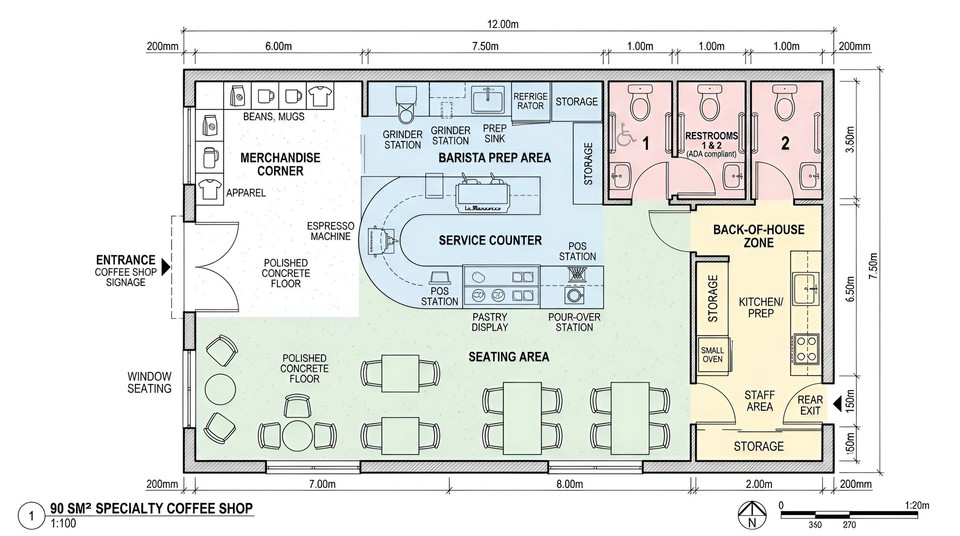
21. Top-down coffee shop floor plan A precise top-down architectural floor plan for a specialty coffee shop in a 90 square meter industrial space, labeled entrance with signage, curved service counter with espresso machine and pastry display, seating for eight tables of varying sizes, barista prep area, merchandise corner, two single-occupancy restrooms, and a back-of-house zone, modern linework, soft pastel zone color coding, clean typographic labels, realistic proportions with measurement annotations. 4K.
Fantasy and illustration
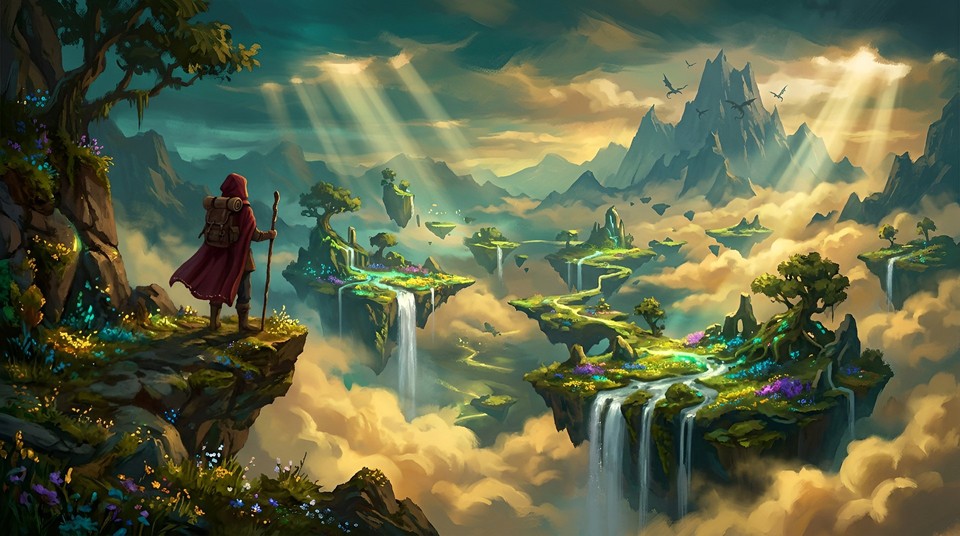
22. Ethereal fantasy environment A vast fantasy valley of floating islands carpeted in glowing moss and wildflowers, silver waterfalls cascading from their edges into golden clouds below, a lone traveler in a deep red wool cloak standing on a rocky outcrop in the left third of the frame, volumetric god rays piercing the mist, distant dragon silhouettes circling a far peak, painterly high-fantasy artbook style, rich teal and gold palette, epic cinematic composition. 4K.
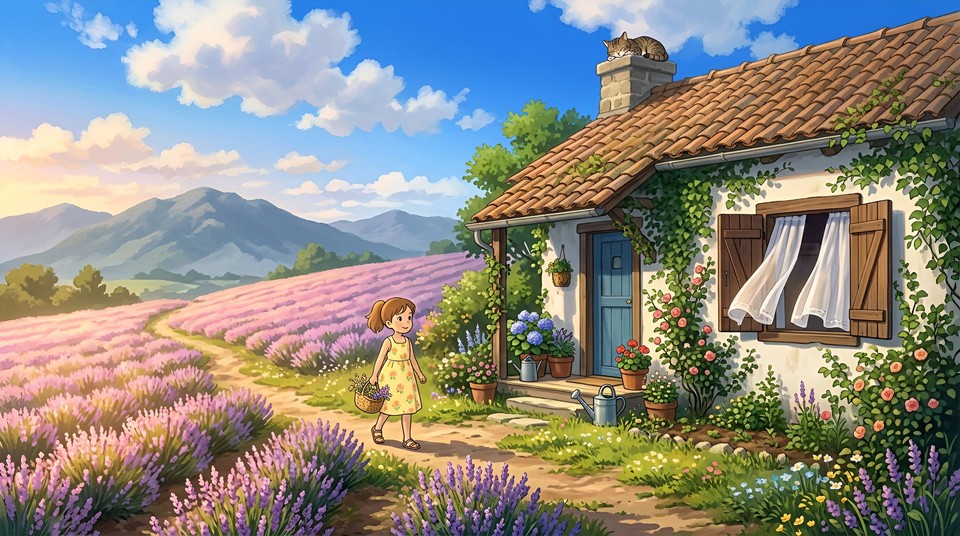
23. Ghibli-inspired hillside cottage A quiet hillside cottage at the edge of a lavender field in early summer, warm clay-tiled roof with a tabby cat asleep on the chimney, ivy crawling up one whitewashed wall, a wooden shuttered window open with sheer linen curtains billowing in the breeze, a little girl in a yellow sundress carrying a wicker basket along a dirt path, fluffy cumulus clouds across a cobalt sky, distant blue-grey mountains, golden hour warming the lavender to pink-gold, soft painterly cel shading in the Studio Ghibli storybook tradition. 4K.
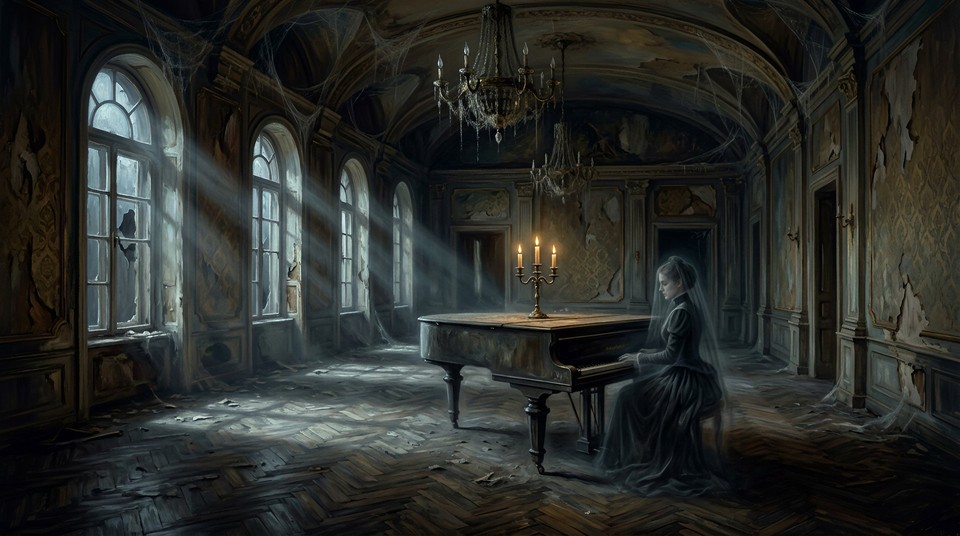
24. Dark fantasy manor A decaying 1890s Romanian manor ballroom at midnight, a single candelabra with three guttering flames on a dust-covered grand piano, moonlight streaming through tall broken windows in pale blue shafts, cobwebs draped from the vaulted ceiling, peeling damask wallpaper, a faint ghostly figure in a Victorian mourning gown barely visible at the piano, gothic painterly atmosphere in the style of Zdzislaw Beksinski meets Guillermo del Toro, oil painting rendering, deep shadows. 4K.
Editing and transformation
25. Background replacement Take the uploaded portrait and replace the background with a photorealistic Lisbon rooftop at golden hour, the city's terracotta rooftops and the Tagus river visible behind the subject, soft warm rim light from the right matching the new environment, preserve the subject's face, hair, clothing, pose, and original shadow direction exactly. 4K.
Input reference:
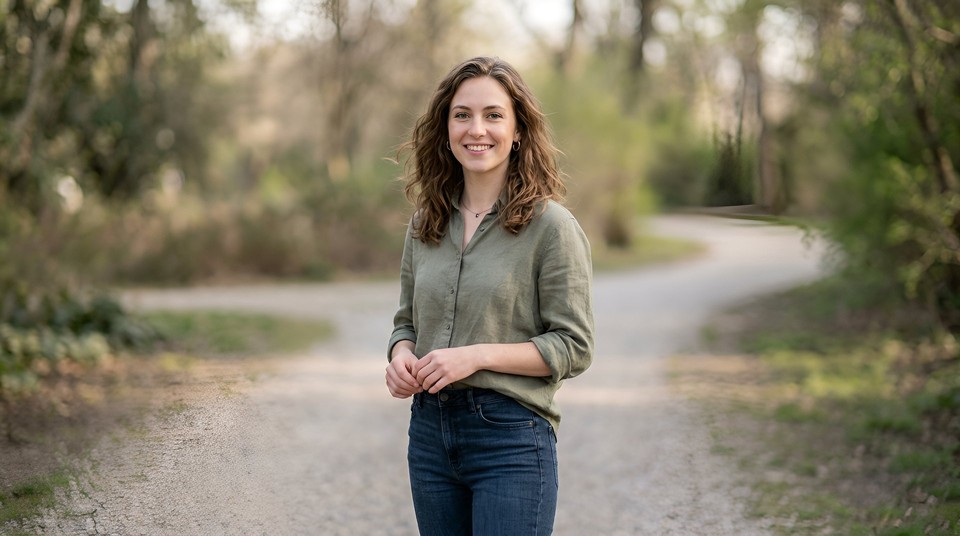
Output:
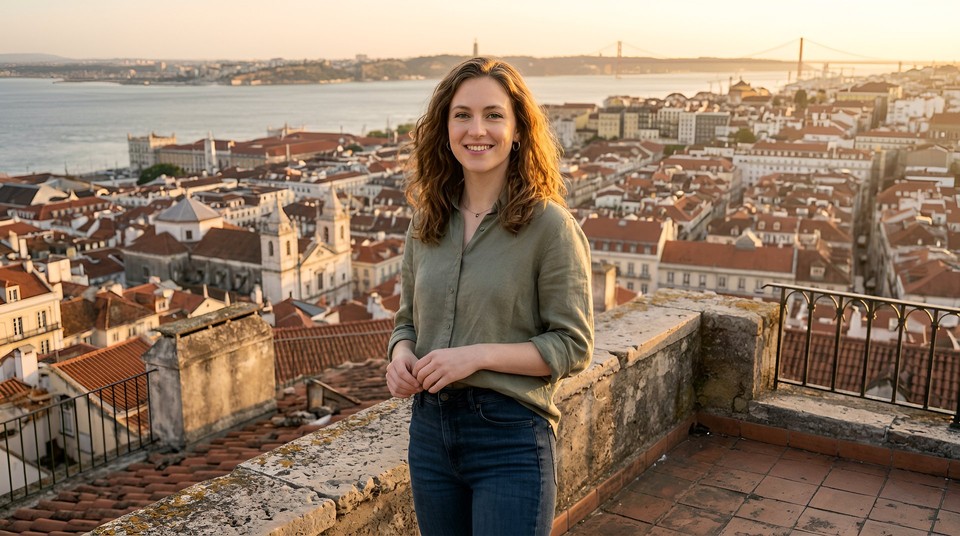
26. Color grade transformation Apply a professional teal and orange cinematic color grade to the uploaded outdoor portrait, push shadows toward deep teal blue, enhance warm highlights on skin, slightly desaturate midtones, increase contrast. Do not alter composition, subjects, or any spatial elements, only adjust the color and tonal response. 4K, preserve original aspect ratio.
Input reference:
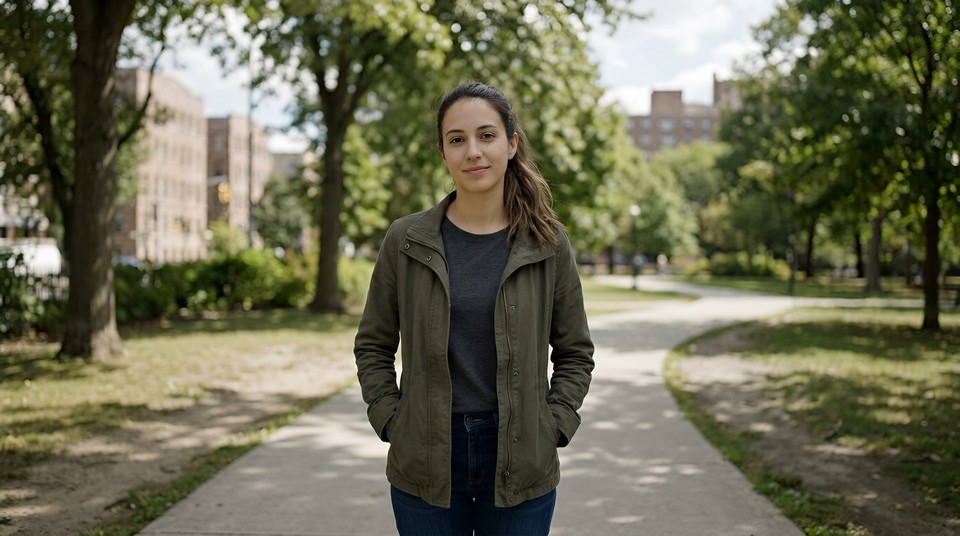
Output:
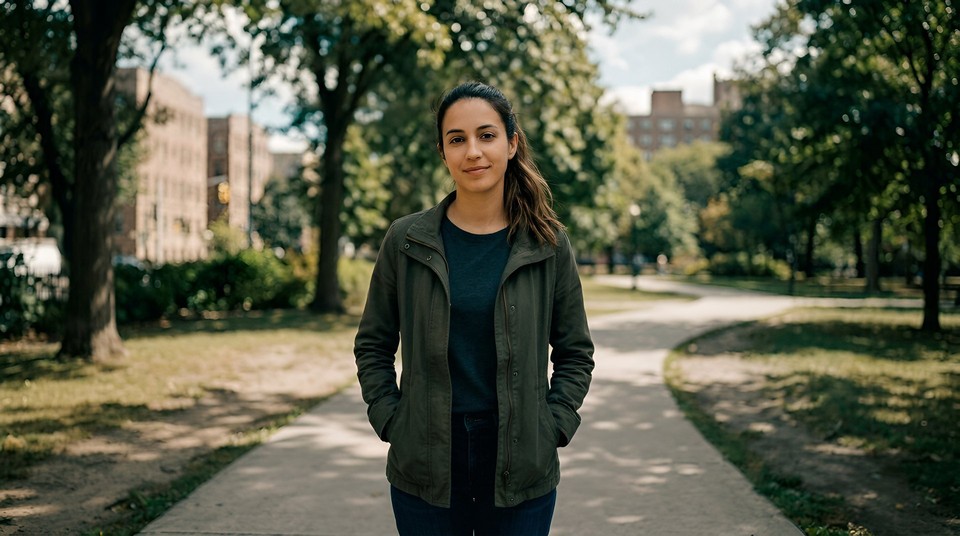
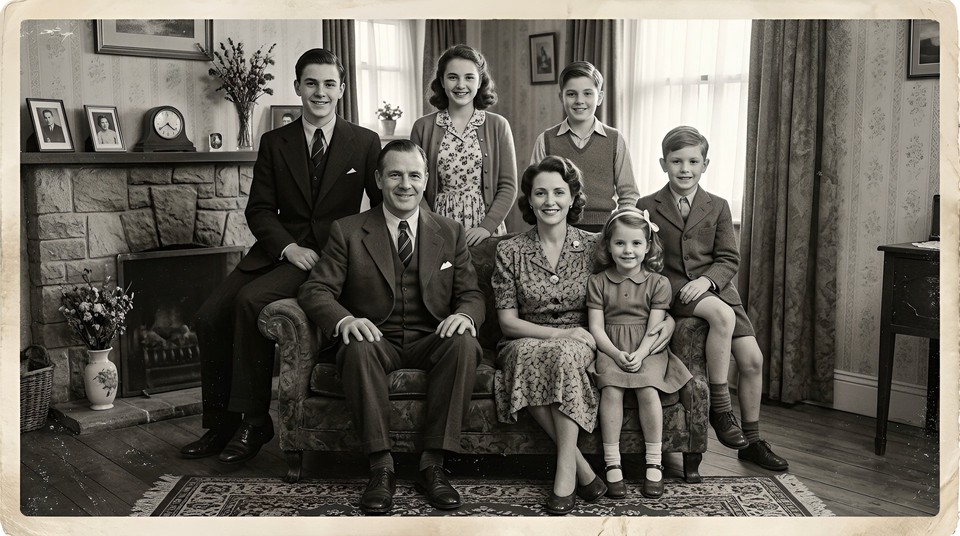
27. Old photo restoration Take the uploaded faded black and white family photograph from the 1940s, restore scratches and creases, colorize it naturally with period-appropriate muted tones, sharpen facial features and fabric textures, preserve the identity, expressions, and composition exactly. 4K, preserve original aspect ratio.
Input reference:
Playful and experimental
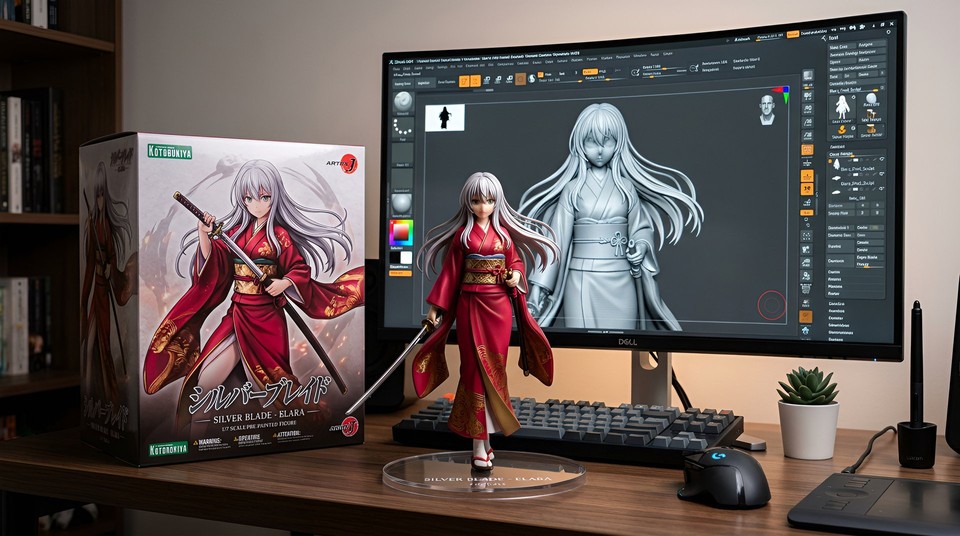
28. 1/7 scale collectible figurine desk scene A photorealistic 1/7 scale anime-style figurine of a young swordswoman with long silver hair and a crimson kimono standing on a transparent acrylic base on a modern computer desk, the monitor behind the figurine displaying the exact 3D modeling viewport of the same figurine in ZBrush, a premium Japanese figure collector box beside it with printed illustration art, soft ambient desk lighting with subtle warm rim light, Kotobukiya brand aesthetic. 4K.
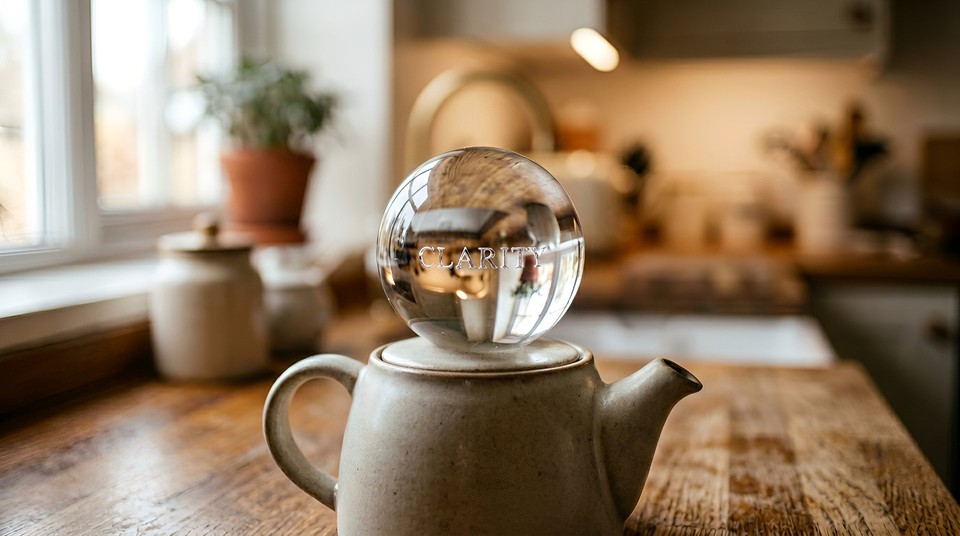
29. Macro glass sphere A macro shot of a clear crystal sphere resting on top of a matte ceramic teapot on a wooden kitchen counter, inside the sphere tiny silver letters suspended in the glass clearly spell "CLARITY", the sphere refracting the blurred warm kitchen scene behind it, soft window light from the left, only the sphere in sharp focus, shot on Canon R5 with 100mm macro lens at f/4, warm bokeh. 4K.
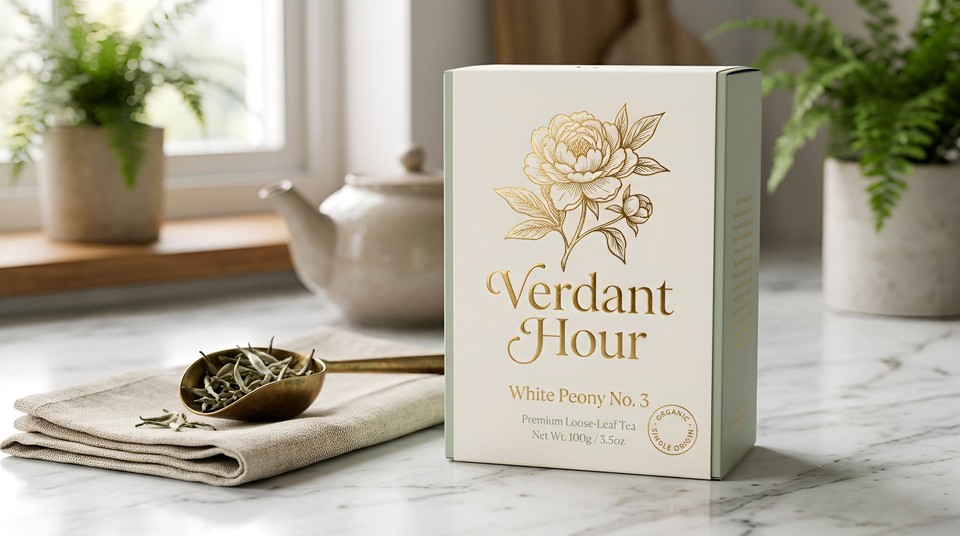
30. Retro packaging mockup A premium loose-leaf tea brand called "Verdant Hour" packaged in a matte cream paper box with soft sage accents and real gold foil stamping of a peony illustration, the brand name in an elegant serif calligraphy on the front, the product name "White Peony No. 3" in smaller text below, a small badge reading "ORGANIC · SINGLE ORIGIN", photorealistic 3D mockup on a marble surface with a single linen napkin and a brass tea scoop, natural side lighting from the upper left. 4K.
From prompt to finished video: the workflow that actually ships
Generating one great image is satisfying. Turning 30 of them into a finished video that you can post on Monday morning is the actual job. This is where most creators lose their weekends.
The workflow I use, and the reason I keep coming back to Fliki's AI video generator, is that it collapses the loop. I write the script and the image prompts together in a single markdown document. I paste it into Fliki's text-to-video interface. It generates the Nano Banana 2 images scene by scene, lays them into a timeline, layers in a cloned voice from the voice library, adds captions, and exports an MP4 ready for YouTube Shorts, TikTok, or Instagram Reels. One tab, one subscription, one export.
On the free Fliki plan, you can test the full pipeline without paying. The $28 per month Standard plan unlocks every image and video model, the full editor, voice cloning, the multilingual translator, and the 2,500+ voices across 80+ languages. For solo creators trying to produce three to five videos a week, that single subscription replaces roughly four tools I used to pay for separately.
If you want to see how Nano Banana 2's older sibling compares on specific tasks, my full Nano Banana Pro review breaks down where each model wins.
The bottom line
Nano Banana 2 is not another diffusion model with a better texture pack. It is a reasoning model that happens to output images, and that one architectural shift means every prompting habit you built for SDXL, Flux, or Midjourney is actively holding you back.
Write sentences, not tags. Brief it like a creative director. Name the camera, name the lens, name the light, name the mood, and name the purpose of the image. Use its text rendering aggressively because it is genuinely solved. Use its character consistency to do the work that used to require LoRAs and days of fine-tuning. Flip Thinking Mode on when composition matters, flip Search grounding on when accuracy matters, and flip both off when you just want to move fast.
Save the 6-part formula. Steal the 30 prompts. Remix them to your own subjects, your own brand, your own voice. And stop regenerating the same bad prompt four times in a row. If it did not work after two tries, the prompt was the problem.
Go make something that looks like you made it on purpose.